Whether teaching the Adobe Lightroom to photographers in a workshop or on safari, the most commonly questions will be about some missing feature in the app—It is also about getting a good understanding of the tools that are available and how best to use them.
Adobe Lightroom sees an update every few months, the photo editing program’s selection of sliders hasn’t changed since the Dehaze tool in 2015. That’s changes with the May 2019 update, however, as Adobe brings the texture slider to all versions of Lightroom, including Lightroom Classic, Lightroom CC and Camera RAW. The tool allows photo editors to add or smooth out detail — and new in-app learning tools will also help teach the different options. The updates begin rolling out Tuesday, May 14.
The new texture slider is one of Lightroom’s first tools to use spatial frequency to determine where the apply the effect, unlike other tools that work only on mid-tones or only on highlights, for example. The tool adjusts the detail in the middle frequency, which means the slider won’t change the small or large details like that blurred background or pores in skin. Instead, the tool concentrates the effect on mid-sized details. For portraits, Adobe says that while skin and hair are typically included in that middle range, factors like pore size in the skin is not.
The texture slider can be applied positively, to enhance texture, or negatively, to smooth out the texture. The slider is included among the tools to adjust the entire image but also exists in local adjustment tools, such as with the brush tool, to selectively apply the effect. In image samples, Adobe used the tool selectively to enhance the detail in trees and rocks while creating a smoothing effect on a waterfall.
Adobe says features added to the main editing stack are carefully considered in order to keep the program from slowing down. “We’re committed to ensuring our editing pipeline has the highest quality,” Lightroom Product Manager Josh Haftel said in a statement. “Every time we add a new control, we can’t degrade the speed. We can’t just add an infinite number of controls, we have to be very judicious about the tools that we add in.”
So, now the combined new features. First up, The interactive tutorials which offers a unique approach to learning. Instead of having to watch in a different window or even on another device and then attempt to follow-along within the app, the interactive tutorials provide access to the photo from the tutorial directly on your device and then walk you through each edit, step-by-step. You actually adjust each slider with guidance and instruction provided by the instructors along the way. These will also soon be coming to Lightroom for Windows and Mac.
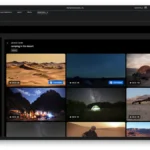
Inspirational photos provide a more lightweight way to get inspired while still seeing how the photo was made. When first opened, the photo’s edits play through, step-by-step. Then, you can tap on the Edits control to open up a wheel that lets you scroll through the edits and see exactly which settings were used.
For those working teams or who wish to share with friends, Group Albums are now available, which allows you to invite friends, relatives and colleagues into your albums with either read-only ability or with the option to add to the album. Very handy when you’re working with others on the go.
The feature will launch with around 60 tutorials, with new content added daily. Early instructors include photographers like Matt Kloskowski, Katrin Eismann, Kristina Sherk, and Nicole Young—the new apps are available to download now through the Adobe Creative Cloud app on the desktop or the App Store and Play Store for iOS and Android respectively.
We use cookies to ensure that we give you the best experience on our website. If you continue to use this site we will assume that you are happy with it.