Despite the talk that most main changes to iOS will be under the hood, Apple didn’t stop at breathtaking performance and stability enhancements in comparison with iOS 11, but introduced a full basket of new features, some of which users have been clamouring for since the Ice Age (grouped notifications), and some which are brand new and welcome, like the Emoji avatars that present your lovely self to the world as your creator intended.
There is, however, a number of smaller bunch of changes and new features that didn’t make the keynote and we are still discovering them, so take a look at what else may be in store for you when iOS 12 hits your iPhone or iPad this fall.
Here are 12 things Apple didn’t mention onstage at WWDC.
1.Answer calls and have chats over HomePod or Apple Watch.
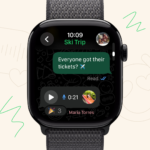
FaceTime got a big update with the addition of group video chatting at WWDC, but even the Watch and HomePod got in on the action. Obviously they’re only audio-ready (given they don’t have cameras) but you can join a FaceTime conference call from your kitchen, while out kayaking without needing to carry a phone or while out gyming, who says you can’t facetime from a distance that feels like home.
2.Wink detection
There was a lot made of tongue detection on stage to announce the improvement of Animoji, and it’s something we’ve wanted for a while. The other thing that didn’t get talked about is winking – now you can make a T-rex or ghost wink at whoever you’re sending weird cartoon animations to.
3.iPad gets iPhone X-like gestures.
It just keeps getting awesome!! this is something that anyone with an iPad and iPhone X will love: you can now swipe up from the bottom of the screen to get home, much like on an iPhone X.
You’ll also be able to access the Control Center by pulling down from the same top right-hand corner, which makes much more sense.
4.Password AutoFill
With iOS 12, Apple brings a feature it calls Password AutoFill. By extension, two-factor authentication codes sent to you in Messages will be autofilled in the app that requests them, instead of having to copy and paste them each time. The iOS 12 beta preview currently recognizes the codes, and offers them to you to fill automatically in the corresponding apps, super sweet huh? .
In addition to the built-in code autofill option above, Apple will make your life infinitely more easier with iOS 12, by simply providing API access to trusted password manager apps like 1Password or LastPass to fill all those pesky security boxes for you. You know, just like your Google account stores and then fills passes for on your behalf, but with established third-party apps. Nice!
5.Turn off auto updates
Whew, you can now slide the switch, and you will never receive any system update ever. We bet some wished they had this option before iOS 11 hit their unsuspecting heads. Be brave, and keep your trusted old 5s in the state of iOS 11, Nah, I am sure you wouldn’t. Given how much faster the new update is, it can breathe a whole new life into the aging handset, so you can even sideload the beta of iOS 12 on it now, and it will still be faster than with the retail iOS 11 you are trudging on it.
6.Critical alerts for Do Not Disturb.
While Do Not Disturb can block out the majority of messages that don’t pack importance or are just plain distracting, that does mean you could miss something important. These could be crucial things like a Health update or a text from a loved one. Along with the larger overhaul of Do Not Disturb, you’ll be able to designate certain notifications as Critical Alerts that will still come through even with DND turned on.
7.Face ID rescans.
Some users have complained that Face ID doesn’t always work on the first try. It can also be hard to the True Depth camera and sensor to try again. But with iOS 12 if it fails, you should be able to just swipe from up from the bottom. This handy trip also works well with other gestures.
8.Siri shortcuts
Siri is getting some improvements in iOS 12. With a new “Shortcuts” app, users can set “predetermined” Siri queries that automatically launch apps. If you say, “Help me relax,” it can start playing music and dim the lights. Or you can tell Siri you need to order groceries, and it’ll launch a grocery delivery app. Siri will learn, so if it knows you always get coffee in the morning, it can suggest that you place your regular order through a coffee app ahead of time. If you’re running late for a meeting, it can suggest you message the meeting organiser that you’re behind schedule.
9.Do Not Disturb During Bedtime
Apple has a bunch of apps that aim to help you curb your phone usage. “Do Not Disturb During Bedtime” is being enhanced so that you don’t see notifications while you’re trying to sleep at night. You can choose when this ends: whether you leave a specific location or if it’s been on for a pre-set amount of time.
10.Much better notifications
Apple is also trying to control the quality of notifications. If you see a notification, you can press it and decide to make sure it never shows on your lock screen or turn it off entirely. Siri will recommend you turn off notifications for apps you don’t even use, too. Grouped Notifications are now going to be grouped by thread, topic and app. If you tap in, you can see more from a specific app. Or, with a single swipe, you can dismiss all of those notifications.
11.Raw photo import
Raw-format photo support isn’t exactly new to iOS. In fact, raw was added back in iOS 10. With iOS 12, though, you’ll be able to import raw photos from your computer and camera.
Apple also says the import process for photos and videos from your professional camera will be improved, but it doesn’t elaborate on how exactly.
12.Improved Portrait lighting
Apple mentioned some updates coming to the camera, such as effects. But it didn’t mention that Portrait mode is receiving some upgrades too. It says the camera “now generates a mask when it detects a person” and it will intelligently separate that person from the rest of the scene.
In addition to Portrait improvements, it’s releasing a Portrait Segmentation API that will allow third-party developers to use the separation data in their own apps.
Ok I know we said 12 but here’s one more
13.Improved QR code reader
Rather than just showing a banner notification when you point the stock iOS camera at a QR code, Apple says that in iOS 12, the camera will now highlight QR codes to let you know it’s actually detected it. We imagine this will look a lot like the built-in document scanner.
Related Reading
More contextual TechBooky stories selected from tags, categories and article context.
We use cookies to ensure that we give you the best experience on our website. If you continue to use this site we will assume that you are happy with it.