• AI Search
  • Cryptocurrency
  • Earnings
  • Enterprise
  • About TechBooky
  • Submit Article
  • Advertise Here
  • Contact Us
TechBooky
  • African
  • AI
  • Metaverse
  • Gadgets
Generic selectors
Exact matches only
Search in title
Search in content
Post Type Selectors
Search in posts
Search in pages
  • African
  • AI
  • Metaverse
  • Gadgets
Generic selectors
Exact matches only
Search in title
Search in content
Post Type Selectors
Search in posts
Search in pages
TechBooky
Generic selectors
Exact matches only
Search in title
Search in content
Post Type Selectors
Search in posts
Search in pages
Home Artificial Intelligence

Excel Copilot Available – How Your Small Business Can Benefit

Paul Balo by Paul Balo
July 8, 2025
in Artificial Intelligence, Tips
Share on FacebookShare on Twitter

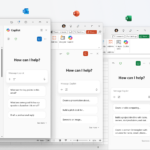
Copilot for Excel is now included in every Microsoft 365 Personal and Family subscription. You no longer need an enterprise E3/E5 licence to have an AI assistant clean data, build charts, or forecast cash flow. Below is a practical walk-through that shows how micro-businesses, freelancers, and even home users can wring real value out of the new feature in under an hour.

1. Check your version and turn Copilot on

  1. Update to Excel 2024 (Build 2407 or later) via Account ▷ Update Options ▷ Update Now.
  2. Sign in with the Microsoft account tied to your 365 Personal or Family plan.
  3. Look for the Copilot button on the right edge of the ribbon.

Tip: If you don’t see Copilot, toggle File ▷ Options ▷ Privacy ▷ Connected Experiences to On and restart Excel.
Microsoft help link

2. Clean “messy” data in seconds

Upload any CSV or paste data with empty rows, mixed date formats, or “N/A” entries. Click Copilot ▷ Clean data and type:

Remove blank rows, harmonise date format to DD/MM/YYYY, replace N/A with null.

Copilot previews a cleaned sheet. Approve, and Excel writes the changes in place—no Power Query gymnastics required.

3. Ask plain-English questions

Copilot lives in the Insights pane. Try:

  • “What were my top-5 spend categories last quarter?”
  • “Insert a pivot table that breaks sales by region and product line.”
  • “Forecast monthly revenue three months ahead using exponential smoothing.”

Each request generates formulas, pivot tables, or charts, fully editable after insertion.

4. Build a one-page dashboard

  1. Select a data range (e.g., transactions A1:H3000).
  2. Prompt:
    Create a dashboard with total revenue, YoY growth %, and a slicer to filter by product.
    
  3. Copilot inserts a formatted sheet with cards, charts, and slicers. Adjust colours and fonts as usual.

5. Scenario planning for SMEs

Cash-flow “what-if”

  • Prompt:
    If expenses rise 12 % but sales grow 18 %, what will cash-on-hand be at year-end? Show result in cell J20.
    
  • Copilot writes the formula and emits a short explanation.

Inventory reorder point

  • Upload historical sales.
  • Ask:
    Recommend reorder points per SKU assuming 95 % service level.
    
  • Copilot uses FORECAST.ETS.PREDICT plus safety-stock logic to fill a new Reorder column.

6. Personal-use gems

  • Budget tracking — Paste bank statements; ask Copilot to categorise spend and highlight anomalies > 10 % of average.
  • Fitness log — Import Apple Health CSV; request weekly averages and best PRs.

7. Privacy & limitations

  • Copilot for Home plans runs in Microsoft’s commercial cloud; your sheet is not used to retrain public models.
    Privacy whitepaper
  • File size limit: 25 MB / 1 M rows.
  • Not yet available on the iPad/Android Excel apps (road-map Q4 2025).

Copilot for Excel shrinks tasks that once demanded macros or Power Query into a couple sentences of plain English. For small businesses, that means cash-flow models without an outside analyst; for side-hustlers, inventory smarts without expensive SaaS. Spend five minutes enabling the feature and you’ll wonder how you ever reconciled last quarter’s numbers without an AI formula whisperer.

Related Posts:

  • Microsoft_Office_Excel_(2019–present).svg
    New List of Features on Microsoft Excel this March 2025
  • Microsoft-365
    New Pro Features Arrive on Microsoft 365 Premium
  • Copilot-en-SharePoint
    Microsoft Copilot Introduces Groups Feature
  • OMB_Hero-WholeNewWayToWork
    Microsoft Denies Office-to-Copilot Rebranding Reports
  • Layered-WXPO
    Microsoft Office Adds Free Copilot Chat
  • M365Copilot_HeroBanner_Apps_BLOG-FEATURE
    Microsoft 365 Adds Copilot AI, Raises Subscription Costs
  • Microsoft-365
    Students Get One Year of Free Microsoft 365 Personal…
  • microsoft-365-logo-with-some-of-its-apps-beside-it-and-a-field-to-add-alt-text
    Microsoft Tests Ad-Supported Free Version of 365 Apps

Discover more from TechBooky

Subscribe to get the latest posts sent to your email.

Tags: Copilotcopilot for excelExcelSMEstips
Paul Balo

Paul Balo

Paul Balo is the founder of TechBooky and a highly skilled wireless communications professional with a strong background in cloud computing, offering extensive experience in designing, implementing, and managing wireless communication systems.

BROWSE BY CATEGORIES

Receive top tech news directly in your inbox

subscription from
Loading

Freshly Squeezed

  • YouTubers Sue Snap Over Copyright Infringement in AI Models January 28, 2026
  • Sony Plans A State of Play Broadcast in February January 28, 2026
  • TikTok Avoids Trial, Settles Lawsuit Over Addiction Claims January 27, 2026
  • Ezra Olubi Sues David Hundeyin for ₦140M Over X Defamation January 27, 2026
  • Lagos & MTN Team Up on Eco-Friendly Obalende Bus Park January 27, 2026
  • France Ditches Microsoft Teams, Zoom for Homegrown ‘Sovereign’ Platform January 27, 2026
  • Meta Tests Premium Subscriptions on Facebook, Instagram & WhatsApp January 27, 2026
  • Microsoft Introduces New IT Admin Tool to Analyse Security Breaches January 27, 2026
  • Google May Bring Apple-Like “Liquid Glass” Design to Android 17 January 27, 2026
  • TikTok Blames Power Outage for US Service Problems January 27, 2026
  • Nvidia Backs CoreWeave With $2B to Support Data Centre Growth January 27, 2026
  • Google Agrees $68M Settlement in Google Assistant Privacy Lawsuit January 27, 2026

Browse Archives

January 2026
MTWTFSS
 1234
567891011
12131415161718
19202122232425
262728293031 
« Dec    

Quick Links

  • About TechBooky
  • Advertise Here
  • Contact us
  • Submit Article
  • Privacy Policy
Generic selectors
Exact matches only
Search in title
Search in content
Post Type Selectors
Search in posts
Search in pages
  • African
  • Artificial Intelligence
  • Gadgets
  • Metaverse
  • Tips
  • AI Search
  • About TechBooky
  • Advertise Here
  • Submit Article
  • Contact us

© 2025 Designed By TechBooky Elite

Discover more from TechBooky

Subscribe now to keep reading and get access to the full archive.

Continue reading

We use cookies to ensure that we give you the best experience on our website. If you continue to use this site we will assume that you are happy with it.