With so many bad software out there, people are always on the lookout for free software that can perform the functions that expensive paid software may be able to do. The software featured in this write up can be used on Windows, Mac and Linux.
OBS STUDIO: This is a free and great open source screen recorder. It is great for recording projects that can be saved to your computer and live streaming of anything you may want to stream live. Unlike most free screen recorders, OBS does not have any forced watermarks and you can record up to 60fps. On lunching the software, it shows the screen area that will be recorded, and from the screen, you can choose either options of live streaming or start recording.
There are multilayers of settings on the software which will vary depending on whether you are live streaming or screen recording for projects that will be saved to your PC. One thing that is recommend is going in to the hot key settings and adding some hot keys that makes working with it easier. If you plan on trying out the software, there is a slight learning curve, but there are videos on YouTube that will get you started, and OBS has an expansive help section on their website. The latest release for this software a download for Windows 7 and newer, Mac OS 10.10 and new, while for Linux, you will have to refer to the build instructions if you want it on your system.
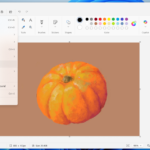
FOTOSKETCHER is a free software that will take your pictures and turn them into artwork. The effects are a lot better than those found in online photo editors. Fotosketcher is really easy to use; launch it, select the blue folder and then select your picture. If you want to zoom in or out, you can use the magnifier on the top right corner. Select the paint icon which gives you more than 20 different styles that you can choose from. If you hover on any particular style with your mouse, it will give you an example. You can change the strength of the effects or just leave them as they are. You then click on draw, and wait for it to do its own magic. In the banner at the top, you have the option to add a text, undo, redo your changes, and to save. It is available on Windows, there is an experimental but usable version for Mac, and Linux users can also run it.
FLUX adjusts the colored temperature of your display according to your location and time of the day. Blue light emitting from your screen in the evenings can make it more difficult to sleep. Flux reduces the blue light levels. In the settings, you can change the 24 hour presets, and it can also be paired with the Phillips hue light. Though some systems now have a built in night mode, Flux still trumps them all.
ATOM is an open source text editors for computer programmers. There are thousands of open source package and themes that you can choose from. You can even tweak the user interface. When you launch ATOM, you will have several options including open a project, install a package, and choose a theme among others. Once you have a project open, it has a user friendly layout that shares some similarities to sublime text and visual studio code.
VIRUS TOTAL is a “sine qua non” in the day to day use of computers. Virus Total is owned by Google. It aggregates many antivirus products and online scan engines. You can upload a file from your PC to scan for different kinds of malware; you can even check the URL of a website to determine if that site is safe. The more convenient method is to use the Virus Total desktop app. When you open the program, it will show all the executable desk top files on the system. Check the files, select one, and then click on “upload process executable”. It will show the results on the virus total site. Another way to check a file is to right click on it directly, and then select send virus total from the drop down menu. If you happen to find files with detections, this does not necessarily mean that it is bad. Many of the scanning engines that they use from well known security companies have been known to send out false positives. Even though the windows uploader for this software is no longer maintained, it still works great. The Mac 10 uploader gives an additional option of dragging and dropping the file into the application to scan them.
We use cookies to ensure that we give you the best experience on our website. If you continue to use this site we will assume that you are happy with it.


 If you want to zoom in or out, you can use the magnifier on the top right corner. Select the paint icon which gives you more than 20 different styles that you can choose from. If you hover on any particular style with your mouse, it will give you an example. You can change the strength of the effects or just leave them as they are. You then click on draw, and wait for it to do its own magic. In the banner at the top, you have the option to add a text, undo, redo your changes, and to save. It is available on Windows, there is an experimental but usable version for Mac, and Linux users can also run it.