Google has started implementing its gradient icon change for Workspace apps in response to users’ interest in an article published last month by 9to5Google.
Google has formally begun releasing its wide new version of gradient icons for its Workspace applications. By doing away with the extremely strict requirement that each and every app icon use all four corporate colours, the modification represents a significant break from the 2020 design framework.
This new appearance addresses a long-standing complaint that Google’s icons were too similar and difficult to tell apart at a glance by using subtle colour gradients, vivid hues, and distinctive shapes.
The web app launcher, which is located at the upper-right corner of most Google websites, and the New Tab page in Chrome are where this significant design makeover appears first when accessing the site.
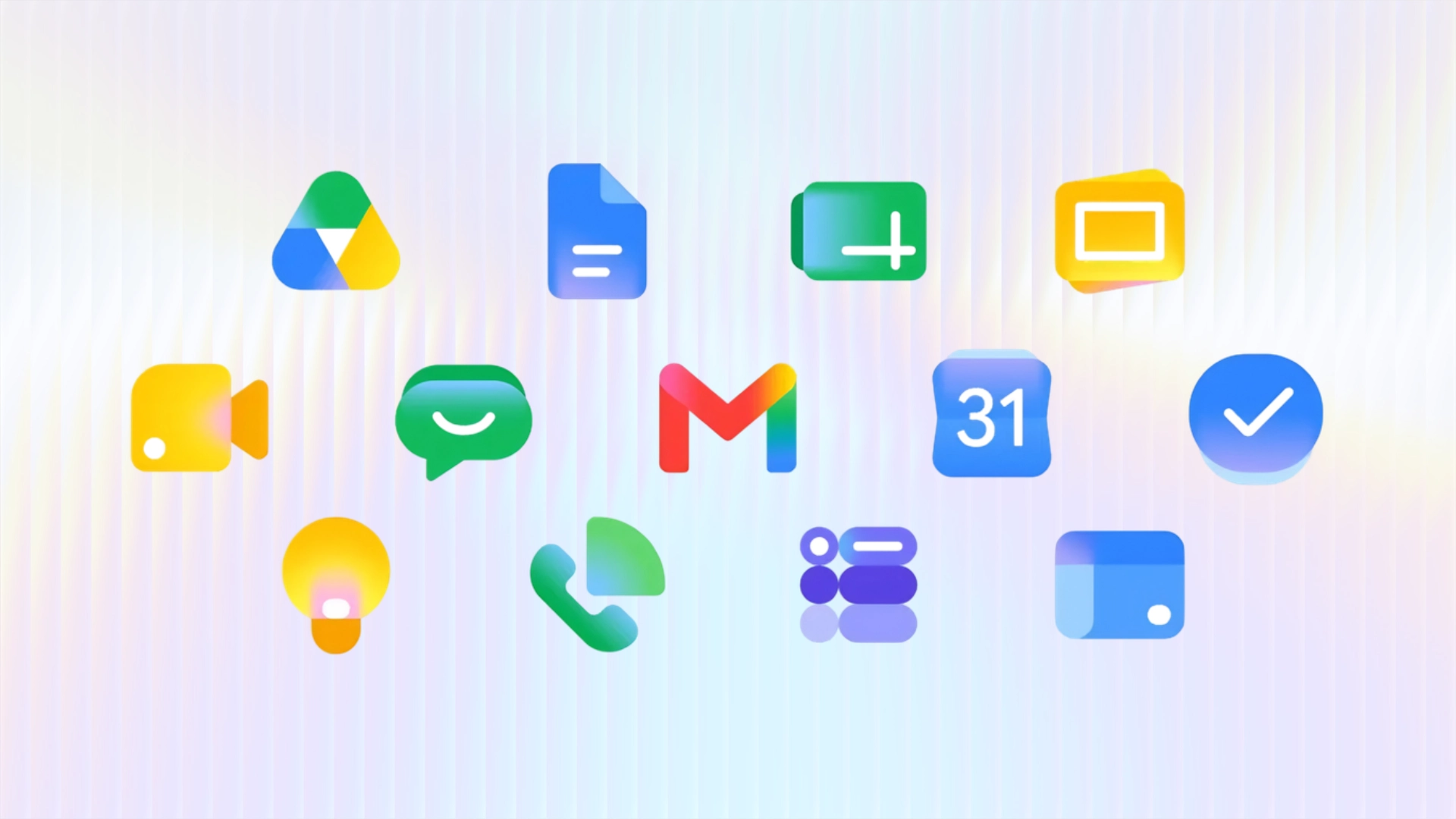
Gmail, Google Drive, Docs, Sheets, Slides, Calendar, Chat, Meet, Videos, Forms, Keep, Voice, and Tasks all get new, redesigned icons.
These icons are currently showing up in several Google apps’ upper-left corner. Although the favicons are still the same, we have so far observed them on Google Keep and the homepages for Docs, Sheets, Slides, Vids, Forms, and Sites. The editors’ actual logos have not yet been altered.
The redesign removes the standard outer white page boundaries, often called “containers,” from most apps. This allows each app’s core symbol to expand into a bolder, more readable silhouette.
Google Drive: It no longer includes the red corner. Instead, the icon features a soft gradient of green, yellow, and blue inside a more rounded, bulbous triangular frame.
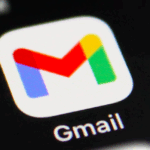
Gmail: The classic envelope “M” shape remains. However, flat solid colours have been replaced with rich gradients, and red continues to be the dominant shade.
Docs, Sheets, and Slides: Each app keeps its primary signature colour but now features a soft gradient appearance. In a clever layout shift, Sheets and Slides have changed from vertical to landscape formats. This new orientation matches the layout of their actual desktop apps.
Google Calendar: It returns to a cleaner, blue-focused layout. The design now mimics a traditional flip-style desk calendar.
Google Meet: The app moves away from its old balanced four-color layout. It now adopts a heavily yellow-dominant gradient style.
Other Apps: Tools like Tasks, Keep, Chat, Voice, and Forms have also been updated. They now use simplified, softer, and more rounded shapes to establish unique visual identities.
Google’s response to criticism of its previous icon set with this revamp and design. The colour and shape of everything are more distinct from one another. With the exception of Gmail, most apps no longer have to include all four business colours in their icons.
For the majority of apps, the Workspace page container has been eliminated to make room for bigger, more distinctive icons.
The rollout is happening in phases across several platforms.
In the Web App Launcher, the updated designs are now fully visible to every user. Users can see them in the Google apps tray launcher, which is located in the top-right corner of Google homepages and Chrome’s new tab page.
On App Main Homepages, the new icons have started appearing in the top-left corners. This includes web homepages for Docs, Sheets, Slides, and Google Keep. However, the favicons and the logos inside the active document editors have not been updated yet.
On Mobile Platforms, the gradient update has begun appearing for iOS users. It is also steadily making its way across the Android device ecosystem.
This visual overhaul unifies Google Workspace with the broader, AI-influenced design language that Google introduced during its core “G” logo makeover. The smooth colour blending mimics the aesthetic of the Gemini spark. As a result, it serves as a subtle visual indicator that artificial intelligence is now deeply integrated into Google’s core productivity suite.
The latest update is that iOS users are now able to access the gradient icons with ease.
Related Reading
More contextual TechBooky stories selected from tags, categories and article context.
We use cookies to ensure that we give you the best experience on our website. If you continue to use this site we will assume that you are happy with it.