Google DeepMind is reimagining one of the oldest fixtures of personal computing: the mouse cursor. In a new research project, the company has built an AI-enabled pointer that can understand the context of what you’re pointing at and even follow spoken instructions that rely on vague references like “this” and “that.”
The work, led by researchers Adrien Baranes and Rob Marchant, integrates Google’s Gemini model with a context-aware cursor. DeepMind describes it as the first major rethink of the pointer in more than 50 years, shifting it from a passive on-screen indicator into an active AI interface.
A cursor that listens, looks and understands
Today’s mainstream AI tools usually sit in separate windows or chat panels. To get help, users typically copy, paste or drag content into a prompt box. DeepMind’s team says that separation creates constant friction, because users have to step out of their workflow every time they want AI assistance.
The new approach flips that around. Instead of taking content to the AI, the AI moves to where the user is already working.
The prototype pointer is tied to the computer’s microphone, so Gemini can “listen” as a user hovers over different elements on screen. Because the model can see and interpret the on-screen context, people can interact with it much more like they would with another person, using short phrases anchored by gestures.
In a demo, a user hovers the cursor over a crab on a webpage and says, “Move this here.” The system uses both the pointer position and the spoken command to infer what “this” and “here” refer to, then picks up the crab and drops it where the user indicates.
That same point-and-speak method is designed to work across a wide range of tasks. Instead of crafting a full text prompt, a user could simply point at a paragraph and say “Summarise this,” or hover over a chart and ask for “a graph like that but with these numbers.” The cursor becomes the bridge between natural human shorthand and the underlying AI model.
Four design principles behind the AI mouse
DeepMind’s team outlined four principles guiding the project, all aimed at making AI interaction feel less like programming and more like everyday communication.
Maintain the flow. AI should follow users into whatever app they’re already using instead of forcing them into a dedicated AI interface. In practice, that means being able to point at a PDF and ask for a summary, or hover over a table of statistics and request a chart, without leaving the document or browser tab.
Show and tell. The pointer is meant to reduce the burden of prompt-writing. By capturing both the visual and semantic context of the screen, the system can infer intent from a short phrase plus a gesture, rather than relying on long, carefully written instructions.
Talk like a human. The researchers explicitly designed the system around how people naturally speak – using short phrases and gestures. Commands like “Fix this” or “Move that here” are supported because the AI can combine what it hears with what it sees under the cursor.
Turn pixels into actionable entities. Instead of treating the screen as a flat grid, the AI pointer recognises structured objects within it. DeepMind says this could, for example, transform a photo of a handwritten note into an interactive to-do list, or take a paused video frame showing a restaurant and turn it into a booking link.
Those design choices all point toward the same goal: making AI tools feel ambient and context-aware, rather than something users have to “go to” and manage manually.
DeepMind says the work is already moving beyond the lab. The company has begun integrating lessons from the research into Google products.
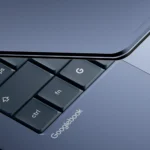
A new feature called Magic Pointer will “soon” roll out on the forthcoming Googlebook laptop platform, which Google introduced earlier in the week, according to the research blog. While technical details are limited, Magic Pointer is positioned as a direct application of the AI-enabled cursor concept.
Gemini users in Chrome are also set to benefit. Google says the technology will allow people to point at specific parts of a webpage and ask questions about that element, instead of writing a full text prompt that describes it. Again, the pointer’s location and the visual context around it give Gemini the information it needs to respond.
For developers and early adopters, Google is hosting experimental demos in Google AI Studio. These include image-editing and map-based interactions driven by the same point-and-speak approach, giving people a way to test how the idea works in practice before it shows up more widely.
The mouse itself is hardly new. The first prototype – a wooden, one-button device with metal wheels tracking the x- and y-axes – was built in 1964 and later patented in 1970 by inventors Doug Engelbart and Bill English at the Stanford Research Institute.
Engelbart long argued that computers should augment human intellect by making it easier and more natural to interact with digital information. In a 1997 acceptance speech for the Lemelson-MIT Prize, he pointed to the sweeping impact of digital technology across communication, displays, storage and processing, and highlighted the growing flexibility in how people could interface with systems. That shift, he suggested, would be profoundly disruptive for organisations and society.
DeepMind’s AI pointer lands squarely in that tradition: less a new hardware gadget than a new interaction layer on top of existing devices, aimed at making computers respond more fluidly to human language and gestures.
What’s next for the AI cursor
Google says it plans to continue testing the concept across additional platforms, including Google Labs’ Disco. Beyond that, the company has not detailed rollout timelines or specific product roadmaps.
If the technology matures, it could gradually reduce reliance on classic UI patterns like right-click menus and manual toolbars, in favour of direct, conversational commands anchored by the pointer. For now, it remains an experiment – but one that pushes a 1960s invention closer to the conversational, context-aware interaction its pioneers imagined.
Paul Balo is the founder of TechBooky and a highly skilled wireless communications professional with a strong background in cloud computing, offering extensive experience in designing, implementing, and managing wireless communication systems.
We use cookies to ensure that we give you the best experience on our website. If you continue to use this site we will assume that you are happy with it.