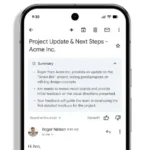
Google is bringing the same Gmail’s AI-powered Smart Reply feature to Google Docs. Google Docs is an online word processor included as part of the free, web-based Google Docs Editors suite offered by Google which also includes Google Sheets, Google Slides, Google Drawings, Google Forms, Google Sites, and Google Keep. Google Docs is accessible via an internet browser as a web-based application and is also available as a mobile app on Android and iOS and as a desktop application on Google’s Chrome OS. The web-based application allows users to create and edit documents online while collaborating with other users in real-time. The smart reply feature relies on artificial intelligence and is one that pops up just like when replying to messages on Gmail. This feature will be made available to all Docs users over the next few weeks. Once available, users will see suggested responses for comments just below the reply box. The AI-powered feature generates responses automatically according to what the comment says.
If you’ve been conversant with the use of Gmail for a few years now, you will have an understanding of how the Smart Reply works. The feature automatically suggests relevant responses based on the content of the message received. Users have the opportunity to select a suggested response to quickly reply to the email, thereby saving time and effort in the process. The response selected also automatically enters the compose field. Users can send it as it is or edit it to make necessary changes before tapping the send button. Of course, users have the opportunity to type as much as possible to send a more detailed response, or perhaps switch the content of the message.
Smart Reply has been introduced and will work similarly on Google Docs. Once available, users will see suitable suggestions as responses to comments right below the reply box. The AI-powered feature generates responses according to the content of the message. Tapping a suggested response allows a quick response to the comment. Just like in Gmail, users will be able to edit or rewrite with other replies before tapping the send button.
Google launched Smart Reply for Docs in 2020 to help users save time on sentences they frequently write and reduce the likelihood of spelling and grammatical errors. Google’s blog post illustrates why small errors can undermine a message and that, even when using Docs with Smart Compose, mistakes can slip through the editing process. “Smart Reply can help saves you time replying to comments in Docs by suggesting relevant replies,” Google says in a Workspace blogpost. As of now, this feature works with comment threads in English only. Also, you may not get suggestions in all cases. But you can expect Google to improve over time. Smart Reply will be available to all Google Workspace customers, G Suite Basic and Business customers, and users with personal Google accounts.
Google’s AI-powered Smart Reply feature was introduced in 2017 in Gmail and has grown into a quite helpful tool. It may not always offer the best or the most suitable responses for messages, but it often gets the job done when having a conversation especially if it’s a quick one. The feature has made it into many other Google products over time. Soon after Gmail, Android Messages gained the ability to suggest quick responses. Google even integrated smart replies with the Android operating system’s notification system, enabling users to quickly reply to messages from apps like WhatsApp and Signal. Google Docs is now gaining this ability as well.
As always, Googlewill first make this feature available to users on Rapid Release domains. The rollout for those users has already begun and should be completed in a couple of weeks. Users on Scheduled Release domains will start seeing Smart Reply in Google Docs starting on September 13 which is about a few days away already.
How To Use Google Docs’ Smart Reply Feature:
Since Google already confirmed that it would be turned on by default, you don’t have to do anything specifically if you want to use it. There is no admin control for this feature. It will be ON by default for end-users. However, should you feel unsatisfied with its performance, here’s how you can deactivate it:
Open a file.
At the top, click the Tools option and then choose Preferences.
To turn Smart Reply on or off, click Show Smart Reply suggestions.
Olagoke Ajibola is a creative writer and content producer with an eye for details and excellence. He has a demonstrated history of telling stories for TV, Film and Online. Aside from being fascinated by the power of imagination, his other interest are travel, sport, reading and meeting people.
We use cookies to ensure that we give you the best experience on our website. If you continue to use this site we will assume that you are happy with it.