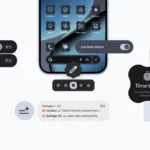
Google releases the Notification Organiser to Pixel with Android 16 QPR2 after AI Summaries last month.
For some Pixel phones running Android 16 QPR2 (Pixel 9 and later series, excluding the 9a), Google is now introducing the new Notification Organiser feature. Low-priority alerts are automatically bundled and silenced by the on-device AI system to minimise clutter.
Users can go to the Settings app > Notifications > Notification organiser (at the top) once it’s available on your Android 16 QPR2 smartphone. This feature is activated by default, in contrast to AI Summaries.
Users also has the opportunity to select English as the preferred primary system language and it is available in the following countries; Australia, Canada, Germany, Japan, United Kingdom and United States, so users can have access to it. Here is an overview of how it looks like below.
The following categories Promotions, News, Social, and Suggested are part of which the Notification Organiser will group users alerts into. The remaining ones need to be enabled based on your interests, but the first two are already on and another option is to “Always expand bundles.”
The “Silent” part of the notification shade is where this Organiser can be found which serves as an options for minimizing interruptions. App icons are piled on the right, and each category icon has an AI sparkle badge. To view and interact with the complete alerts, tap to enlarge the bundle.
Restart your Pixel if this hasn’t been implemented for your device yet. The Pixel 9 (not 9a) and Pixel 10 series have Notification Organiser.
Google has said that the feature is being rolled out gradually, and after the update is set up, a device restart could be necessary for it to display. Also users can visit the official Google Help page for further details.
We use cookies to ensure that we give you the best experience on our website. If you continue to use this site we will assume that you are happy with it.


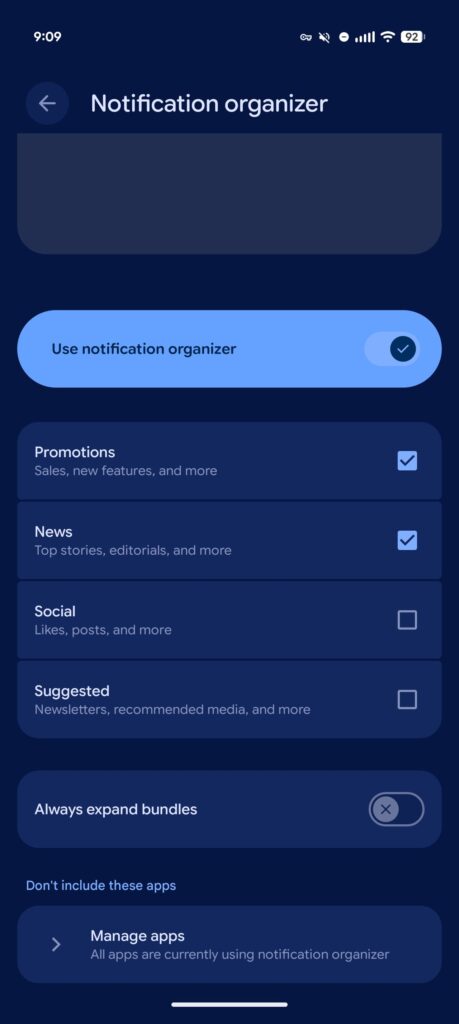 Users can go to the Settings app > Notifications > Notification organiser (at the top) once it’s available on your Android 16 QPR2 smartphone. This feature is activated by default, in contrast to AI Summaries.