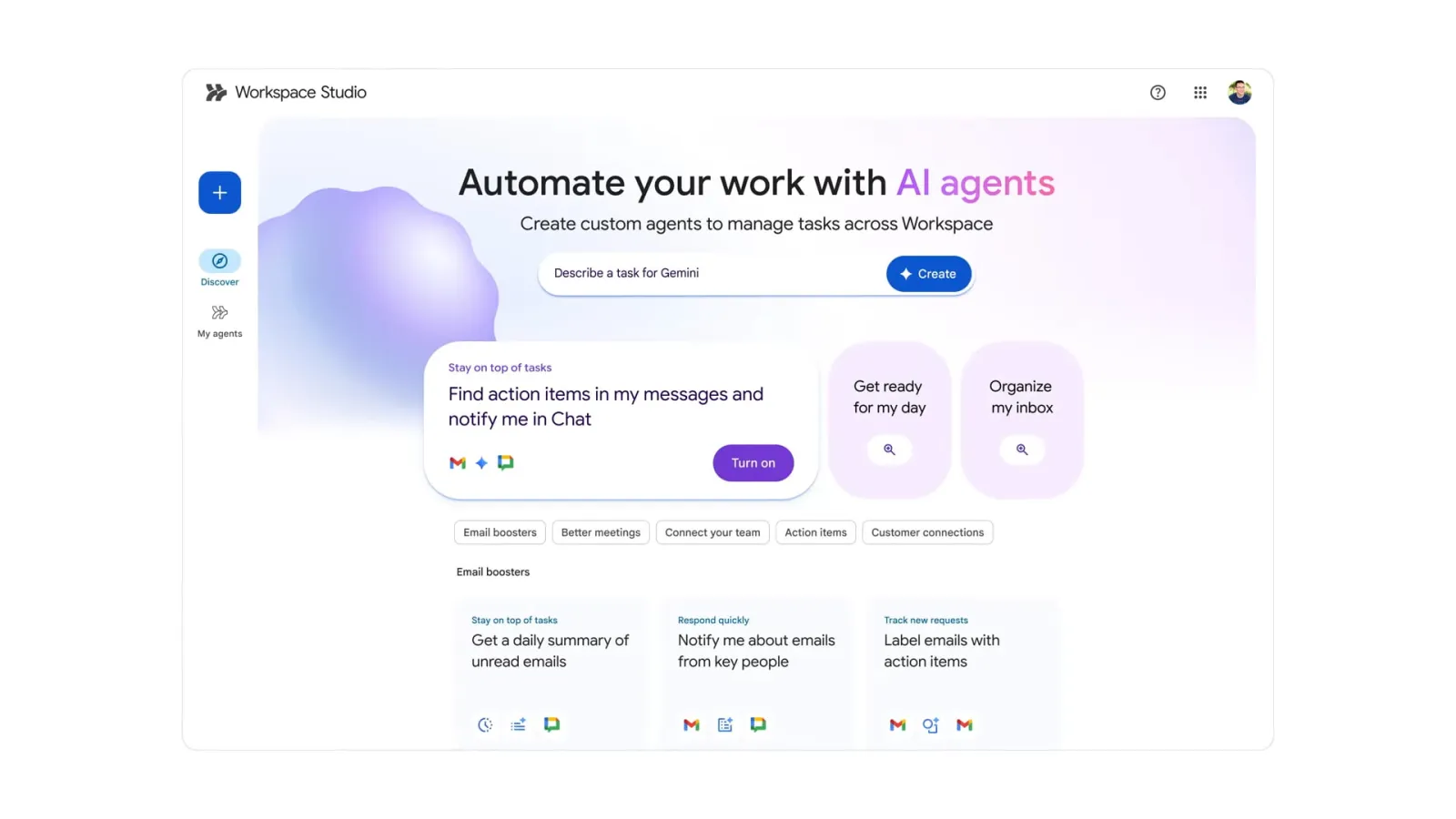
Some wonderful news for Google Workspace users. The release of Google Workspace Studio is a huge step forward, allowing customers to create bespoke AI agents to automate operations directly within the suite.
On Wednesday, Google launched Workspace Studio, the company’s latest platform for designing, managing, and sharing artificial intelligence (AI) agents for Workspace apps. The platform, previously available to select customers and users under the name Workspace Flows, is now available to all paid enterprise members. These AI agents can be used to automate a variety of tasks that follow the “if then, then that” structure. As a result, the platform only allows users to design agents that can do a specific task efficiently.
Over the coming weeks, Google Workspace Studio will be made available to all paid subscribers, including those with the Business and Enterprise Starter, Standard, and Plus plans; Education Fundamentals, Standard, and Plus plans; Google AI Pro for Education; and AI Ultra for Business subscribers. It will initially be made available to the company’s enterprise clients.
The key aspects and benefits commonly associated with such a launch include are;
Users can create and customise AI agents to meet specific business objectives and workflows without requiring extensive technical experience.
The AI agents developed using the platform can be utilised in Gmail, Docs, Sheets, Chat, Meet, Calendar and other Workspace applications, as previously stated. Gemini 3’s reasoning and multimodal capabilities underpin the platform’s agents, which enable users to automate both routine chores and more intricate workflows.
For Integration, the platform is likely to integrate seamlessly with existing Workspace products and even third-party services, increasing overall productivity and data flow.
Increased Productivity: By delegating time-consuming activities to AI agents, users may focus on more strategic and creative work.
Google suggests that the most significant advantage of these AI agents is that they can be produced using natural language prompts rather than relying on code-driven traditional automation. Users may simply tell Gemini to develop an AI agent to “flag incoming emails from finance, extract, invoice data, add to Sheets, and notify me in Chat,” and the underlying large language model (LLM) will be able to grasp the context and overall aim to create the agentic workflow.
Agents produced using Studio are incorporated into the user’s existing Workspace environment. As a result, users can access relevant content including emails, documents, spreadsheets, and more while adhering to an organization’s data access policies. Customer data, according to the tech giant, is not used to train its AI models and is secured by existing privacy and security precautions.
It’s not too difficult to get started. After entering Workspace Studio, users can type the task they wish to automate in the Gemini text box at the top. Users must specify the variables, the agent’s activation trigger, and the actions the agent must execute. After finishing, users can use the “create” button to let Gemini 3 Pro generate the complete process.
If this is too difficult, customers can begin with many templates provided by the company. These templates address common business requirements. After the configuration process is completed, the AI agents will begin to work automatically, with no operator involvement required. Users can also give complex tasks, such as email responses, to the agent, who completes the action using Gemini 3 Pro’s context awareness.
AI agents created in Workspace Studio can also communicate with third-party enterprise solutions such as Asana, Jira, Mailchimp, and Salesforce. This enables users to integrate third-party data and actions into their automation configuration.
A wider variety of companies and individuals using Google’s platform now have easier access to strong automation capabilities thanks to this breakthrough.
We use cookies to ensure that we give you the best experience on our website. If you continue to use this site we will assume that you are happy with it.