• Archives
  • Cryptocurrency
  • Earnings
  • Enterprise
  • About TechBooky
  • Submit Article
  • Advertise Here
  • Contact Us
TechBooky
  • African
  • AI
  • Metaverse
  • Gadgets
Generic selectors
Exact matches only
Search in title
Search in content
Post Type Selectors
Search in posts
Search in pages
  • African
  • AI
  • Metaverse
  • Gadgets
Generic selectors
Exact matches only
Search in title
Search in content
Post Type Selectors
Search in posts
Search in pages
TechBooky
Generic selectors
Exact matches only
Search in title
Search in content
Post Type Selectors
Search in posts
Search in pages
Home General App

Google Phone Introduces Personalised Profile Cards

Akinola Ajibola by Akinola Ajibola
August 29, 2025
in App
Share on FacebookShare on Twitter

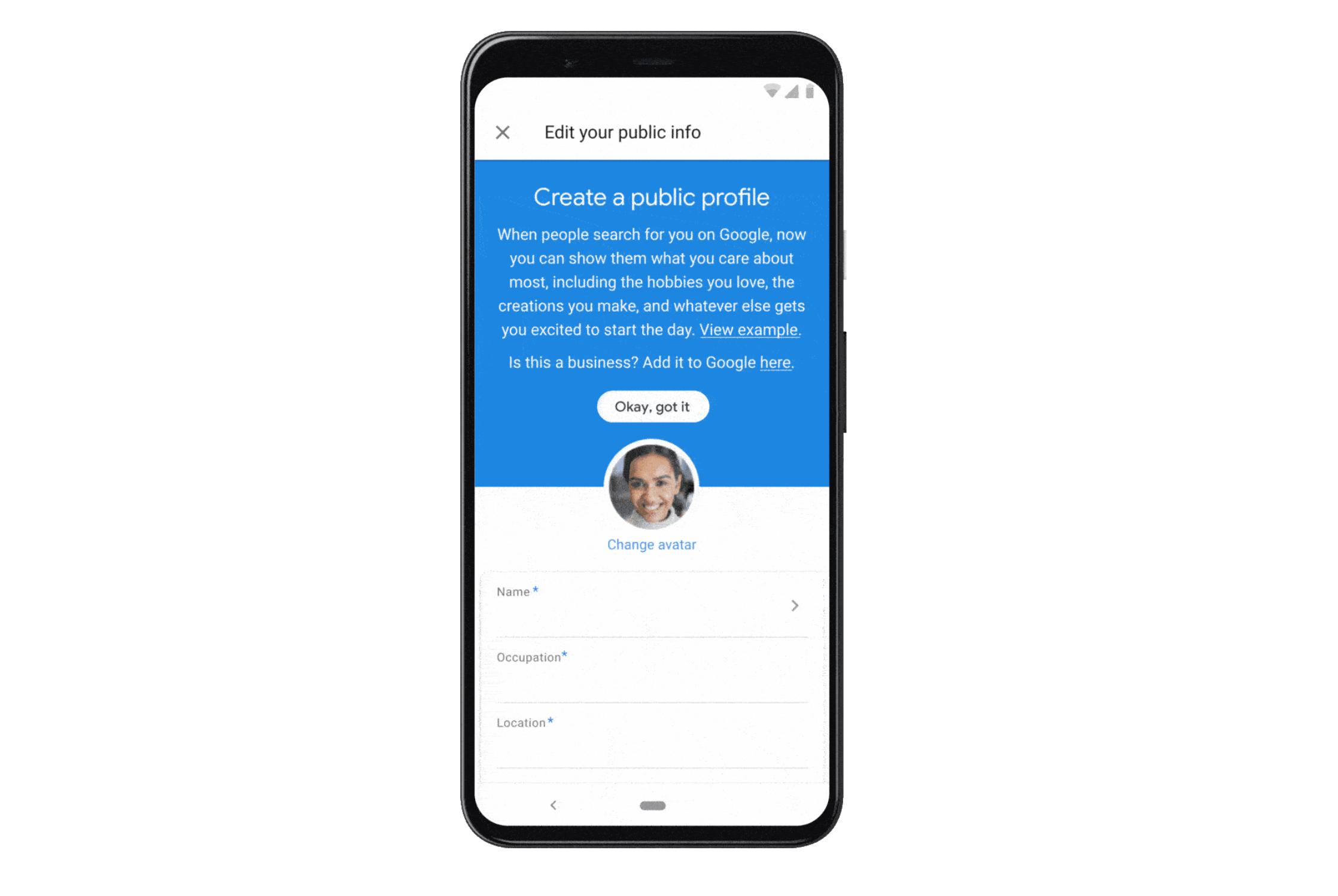
Custom Profile Cards for individual contacts are now supported in Google Phone updates. When a user gets a call from the person to whom they have assigned a Profile Card, these Profile Cards will show up. Smartphone owners of Android devices will be able to change text, background, videos, and images with this new functionality. Although there are significant changes between the two, the feature appears to be comparable to the iOS native phone app, which allows users to customise the background image for their contacts.

Make a “Profile Card” for particular contacts on their phones using the most recent version of the Google Phone app. Users can update the app by going to the Google Play Store if the update hasn’t already been downloaded automatically. Google will enable Android users to alter text on the calling card, add a background colour, a picture, or a video with this update.

The function is similar to the contact card function seen in the iOS Phone app. However, Android users can also upload a video to the profile card, whereas Apple users can only add an image.

Users have the option to customise how other people’s profile cards show up when they call them. This feature was tested by a media team on the Samsung Galaxy S24 Ultra running One UI 7, which was based on Android 15.

Users can make a profile card by opening the Google Phone app, choosing the contact they want to create one for, and then tapping on their profile photo. Users will be prompted to create a profile card in a new window. The option will show up in the screen’s upper left corner.

The Google Phone app then allows the user to begin changing the profile card. They have the option of choosing a basic background with several colours or an image or video from their collection. Additionally, users will be able to create a personal profile card.

Click on your contact profile photo in the Contacts app to create a contact card. You will be prompted to create a profile card for yourself in a new window. The question also emphasises that others will be able to see the profile card they create for themselves.

Users will now be able to bypass the procedure and just edit the contact photo using the Google Phone app. When a user has finished modifying their profile card, they can click preview to see how it will appear when they call someone on a phone or tablet.

Recently, the Google Phone app had a significant redesign as well. You can learn how to go back to the older style by reading more about it here.

“Custom Profile Cards” can include a web development component for websites or internal tools, a specialised device management file used in Apple’s MDM framework, a digital or physical business card for marketing, or a user-generated profile card for social media sites like Instagram and Samsung phones. All of them entail producing a customised visual or informational representation of a person or thing, albeit the precise meaning varies according on the situation.

Related Posts:

  • 9dfd50838b075041d16728b1fbbcaabe
    Custom Contacts Comes Back to Google Messages
  • WA_NEW_COVER_PHOTO_FOR_PROFILE_PERSONALIZATION_FEATURE_ANDROID
    WhatsApp Testing Cover Photos for User Profiles
  • WA_ADD_FACEBOOK_PROFILE_LINKS_FEATURE_ANDROID
    WhatsApp Beta Adds Option to Link Facebook Profile
  • Picture2
    Soon, WhatsApp Will Simplify the Process of Adding…
  • skynews-instagram-meta-facebook_6688367
    WhatsApp iOS Users May Soon Link Instagram Profiles
  • WA_SEARCH_AND_CALL_USERNAME_FEATURE_IOS
    WhatsApp Tests Username-Based Search and Calling on iOS Beta
  • google-messages-hero
    Google Messages Lets Users Edit RCS Messages to iPhone
  • Google-Phone-history-filters-1
    Google Adds Call History Filters to Android Phone App

Discover more from TechBooky

Subscribe to get the latest posts sent to your email.

Tags: googlegoogle phone app
Akinola Ajibola

Akinola Ajibola

BROWSE BY CATEGORIES

Receive top tech news directly in your inbox

subscription from
Loading

Freshly Squeezed

  • Meta’s Threads Surpasses Elon Musk’s X in Daily Mobile Users January 18, 2026
  • Outage Spurs On X as Users Report Service Disruptions January 17, 2026
  • Bluesky Adds Cashtags & LIVE Badges Amid Rising Downloads January 17, 2026
  • OpenAI Introduces Affordable ChatGPT Plan January 17, 2026
  • TikTok Plans Stricter Age Checks in Europe Amid Scrutiny January 17, 2026
  • ChatGPT To Introduce Ads To Certain Users January 17, 2026
  • BlackRock & Microsoft AI Partnership Has Raised $12.5B January 17, 2026
  • Amazon Unveils EU-Based Cloud Service to Ease User Concerns January 17, 2026
  • WhatsApp Spares Brazil From Chatbot Ban After Italy January 17, 2026
  • Paramount Legal Fight Paused Amid Warner Merger Talks January 17, 2026
  • OpenAI Details Advertising & Broader AI Access Plan for 2026 January 16, 2026
  • Android 16 QPR3 Beta 2 Now Available for Pixel Phones January 15, 2026

Browse Archives

January 2026
MTWTFSS
 1234
567891011
12131415161718
19202122232425
262728293031 
« Dec    

Quick Links

  • About TechBooky
  • Advertise Here
  • Contact us
  • Submit Article
  • Privacy Policy
Generic selectors
Exact matches only
Search in title
Search in content
Post Type Selectors
Search in posts
Search in pages
  • African
  • Artificial Intelligence
  • Gadgets
  • Metaverse
  • Tips
  • About TechBooky
  • Advertise Here
  • Submit Article
  • Contact us

© 2025 Designed By TechBooky Elite

Discover more from TechBooky

Subscribe now to keep reading and get access to the full archive.

Continue reading

We use cookies to ensure that we give you the best experience on our website. If you continue to use this site we will assume that you are happy with it.