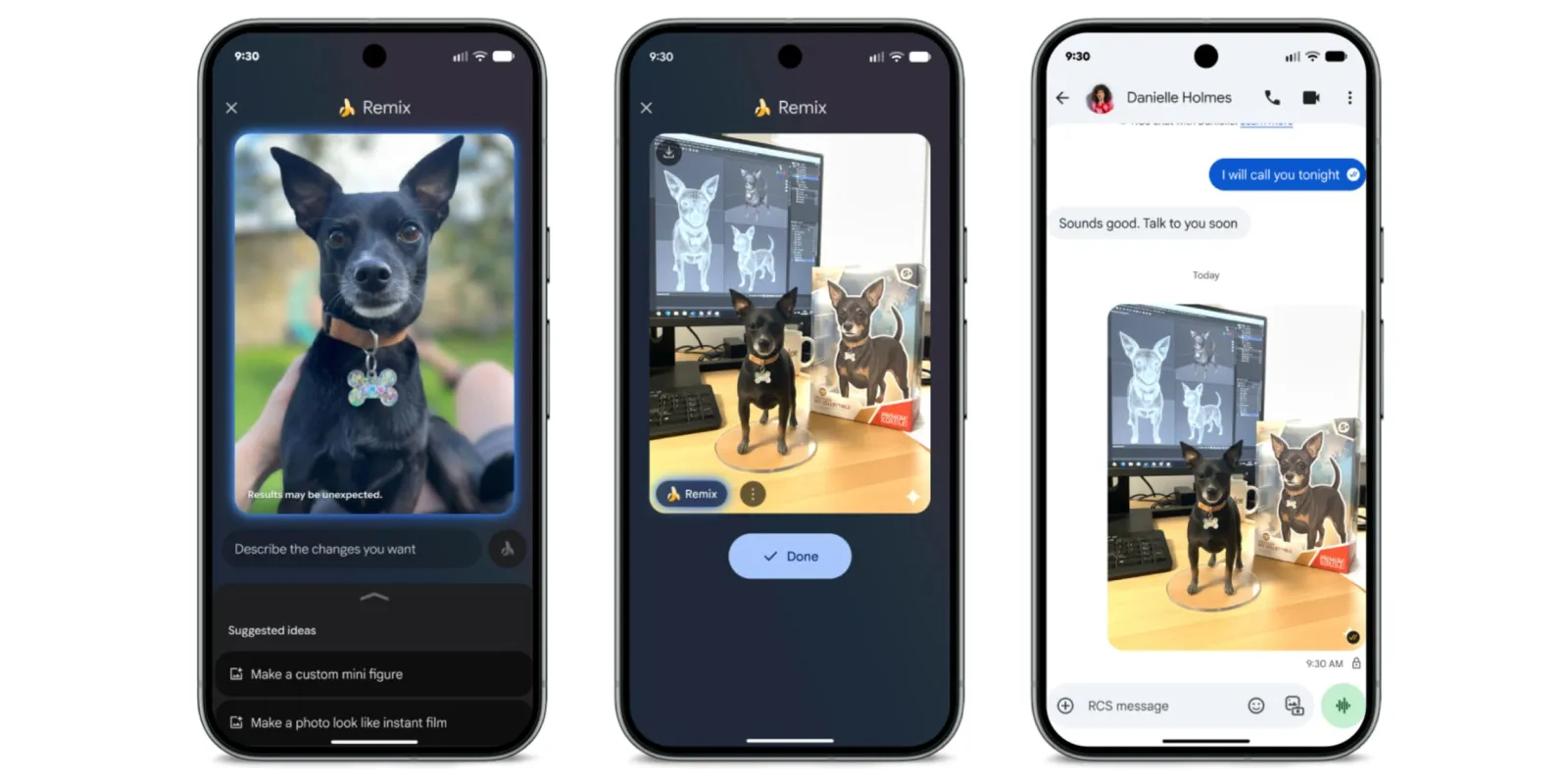
Google Photos is increasing steadily the delivery of the image-to-cartoon function to more users after releasing the “Remix” tool in August as a server-side upgrade.
Google Photos also revealed that a number of AI generating capabilities and features for the gallery app, including the Remix tool. The new “Create” tab and Photos’ photo-to-video tool were among the enhancements included in the bundle initially when it was first released in August.
Users can create cartoon-like versions of the pictures they snap and save in Google Photos to change to cartoon by using Remix. The created graphics in Gemini using a “reimagine” prompt are comparable to the outcomes. The user flow is different in this case since the default gallery app makes it simpler to create a stylised shot. Additionally, the function is free for people to experiment with for now.
Google through its community manager claims that Remix is expanding significantly by going live in 13 countries; Argentina, Bangladesh, Brazil, Colombia, Egypt, India, Indonesia, Japan, Mexico, Pakistan, Philippines, Turkey & United States, which are in America, Asia, Africa & Europe.
Users in those nations have access to a larger selection of remix styles, that is the 13 countries instead of the 4 that were available initially, when the feature first introduced a few months ago, like 3D animation, Anime, Sketch & Comic book. The upgrade seems to make the tool available to all users in these nations, even though it was previously restricted to a specific number of people.
The new features make it even easier to transform common photographs into “eye-catching and share-worthy art.”
These styles and features include stickers, watercolour, 8-bit, and unusual ones like enamel pins. Some are clearly imitations from a well-known artistic style, but the feature doesn’t seem to identify each style differently as compared to the few options that were previously available, the new choice list represents a significant improvement.
The Google Remix feature is expected to appear in the listed regions, but Google has not specified the period when it will roll out more widely and globally.
Users can utilise the Google Photos App features (on both iOS and Android) to access the Remix function by following these steps after downloading and installing on devices:
By launchng the Google Photos application.
Go to the top of the photo stream and select the “Create” or “Create new” tab.
Choose “Remix” from the menu.
After picking a picture from your gallery, decide on the style you want.
To change the image, tap the “Generate” button.
Additionally, users can press “Regenerate” to obtain various iterations of the same style. All qualified users will progressively be able to access the functionality.
We use cookies to ensure that we give you the best experience on our website. If you continue to use this site we will assume that you are happy with it.