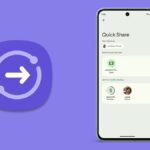
Sending files from one device to another in close proximity is already made incredibly convenient with Quick Share. But by using QR codes, it appears that Google has managed to make it much more practical.
A source claims that Google has added a new feature to its Quick Share feature that enables file sharing between Android devices easier. It seems to be rolling out, as the tech company initially disclosed it in December. Instead of saving contacts or verifying devices before sending files to those nearby, users can now scan QR codes in the Quick Share menu.
You can select who you wish to share with when Quick Share opens. You can choose to share with your contacts or just the devices that are linked to your Google account. You also have the option to share with everyone in your immediate vicinity, but doing so makes your device discoverable by anybody. You can, however, configure it such that your device can only be found for ten minutes following the use of the feature.
For people who wish to send a file to a non-contact but do not want to use the “Everyone” setting, this presents a challenge. Fortunately, Google is giving these individuals another choice.
The Operation of Quick Share’s QR Code Scanning Function
Users can share and receive pictures, videos, documents, folders, and other files from nearby compatible Android, ChromeOS, and Windows-based devices using Quick Share, a peer-to-peer data transfer capability. Previously called Nearby Share, it uses Wi-Fi Direct and Bluetooth and encrypts files while they are being transferred.
Previously, users could transfer files by adding contacts or authenticating devices, but now, QR code scanning is also supported. This information comes from the folks over at 9to5Google. According to a report, this feature should be enabled by updating Google Play Services to version 24.49.33.
9to5Google made us understand that, when you launch the fullscreen user interface, you will now see a “Use QR code” button in the “Send to nearby devices” area. When you tap this button, a QR code will be generated that the other Android phone can scan. The two devices will connect and the transfer will begin when you click on the quickshare.google link.
If you wish to share something with more than one person, you can use numerous devices to scan this QR code. This feature seems to have been introduced today with Google Play services version 24.49.33.
Google disclosed in December that users may initiate a secure file transfer by simply choosing the media file they wish to share, tapping the QR code, and having others scan it. It eliminates the need to change a device’s sharing settings, verify devices, or add people as contacts.
When delivering data to numerous recipients at once, the ability of the QR code to be read by multiple devices can be useful. You can visit this URL to trigger it as well. Unfortunately, the Quick Share software for Windows does not yet support this feature, and it is only available on Android devices.
In November of last year, Google quietly released the Quick Share app for ARM-powered devices running Windows 11 or later. Despite being previously accessible for Windows-based devices, it was incompatible with ARM-based devices and required extensive hacks to function.
After its launch, customers may now effortlessly share and receive documents, images, and other data between Windows PCs, including the new Snapdragon X Elite laptops, and neighbouring Android handsets.
We use cookies to ensure that we give you the best experience on our website. If you continue to use this site we will assume that you are happy with it.