Gboard for Android is gradually becoming M3 Expressive, as it started releasing its Material 3 (M3) Expressive redesign for the shortcuts page, putting contemporary aesthetics and visual clarity ahead of information density, although density is sacrificed in the makeover of the shortcuts page.
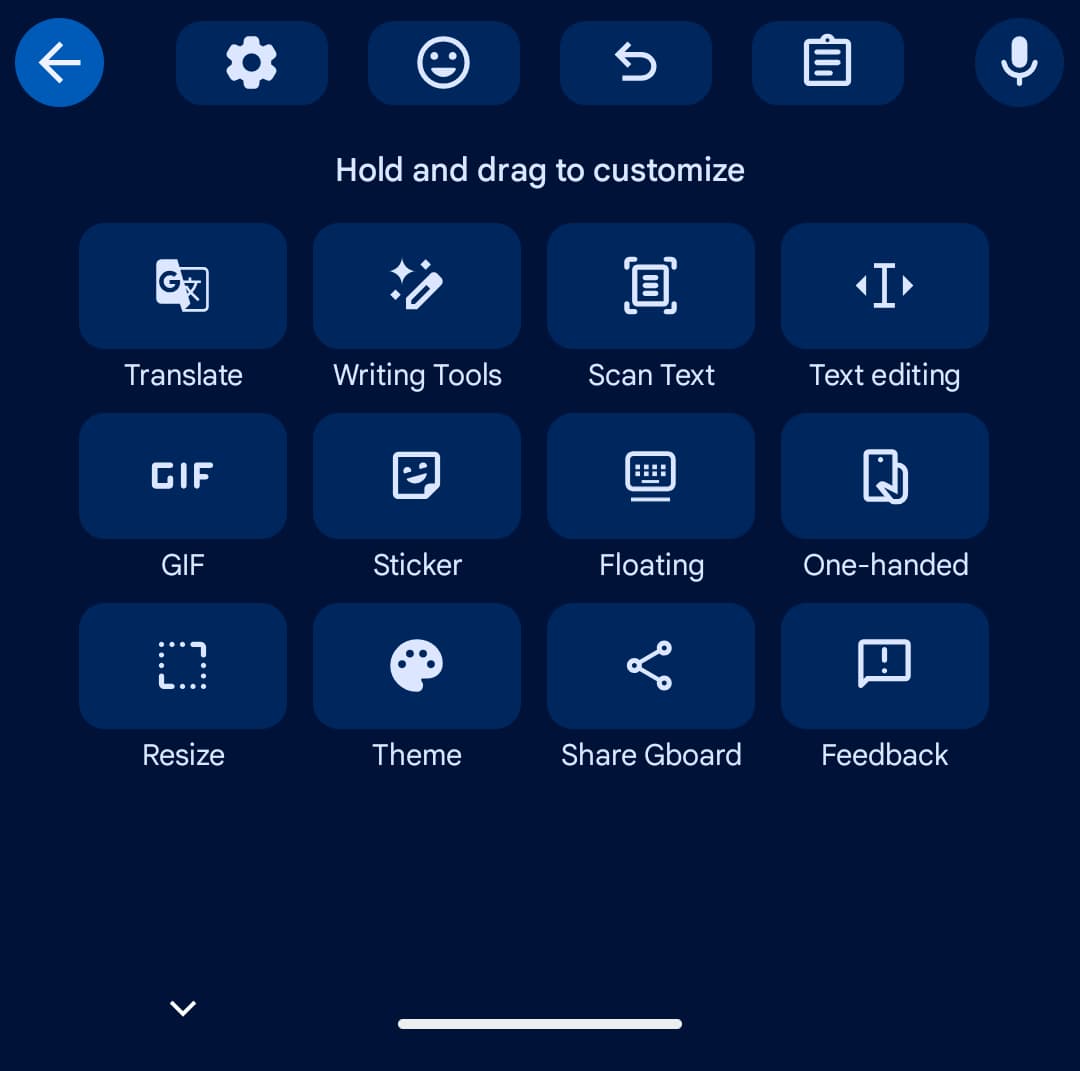
Everything was previously shown as a grid on the shortcuts page. Every item was arranged on a rectangular card that could be resized to fit in a single view without the need to scroll.
The importance of the modifications to the redesign consist of:
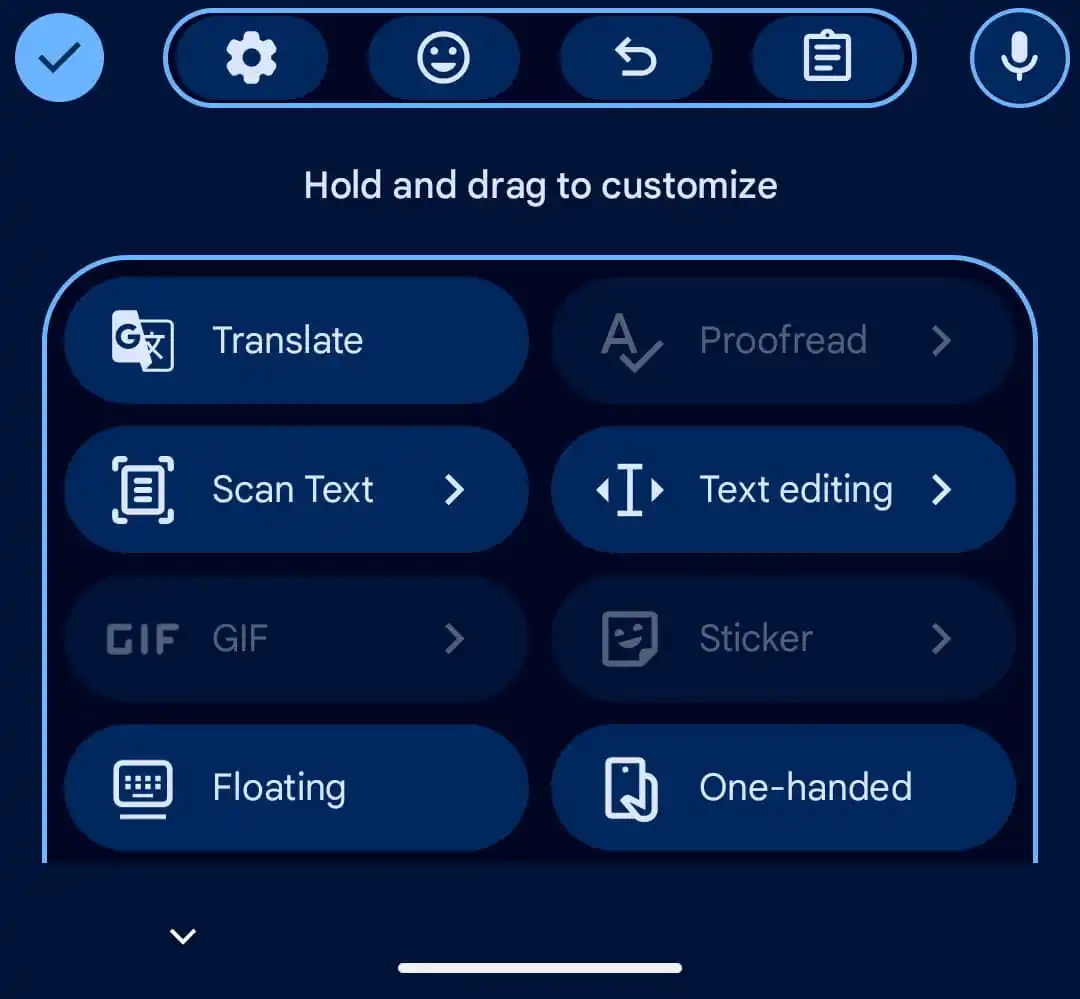
Enlarged UI Elements: Icons are essentially same, but text labels are much larger. Sometimes labels like “Share Gboard” need to be internally scrolled since they no longer fit inside their containers.
Pill-Shaped Shortcuts: Previously shown in a small, rectangular grid, shortcuts are now included in big, rounded pills with just two entries per row. With two shortcuts per row, the Material 3 Expressive redesign arranges everything into a rounded pill.
Updated Suggestions Strip: The “back” button has been replaced with a close “x” in the upper-left corner, and shortcut containers have been eliminated.
Paginated Navigation: Users now need to swipe horizontally to access more shortcut pages rather than a vertically scrollable list that could frequently fit all shortcuts in one view.
Its Modernised Settings: M3 Expressive containers, which organise related preferences into pill-shaped bubbles for better access, have been added to the main settings menu.
To view the next shortcut page, swipe left rather than scroll. The text labels are much larger, but the icons remain the same. However, because it is too big for the container, “Share Gboard” may scroll.
Comparing the old and the new Google Gboard
The back button is swapped out for a close “x” in the upper-left corner, and shortcuts in the recommendations strip drop their container.
On the “Hold and drag to customise” page, tap the pencil symbol to make changes using M3 Expressive containers.
A makeover of the Settings page has also been tried by Gboard in recent weeks. This is a simple modernisation that groups related preferences using containers.
Although the shortcuts page only showed up on one of our devices today with version 16.5.2.x, the Gboard Settings makeover is becoming more widely available.
This upgrade is a part of a larger system-wide rollout of Material 3 Expressive, which started with Android 16 and is intended to boost visual hierarchy and make important UI elements up to four times faster to find.
We use cookies to ensure that we give you the best experience on our website. If you continue to use this site we will assume that you are happy with it.