The update leans on Gemini’s multilingual capabilities to give users more context and control over how a phrase comes across, whether they’re chatting informally or writing for a professional setting.
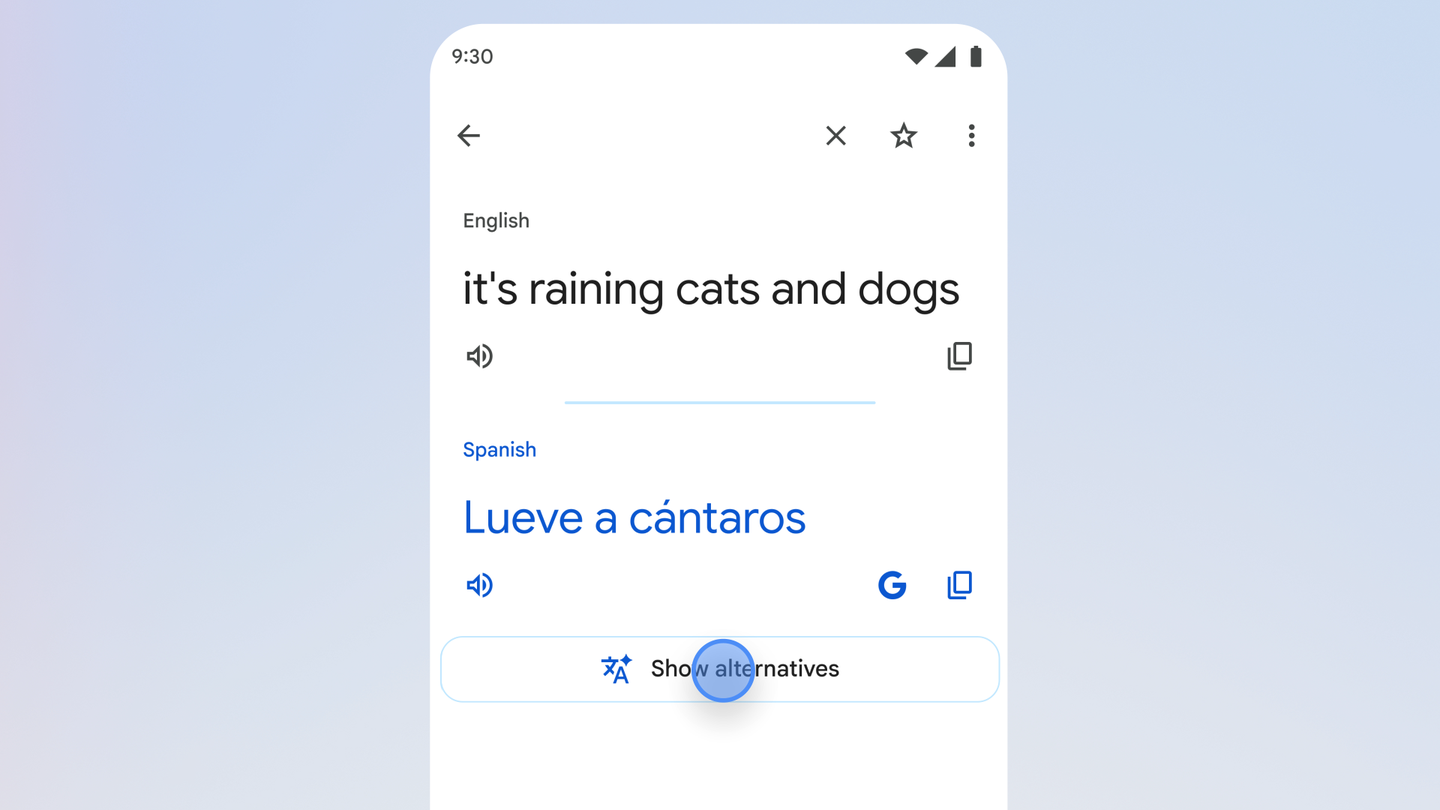
At the center of the update are alternative translation suggestions that are designed to be especially useful for idioms and colloquial phrases. Instead of only seeing a single direct translation, users now get multiple options, along with guidance about when and why each one might be appropriate.
Google’s example is the English idiom “It’s raining cats and dogs.” Rather than attempting a literal translation, the new experience surfaces clearer ways to express the idea in another language, and explains the context in which each alternative might work best. The goal is to help users pick wording that actually fits the conversation, not just the dictionary definition.
To dig deeper into these suggestions, Translate now includes two new controls:
“Understand” button – Provides an overview that explains the nuances behind each option, giving users more insight into tone, usage and meaning.
“Ask” button – Lets people follow up with questions about their specific scenario, such as how to phrase something for a particular country or dialect.
Together, these tools are meant to move Translate beyond simple word swaps and into more context-aware language help, using Gemini in the background to model how people actually speak.
The new Translate experience is available starting today in the U.S. and India on the Google Translate app for Android and iOS, with a web version planned but not yet live. Google has not provided further rollout details beyond that it is “coming soon” to the web.
For now, users in those two markets can try the updated app to see alternative translations, tap “understand” for explanations, or use “ask” to refine phrasing for different regions and conversational contexts.
Paul Balo is the founder of TechBooky and a highly skilled wireless communications professional with a strong background in cloud computing, offering extensive experience in designing, implementing, and managing wireless communication systems.
We use cookies to ensure that we give you the best experience on our website. If you continue to use this site we will assume that you are happy with it.