• AI Search
  • Cryptocurrency
  • Earnings
  • Enterprise
  • About TechBooky
  • Submit Article
  • Advertise Here
  • Contact Us
TechBooky
  • African
  • AI
  • Metaverse
  • Gadgets
Generic selectors
Exact matches only
Search in title
Search in content
Post Type Selectors
Search in posts
Search in pages
  • African
  • AI
  • Metaverse
  • Gadgets
Generic selectors
Exact matches only
Search in title
Search in content
Post Type Selectors
Search in posts
Search in pages
TechBooky
Generic selectors
Exact matches only
Search in title
Search in content
Post Type Selectors
Search in posts
Search in pages
Home Tips

How To Download The iOS 16 Developer Beta To Try The New Features

Olagoke Ajibola by Olagoke Ajibola
June 8, 2022
in Tips
Share on FacebookShare on Twitter

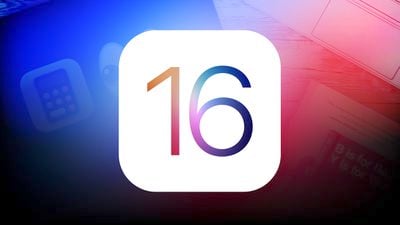
iOS 16 mock for feature

This year’s WWDC has incredibly opened us up to a bevvy of new features for the forthcoming iOS 16. Major features coming to the new iOS include an improved lock screen with widgets, some welcome updates to Messages for the typo-prone users, a powerful Live Text feature, shared iCloud photo libraries, and much more. If you’ve got an Apple developer account, you can download the developer beta to get a first-hand look at it and its remarkable abilities.

But note that the beta software is not the finished product. Downloading the iOS 16 developer beta could mean that some apps and features could be a bit wonky, fair warning, be prepared. In order for your Apple device not to act up on you, we highly recommend that you download the developer beta and test it on an iPhone that isn’t your daily driver. If that’s not an option for you, it’s fair to wait for the beta to hit the public before trying it out, Public beta arrives next month. And as always, back up your device before attempting to download the developer beta version just in case anything goes wrong.

To download the iOS 16 developer beta, here is how:

Log in to the Apple developer site on your mobile. (An active account which costs $99 annually is required) Be prepared to go through two-factor authentication.

In the menu bar, you’ll need to scroll down and tap the Downloads button.

Tap Install Profile and then Tap Allow.

Head to the Settings app. You should see the Profile Downloaded option right under your Apple ID profile.

Tap Install. You’ll be prompted to enter your passcode. Once that’s done, hit Install two more times after reading the terms and conditions agreement.

Your phone will need to restart. After, go to Settings > General > Software Update.

Tap Download and Install. If you’re developing an app, go to Settings > General > Privacy & Security. Scroll down and toggle on Developer Mode to access the required app development features. That’s it! It’s time to poke around the new iOS 16 and have fun while you do.

Related Posts:

  • apple-liquid-glass-interface-iOS26-transparent-designboom-10
    iOS 26 Public Beta Delayed Despite our Earlier Report
  • WA_AUTOMATICALLY_DOWNLOADED_CHAT_IMAGE_PHOTO_VIDEO_QUALITY_FEATURE_ANDROID
    WhatsApp Tests Auto-Download Quality Settings on Android
  • WA_AUTO_DOWNLOAD_QUALITY_SETTINGS_FOR_DOWNLOADED_PHOTOS_VIDEOS_MEDIA_FEATURE_ANDROID
    WhatsApp Adds Auto-Download Quality Control
  • ios-26-home-screen
    iOS 26 Public Beta Is Live: How to Install Liquid…
  • ios-26-home-screen
    Apple Set to Release iOS 26 Public Beta: Here’s What to Know
  • iOS-26-Feature (1)
    Apple Launches iOS 26.2 and iPadOS 26.2 Developer Betas
  • Screenshot
    Apple Hasn’t Released the iOS 26 Public Beta Yet -…
  • Mandel-Threads-shouts
    Threads Tests Feature to Import Social Graphs and…

Discover more from TechBooky

Subscribe to get the latest posts sent to your email.

Tags: appAppleartificial intelligencebetabusinessdeveloperDownloadfeaturegadgetinternetiosiphonemobilenew featuresecuritysmartphonesoftwareTap
Olagoke Ajibola

Olagoke Ajibola

Olagoke Ajibola is a creative writer and content producer with an eye for details and excellence. He has a demonstrated history of telling stories for TV, Film and Online. Aside from being fascinated by the power of imagination, his other interest are travel, sport, reading and meeting people.

BROWSE BY CATEGORIES

Receive top tech news directly in your inbox

subscription from
Loading

Freshly Squeezed

  • Microsoft To Turn Off NTLM By Default In Future Windows February 1, 2026
  • Free YouTube Background Play: Google Confirms Crackdown February 1, 2026
  • Google Dismantles Secret Network Hijacking Phone Data February 1, 2026
  • NCC Data Shows Average Download Speeds Hit 20.5 Mbps in Q4 2025 February 1, 2026
  • U.S. Probes Claim Meta Can Read Encrypted WhatsApp Chats February 1, 2026
  • OpenClaw’s Viral Rise Exposes Security Risks in Agentic AI February 1, 2026
  • Nvidia CEO Reaffirms Commitment to OpenAI Amid Rumours February 1, 2026
  • AI Chatbots Increasingly Cite Musk’s Grokipedia Despite Concerns February 1, 2026
  • Samsung Galaxy Z TriFold Sells Out as Google Teases Unified OS January 31, 2026
  • SendBaba Launches AI-Powered Email Marketing Platform in Nigeria January 31, 2026
  • PVH Corp Integrates ChatGPT to Transform Fashion Operations January 31, 2026
  • Google Study Finds Internal Debate Boosts AI Reasoning January 31, 2026

Browse Archives

February 2026
MTWTFSS
 1
2345678
9101112131415
16171819202122
232425262728 
« Jan    

Quick Links

  • About TechBooky
  • Advertise Here
  • Contact us
  • Submit Article
  • Privacy Policy
Generic selectors
Exact matches only
Search in title
Search in content
Post Type Selectors
Search in posts
Search in pages
  • African
  • Artificial Intelligence
  • Gadgets
  • Metaverse
  • Tips
  • AI Search
  • About TechBooky
  • Advertise Here
  • Submit Article
  • Contact us

© 2025 Designed By TechBooky Elite

Discover more from TechBooky

Subscribe now to keep reading and get access to the full archive.

Continue reading

We use cookies to ensure that we give you the best experience on our website. If you continue to use this site we will assume that you are happy with it.