• AI Search
  • Cryptocurrency
  • Earnings
  • Enterprise
  • About TechBooky
  • Submit Article
  • Advertise Here
  • Contact Us
TechBooky
  • African
  • AI
  • Metaverse
  • Gadgets
Generic selectors
Exact matches only
Search in title
Search in content
Post Type Selectors
Search in posts
Search in pages
  • African
  • AI
  • Metaverse
  • Gadgets
Generic selectors
Exact matches only
Search in title
Search in content
Post Type Selectors
Search in posts
Search in pages
TechBooky
Generic selectors
Exact matches only
Search in title
Search in content
Post Type Selectors
Search in posts
Search in pages
Home Mobile

iOS 26 Public Beta Is Live: How to Install Liquid Glass and Apple Intelligence

Paul Balo by Paul Balo
July 24, 2025
in Mobile, Software
Share on FacebookShare on Twitter


Apple has finally flipped the switch: the iOS 26 public beta is live and ready for anyone enrolled in the free Apple Beta Software Program to download—bringing the shimmering Liquid Glass redesign and the first consumer wave of Apple Intelligence to millions of iPhones ahead of the autumn release. The build mirrors this week’s fourth developer seed (with a minor revision pushed this morning), so public testers are getting Apple’s most polished preview yet. 

Once you’ve signed in at beta.apple.com, head to Settings → General → Software Update → Beta Updates and select iOS 26 Public Beta; the ~2–3 GB download will appear and install after a reboot. Back up first—via iCloud or Finder—because early betas can nuke battery life, crash apps and occasionally corrupt data. 

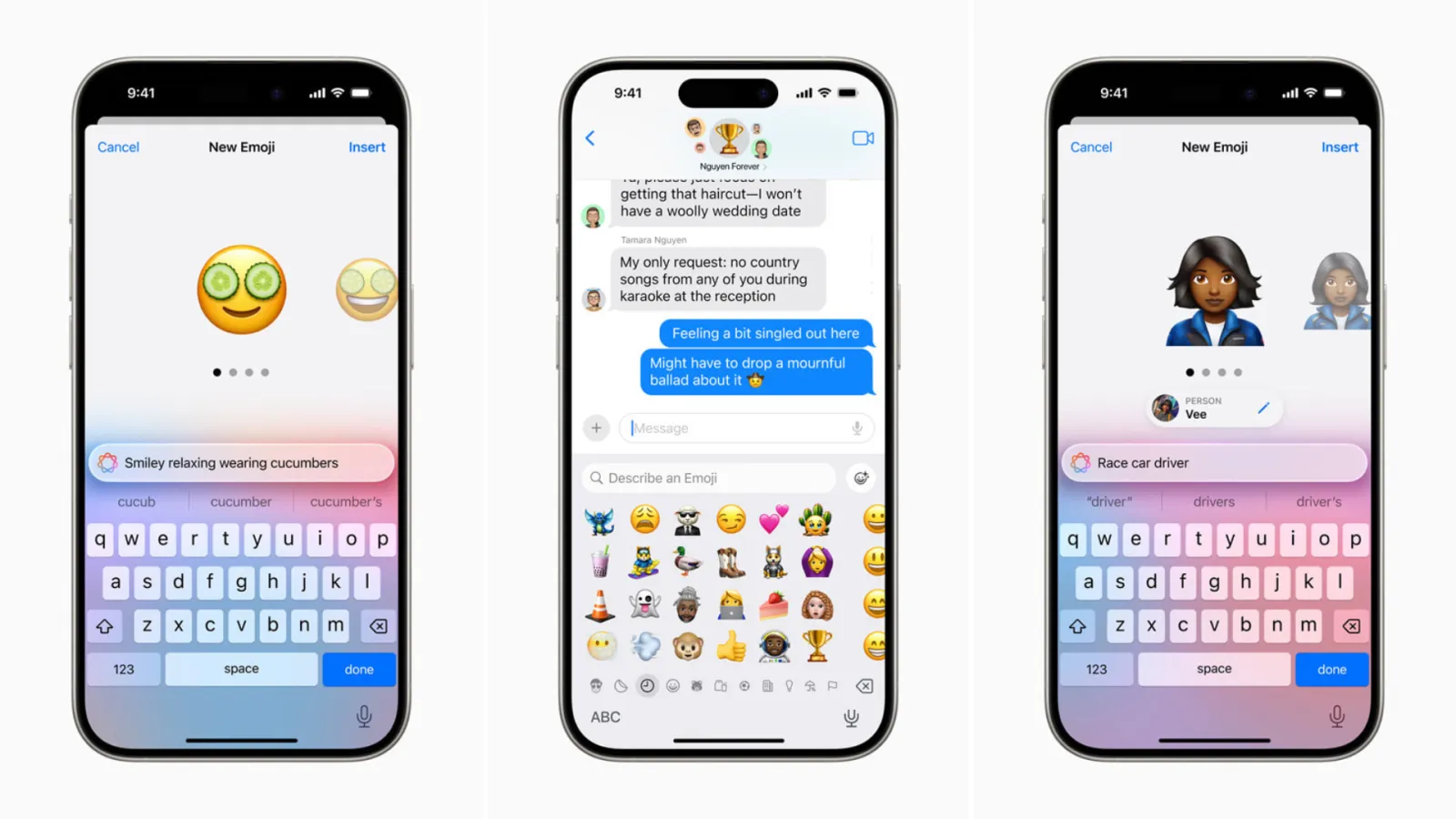
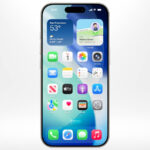
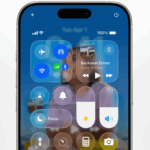
So what’s waiting on the other side of that progress bar? First, Liquid Glass: Apple has draped Control Center, widgets, tab bars and notifications in translucent layers that refract wallpaper colours and ambient light. Developer feedback already pushed tweaks to translucency levels and Control Centre legibility, and those changes carry into today’s public build. Second, Apple Intelligence features begin to surface in daily use. Live Translation pipes near-real-time captions into Phone, FaceTime and Messages calls; Genmoji turns quick prompts into sticker-quality emoji; and AI Notification Summaries regroup alerts with clearly labelled “Summarized by Apple Intelligence” badges and opt-in controls. You’ll also notice a new Games app hub, adaptive power-saving tuned for older batteries, refreshed Safari/Photos layouts and smarter CarPlay widgets. 


Device Eligibility

  • Public beta supports: iPhone 11 and newer.
  • Full Apple Intelligence suite supported on: iPhone 15 Pro and newer.
  • Dropped from compatibility: iPhone XS/XS Max and XR (A12 Bionic) no longer eligible


How to Install

  • Enrol in the Apple Beta Software Program via beta.apple.com.
  • On your iPhone: Settings → General → Software Update → Beta Updates.
  • Verify your device is backed up (iCloud or Finder) before tapping “Download and Install” .


Beta Caveats

  • Expect bugs, battery quirks and app instability.
  • Notification Summaries, disabled in earlier builds, are back with user toggles and banners noting possible inaccuracies .
  • Some real-time AI features won’t appear on older devices, even if the beta installs.


This is  a rare opportunity to be months ahead of the official autumn launch, you can test Apple’s next-generation interface and AI depths first-hand. Just go to Settings, opt into the public beta, and prepare to explore Liquid Glass, live translations, smarter notifications, a revamped Games hub, and enhanced CarPlay—all while standing watch for bugs that Apple still needs to fix.

Related Posts:

  • ios-26-home-screen
    Apple Set to Release iOS 26 Public Beta: Here’s What to Know
  • apple-liquid-glass-interface-iOS26-transparent-designboom-10
    iOS 26 Public Beta Delayed Despite our Earlier Report
  • Screenshot
    Apple Hasn’t Released the iOS 26 Public Beta Yet -…
  • iOS-26-Feature (1)
    Apple Launches iOS 26.2 and iPadOS 26.2 Developer Betas
  • iOS-26-Feature
    Apple Releasing iOS 26 Public Beta Wednesday
  • Apple-Liquid-Glass-software-design-has-prompted-legibility-concerns – Copy
    iOS 26 Public Beta, 12 Hours In: Liquid Glass…
  • ios-18-1-header
    iOS 18.1 Developer Beta 7 Coming Later This Month
  • New-Leaked-Features-for-Apple-Maps-in-iOS-26-Beta-1024×509
    iOS 26 Beta Brings Better Apple Maps Search

Discover more from TechBooky

Subscribe to get the latest posts sent to your email.

Tags: ios 26iOS 26 Betaios 26 pubic beta
Paul Balo

Paul Balo

Paul Balo is the founder of TechBooky and a highly skilled wireless communications professional with a strong background in cloud computing, offering extensive experience in designing, implementing, and managing wireless communication systems.

BROWSE BY CATEGORIES

Receive top tech news directly in your inbox

subscription from
Loading

Freshly Squeezed

  • Samsung Profit Surges as AI Chip Demand Booms January 29, 2026
  • Meta Reports Strong Q4, Full-Year 2025 as Ad Revenue Surges January 29, 2026
  • Tesla’s Vehicle Margins Fall as Musk Focuses on AI and Robotics January 29, 2026
  • Microsoft Earnings Show Rising AI Spend, Cloud Under Scrutiny January 29, 2026
  • YouTubers Sue Snap Over Copyright Infringement in AI Models January 28, 2026
  • Sony Plans A State of Play Broadcast in February January 28, 2026
  • TikTok Avoids Trial, Settles Lawsuit Over Addiction Claims January 27, 2026
  • Ezra Olubi Sues David Hundeyin for ₦140M Over X Defamation January 27, 2026
  • Lagos & MTN Team Up on Eco-Friendly Obalende Bus Park January 27, 2026
  • France Ditches Microsoft Teams, Zoom for Homegrown ‘Sovereign’ Platform January 27, 2026
  • Meta Tests Premium Subscriptions on Facebook, Instagram & WhatsApp January 27, 2026
  • Microsoft Introduces New IT Admin Tool to Analyse Security Breaches January 27, 2026

Browse Archives

January 2026
MTWTFSS
 1234
567891011
12131415161718
19202122232425
262728293031 
« Dec    

Quick Links

  • About TechBooky
  • Advertise Here
  • Contact us
  • Submit Article
  • Privacy Policy
Generic selectors
Exact matches only
Search in title
Search in content
Post Type Selectors
Search in posts
Search in pages
  • African
  • Artificial Intelligence
  • Gadgets
  • Metaverse
  • Tips
  • AI Search
  • About TechBooky
  • Advertise Here
  • Submit Article
  • Contact us

© 2025 Designed By TechBooky Elite

Discover more from TechBooky

Subscribe now to keep reading and get access to the full archive.

Continue reading

We use cookies to ensure that we give you the best experience on our website. If you continue to use this site we will assume that you are happy with it.