• AI Search
  • Cryptocurrency
  • Earnings
  • Enterprise
  • About TechBooky
  • Submit Article
  • Advertise Here
  • Contact Us
TechBooky
  • African
  • AI
  • Metaverse
  • Gadgets
Generic selectors
Exact matches only
Search in title
Search in content
Post Type Selectors
Search in posts
Search in pages
  • African
  • AI
  • Metaverse
  • Gadgets
Generic selectors
Exact matches only
Search in title
Search in content
Post Type Selectors
Search in posts
Search in pages
TechBooky
Generic selectors
Exact matches only
Search in title
Search in content
Post Type Selectors
Search in posts
Search in pages
Home Artificial Intelligence

Microsoft 365 Copilot, An AI Solution For Word, Excel, PowerPoint And Teams

Paul Balo by Paul Balo
March 17, 2023
in Artificial Intelligence, Software
Share on FacebookShare on Twitter

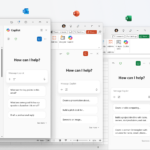
Microsoft has introduced new AI capabilities to its Microsoft 365 suite of applications. The Microsoft 365 Copilot brings AI to several programs such as Word, Excel, PowerPoint, and Teams. The idea behind this new feature is to utilize AI to generate content in a smart way.

According to a blog post from Microsoft, Copilot is currently being tested by 20 customers, with eight of them being Fortune 500 companies. The preview of Copilot will be made available to more customers over the next few months.

During the unveiling event, Microsoft demonstrated some of the capabilities of Copilot, such as asking it to prepare for a meeting, generating meeting notes for a Teams call, and creating a presentation using PowerPoint based on a specific document. These new features are aimed at making work easier and more efficient for Microsoft 365 users.

Microsoft’s new Copilot feature is designed to generate content intelligently by using insights and information from one Microsoft app to another. For example, it can help create a PowerPoint presentation by using details from a Word document.

With Copilot, users can now rely on AI to prepare for and catch up on Teams meetings. If someone joins a meeting late, Copilot can generate meeting notes for everything they’ve missed, helping them get up to speed quickly without having to rely on other attendees for information.

Moreover, Copilot can also create a meeting agenda by analyzing the chat history of previous meetings. This feature can help to streamline future meetings by providing a clear outline of what needs to be discussed and what actions need to be taken. Additionally, Copilot can suggest which attendees should be responsible for specific tasks, helping to ensure that everyone is on the same page and that nothing falls through the cracks.

These features are particularly useful for businesses that have a lot of meetings or have remote teams who may not always be able to attend meetings in person. By using Copilot to automate note-taking and agenda creation, businesses can save time and increase productivity while ensuring that all attendees are informed and engaged.

According to Microsoft, Copilot’s capabilities extend beyond Teams. Business Chat, a new experience from Microsoft, brings together information from various sources like documents, files, emails, and more. The feature is accessible through Teams and Microsoft365.com.

In addition, within Outlook, Copilot can read an email and generate a reply. As Microsoft continues to develop AI capabilities, this new feature is just one of several announcements they’ve made this year, including launching the new Bing powered by ChatGPT and adding features to Microsoft Teams.

Related Posts:

  • OMB_Hero-WholeNewWayToWork
    Microsoft Denies Office-to-Copilot Rebranding Reports
  • Microsoft_Office_Excel_(2019–present).svg
    New List of Features on Microsoft Excel this March 2025
  • Layered-WXPO
    Microsoft Office Adds Free Copilot Chat
  • M365Copilot_HeroBanner_Apps_BLOG-FEATURE
    Microsoft 365 Adds Copilot AI, Raises Subscription Costs
  • microsoft-365-logo-with-some-of-its-apps-beside-it-and-a-field-to-add-alt-text
    Microsoft Tests Ad-Supported Free Version of 365 Apps
  • M365-Blog_09292025_agentMode_Hero_v1-809x455
    Microsoft Adds ‘Vibe Working’ to Word and Excel
  • M365Copilot_HeroBanner_Apps_BLOG_FEATURE
    Microsoft Sets Steep Price On Copilot, Its AI-Powered Tool
  • Microsoft-365
    Students Get One Year of Free Microsoft 365 Personal…

Discover more from TechBooky

Subscribe to get the latest posts sent to your email.

Tags: AIartificial intelligencemicrosoft 365Microsoft 365 Copilotmicrosoft office
Paul Balo

Paul Balo

Paul Balo is the founder of TechBooky and a highly skilled wireless communications professional with a strong background in cloud computing, offering extensive experience in designing, implementing, and managing wireless communication systems.

BROWSE BY CATEGORIES

Receive top tech news directly in your inbox

subscription from
Loading

Freshly Squeezed

  • Gamers’ AI Fears are Starting to Come True, Report Warns March 15, 2026
  • Meta Plans Sweeping Layoffs as AI Costs Surge March 14, 2026
  • Chatbots Now Emerging in ‘AI Psychosis’ and Mass-Casualty Cases, Lawyer Says March 14, 2026
  • Google Chrome To Debut Support for ARM64 Linux This Spring March 14, 2026
  • Google Meet Phases Out Legacy Duo Calling March 14, 2026
  • Instagram to Remove End-to-End Encryption for DMs in May 2026 March 14, 2026
  • China Approves First Brain Implant for Commercial Use March 13, 2026
  • Microsoft Pushes AI Adoption in Africa to Counter China’s DeepSeek March 12, 2026
  • Microsoft Fixes 77 Vulnerabilities in March Patch Tuesday March 11, 2026
  • Meta Rolls out New Features for Scam Protection March 11, 2026
  • Zoom Unveils AI Office Suite With Avatars Arriving This Month March 11, 2026
  • Adobe Adds AI Assistant To Photoshop; Firefly Gets New Editing Tools March 11, 2026

Browse Archives

March 2026
MTWTFSS
 1
2345678
9101112131415
16171819202122
23242526272829
3031 
« Feb    

Quick Links

  • About TechBooky
  • Advertise Here
  • Contact us
  • Submit Article
  • Privacy Policy
Generic selectors
Exact matches only
Search in title
Search in content
Post Type Selectors
Search in posts
Search in pages
  • African
  • Artificial Intelligence
  • Gadgets
  • Metaverse
  • Tips
  • AI Search
  • About TechBooky
  • Advertise Here
  • Submit Article
  • Contact us

© 2025 Designed By TechBooky Elite

Discover more from TechBooky

Subscribe now to keep reading and get access to the full archive.

Continue reading

We use cookies to ensure that we give you the best experience on our website. If you continue to use this site we will assume that you are happy with it.