• AI Search
  • Cryptocurrency
  • Earnings
  • Enterprise
  • About TechBooky
  • Submit Article
  • Advertise Here
  • Contact Us
TechBooky
  • African
  • AI
  • Metaverse
  • Gadgets
Generic selectors
Exact matches only
Search in title
Search in content
Post Type Selectors
Search in posts
Search in pages
  • African
  • AI
  • Metaverse
  • Gadgets
Generic selectors
Exact matches only
Search in title
Search in content
Post Type Selectors
Search in posts
Search in pages
TechBooky
Generic selectors
Exact matches only
Search in title
Search in content
Post Type Selectors
Search in posts
Search in pages
Home Artificial Intelligence

Microsoft 365 Copilot App to Install by Default from October

Akinola Ajibola by Akinola Ajibola
September 16, 2025
in Artificial Intelligence
Share on FacebookShare on Twitter

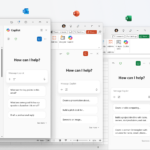
Microsoft has  announced a  change coming to millions of computers worldwide this October. The tech giant will begin automatically installing its Microsoft 365 Copilot app on Windows computers that already have Office programs like Word, Excel, and PowerPoint installed.

Starting in early October 2025, if you have a Windows computer with Microsoft Office apps, you’ll likely notice a new program appearing in your Start menu without you doing anything. This new app is called “Microsoft 365 Copilot,” and it’s Microsoft’s way of giving you easier access to their smart assistant features that can help with everyday tasks.

This change will impact most people and businesses using Microsoft Office on Windows computers. However, users in European countries won’t see this automatic installation due to regional regulations. Microsoft has specifically excluded customers in the European Economic Area from this rollout.

If your computer already has the Copilot app installed, you won’t notice any difference. The change only affects computers where the app isn’t already present.

The Copilot app serves as a central hub where you can access Microsoft’s smart assistant features. Instead of hunting through different menus in Word or Excel to find these tools, you’ll have one convenient place to start. Think of it as a front door to all the ways Microsoft’s assistant can help you write documents, analyse spreadsheets, or create presentations.

For most people, this means discovering new ways to work more efficiently. The app is designed to help you get things done faster, whether you’re writing a report, organizing data, or preparing a slideshow for work.

Microsoft’s decision reflects their broader strategy to make their smart assistant features more visible and accessible. Rather than leaving these tools buried in program menus where users might never find them, the company wants to put them front and centre.

This move also signals Microsoft’s confidence in their assistant technology. By installing the app automatically, they’re betting that once people try these features, they’ll find them valuable enough to keep using.

For businesses, this change means IT departments might start receiving questions from employees about the new app. Smart organizations are already preparing their help desk teams and updating their internal guides to account for this change.

This automatic installation represents Microsoft’s ongoing effort to integrate smart assistant features more deeply into how people work with computers. As these tools become more common, Microsoft wants to ensure users can easily find and use them.

Users who prefer to control exactly what gets installed on their computers,  can choose to prevent the automatic installation. However, Microsoft clearly expects that most people will benefit from having easier access to these productivity tools.

As October approaches, millions of Windows users will soon discover a new tool designed to help them work smarter and if  they choose to embrace it or ignore it remains entirely up to them.

Related Posts:

  • OMB_Hero-WholeNewWayToWork
    Microsoft Denies Office-to-Copilot Rebranding Reports
  • Layered-WXPO
    Microsoft Office Adds Free Copilot Chat
  • copilot-1
    Microsoft Highlights Copilot Compatibility Issues…
  • microsoft-365-app-icon-1
    M365 Apps on Windows 10 to Receive Security Updates…
  • microsoft-365-logo-with-some-of-its-apps-beside-it-and-a-field-to-add-alt-text
    Microsoft Tests Ad-Supported Free Version of 365 Apps
  • microsoft-365-app-icon-1 (2)
    Microsoft to Push 365 Companion App Install
  • Copilot-PC-hero-approved
    Microsoft Rolls Out New Windows 11 AI Copilot Features
  • HERO-image-M365Copilot_HeroBanner_WordApp_Prompt_1920x1080-1536×864
    Microsoft 365 Copilot, An AI Solution For Word,…

Discover more from TechBooky

Subscribe to get the latest posts sent to your email.

Tags: Copilotmicrosoftmicrosoft 365
Akinola Ajibola

Akinola Ajibola

BROWSE BY CATEGORIES

Receive top tech news directly in your inbox

subscription from
Loading

Freshly Squeezed

  • Samsung Galaxy Z TriFold Sells Out as Google Teases Unified OS January 31, 2026
  • SendBaba Launches AI-Powered Email Marketing Platform in Nigeria January 31, 2026
  • PVH Corp Integrates ChatGPT to Transform Fashion Operations January 31, 2026
  • Google Study Finds Internal Debate Boosts AI Reasoning January 31, 2026
  • OpenAI-Nvidia $100 Billion Deal Reportedly on Hold January 31, 2026
  • NVIDIA’s Jensen Huang Says AI Is Driving Biggest Infrastructure Buildout Ever January 31, 2026
  • NVIDIA Launches Earth-2, an AI-Powered Global Weather Platform January 31, 2026
  • Nadella Highlights Copilot AI Growth Amid Data Centre Investment January 31, 2026
  • Cumulus HQ Waives $1,000 Diagnostic Fee for African Startups January 31, 2026
  • Windows 11 Surpasses One Billion Users Despite Mixed Reception January 30, 2026
  • Google’s Project Genie Opens Access to 3D AI Worlds January 30, 2026
  • Airtel, Adobe Team Up to Bring Premium Tools to 360M Users January 30, 2026

Browse Archives

February 2026
MTWTFSS
 1
2345678
9101112131415
16171819202122
232425262728 
« Jan    

Quick Links

  • About TechBooky
  • Advertise Here
  • Contact us
  • Submit Article
  • Privacy Policy
Generic selectors
Exact matches only
Search in title
Search in content
Post Type Selectors
Search in posts
Search in pages
  • African
  • Artificial Intelligence
  • Gadgets
  • Metaverse
  • Tips
  • AI Search
  • About TechBooky
  • Advertise Here
  • Submit Article
  • Contact us

© 2025 Designed By TechBooky Elite

Discover more from TechBooky

Subscribe now to keep reading and get access to the full archive.

Continue reading

We use cookies to ensure that we give you the best experience on our website. If you continue to use this site we will assume that you are happy with it.