• Archives
  • Cryptocurrency
  • Earnings
  • Enterprise
  • About TechBooky
  • Submit Article
  • Advertise Here
  • Contact Us
TechBooky
  • African
  • AI
  • Metaverse
  • Gadgets
Generic selectors
Exact matches only
Search in title
Search in content
Post Type Selectors
Search in posts
Search in pages
  • African
  • AI
  • Metaverse
  • Gadgets
Generic selectors
Exact matches only
Search in title
Search in content
Post Type Selectors
Search in posts
Search in pages
TechBooky
Generic selectors
Exact matches only
Search in title
Search in content
Post Type Selectors
Search in posts
Search in pages
Home Gadgets

Microsoft Begins Testing For Windows 11 New Tablet-Friendly Taskbar

Ayoola by Ayoola
February 25, 2022
in Gadgets
Share on FacebookShare on Twitter

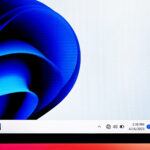
Microsoft has began the process of testing a new taskbar designed for tablet use, that is poised to make the Windows 11 taskbar a little more tablet-friendly.

The multinational technology corporation is designing the taskbar in such a way that it would have a smaller collapsed state that only shows critical information like the time and date or network and battery status.

With this tablet taskbar appearing lot less cluttered, due to app icons, search, Widgets, and the hidden Start button, a new setting will hide the taskbar automatically when users are using a device as a tablet, providing more screen space for Windows 11 tablet users. When users wipe up to reveal the full taskbar, the widgets, Start button, search, and app icons are all a lot larger and easier to touch.

Apart from the changes in the taskbar, the company will also be tweaking the way widgets work in Windows 11 soon, with the new Channel test build also including more information and dynamic content in widgets.

The Windows Insider team in a release detailing the changes wrote:

“This should make it easier for you to discover and engage with new widgets and news content through your feed. This release focuses on making widgets discoverable from the feed and over time we plan to make the feed even more personalized.”

37 new emojis in Windows 11, including the troll, beans, and melting face emoji that are also making their way to Android, iOS, and other platforms with Emoji 14.0 are also being tested by Microsoft.

The new Windows 11 test build will also include improvements that would make it easier to snap the most relevant windows next to each other, with suggested Microsoft Edge tabs appearing in snap assist. Users will use the opportunity to see the three most recent Edge tabs when they attempt to snap a window, with the option of it being disabled available in the Windows 11 settings section.

These new Window 11 features, with the associated testing and tweaks will not appear in the operating system for months, a common practice with the company.

Panos Panay, the chief product officer for Microsoft Windows+ devices had recently revealed that the Washington-based company will introduce more features to Windows 11 in the coming months rather than wait on a big annual release.

“Over time, you’ll see us release new features into Windows 11 for end users more frequently in addition to our annual update,” says Panay. “We will leverage the variety of update mechanisms we have in place, including servicing and Microsoft Store updates. Our goal is to deliver continuous innovation, providing you with the best experiences year-round.”

Related Posts:

  • dXmRB5MeFaufdWPnyWHf34
    Microsoft Adds Office Companion Apps to Windows 11 Taskbar
  • microsoft-365-app-icon-1 (2)
    Microsoft to Push 365 Companion App Install
  • microsoft-copilot-2
    Windows 11 Preview Adds Shared Audio and Taskbar Copilot
  • microsoft-copilot-2
    Microsoft Fixes Copilot Auto-Install Bug and Apologizes
  • CeeYjMDncRmSGNPVY3oH7B
    Microsoft Tests New AI-Powered Windows Search
  • Chat_video_experience
    Microsoft Teams Integration For Windows 11 Set For Removal
  • os5thFN78X3TYYym27AxkT
    Microsoft Puts An End To Support For Cortana in Windows 11
  • STK_109_WINDOWS_C_84940e2be8
    KB5070311 Update Causes Dark Mode Flash Issue,…

Discover more from TechBooky

Subscribe to get the latest posts sent to your email.

Tags: microsofttestingwindowswindows 11windows 11 task bar
Ayoola

Ayoola

Ayoola Faseyi, an Abuja based Journalist with interest in Technology and Politics. He is a versatile writer with articles in many renowned News Journals.He is the Co-Founder of media brand, The Vent Republic.

BROWSE BY CATEGORIES

Receive top tech news directly in your inbox

subscription from
Loading

Freshly Squeezed

  • OpenAI Appoints New Platform Chief to Turn ChatGPT into an OS December 16, 2025
  • Google and ChatGPT Drive Global Internet Traffic to 19% December 16, 2025
  • Musk Becomes the First Person Worth $600 Billion December 16, 2025
  • OpenAI Communications Chief Is Stepping Down December 16, 2025
  • Nvidia Invests in Open Models to Fuel AI Agent Development December 16, 2025
  • Zoom Opens AI Assistant Web Access to Free Users December 16, 2025
  • SoundCloud Confirms Data Breach After Theft and VPN Outages December 16, 2025
  • Google Updates Google Docs Android App with Material 3 Design December 16, 2025
  • Hackers Exploit ChatGPT to Distribute Malware December 16, 2025
  • Google Launches New Feature Update for Its Nest User Base December 16, 2025
  • Apple TV App Update Enables Google Cast on Android December 16, 2025
  • Google Set to Retire ‘Dark Web Report’ Feature in February December 16, 2025

Browse Archives

December 2025
MTWTFSS
1234567
891011121314
15161718192021
22232425262728
293031 
« Nov    

Quick Links

  • About TechBooky
  • Advertise Here
  • Contact us
  • Submit Article
  • Privacy Policy
Generic selectors
Exact matches only
Search in title
Search in content
Post Type Selectors
Search in posts
Search in pages
  • African
  • Artificial Intelligence
  • Gadgets
  • Metaverse
  • Tips
  • About TechBooky
  • Advertise Here
  • Submit Article
  • Contact us

© 2025 Designed By TechBooky Elite

Discover more from TechBooky

Subscribe now to keep reading and get access to the full archive.

Continue reading

We use cookies to ensure that we give you the best experience on our website. If you continue to use this site we will assume that you are happy with it.