Later this month, Microsoft plans to start turning off all ActiveX controls in Windows versions of Office 2024 and Microsoft 365 apps. By enabling Microsoft 365 to deactivate all controls without even a prompt, Microsoft has once again twisted the knife into ActiveX.
ActiveX is a legacy software framework that was first introduced in 1996, over thirty years ago, which allows developers to build interactive objects that are incorporated in Office documents.
To lower the danger of malware or unauthorized code execution, ActiveX will be completely and unnoticeably banned in Word, Excel, PowerPoint, and Visio once this update is implemented.
The old default setting, “Prompt me before enabling all controls with minimal restrictions,” which depended on the user comprehending the consequences before mindlessly granting permission, has been replaced by this modification. Allowing ActiveX components to function with “minimal restrictions” might expose a user’s system to social engineering and malevolent actors since they penetrate deep into the system.
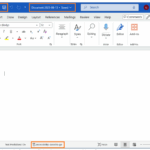
A notice with a “Learn More” button that reads, “BLOCKED CONTENT: The ActiveX content in this file is blocked,” will show up at the top of documents that include ActiveX controls.
Microsoft claims that “The new default setting is more secure because it blocks these controls entirely, reducing the risk of malware or unauthorized code execution.”
Additionally, Microsoft cautioned Office users in a different support page not to alter ActiveX settings or open unusual file attachments when asked by unknown individuals or random pop-ups.
Users won’t be able to generate or work with ActiveX objects in Microsoft 365 files if you deactivate ActiveX. Zaeem Patel, a product manager in the Office Security team, stated that while some current ActiveX objects would remain displayed as static images, they will not be accessible for interaction.
Also you will need to access the Trust Center and re-enable the prompt to allow controls in order to get ActiveX to function. This is predicated on administrators granting users access to the ActiveX settings page.
According to Microsoft, users who wish to activate ActiveX controls can do so through the Trust Center by following these easy and walk through steps (but it’s crucial to remember that doing so will activate ActiveX in all Office applications, including Word, PowerPoint, Excel, and Visio):
Step 1: Choose File, followed by Options.
Step 2: Click the Trust Center Settings button after selecting Trust Center.
Step 3: Turn on “Prompt me before enabling all controls with minimal restrictions” after selecting ActiveX Settings.
Step 4: Select OK, then OK again to preserve your adjustments and return to your document.
“For optimal security, Microsoft severely advises and encourages keeping ActiveX controls disabled except absolutely necessary,” Microsoft stated.
ActiveX’s well-known security flaws, including as zero-day vulnerabilities that were used by several state-sponsored and profit-driven threat organizations to spread malware, probably led to the decision to deactivate it by default.
Additionally, hackers have installed Cobalt Strike beacons and TrickBot malware using ActiveX components inserted in Word documents in order to gain and preserve access to business networks.
This action is also part of a larger attempt to disable or eliminate Office and Windows functionalities that hackers have used to infect Microsoft users with malware. In order to prevent attacks utilizing Office VBA macros, Microsoft extended support for its Antimalware Scan Interface (AMSI) to Office 365 client apps in 2018.
In addition, Redmond has disabled Excel 4.0 (XLM) macros, implemented XLM macro protection, begun restricting VBA Office macros by default, and started banning untrusted XLL add-ins by default for all Microsoft 365 tenants. In May 2024, Microsoft also declared that it will phase out VBScript by making it an on-demand functionality until it was eliminated entirely.
Other Microsoft initiatives at component-based architecture, such the Component Object Model (COM) and Object Linking and Embedding (OLE), gave rise to ActiveX. Microsoft discontinued the technology years ago, although it was first introduced last century.
Although it was widely used to create corporate workflows and connect Microsoft’s productivity apps, it was also used to attack systems. Drop a rogue ActiveX component into a page, get a user to open it, and hey presto! Possible remote execution of code!
As a result, Microsoft is making it more and harder for users to activate ActiveX. The update that was made today initially appeared in Office 2024 LTSC and is currently being sent out to Microsoft 365 users.
ActiveX is still in use, nevertheless, since backward compatibility is necessary. It’s possible substitutes, such as the Office Add-ins platform, are unable to match its features in full while keeping the same level of security. Additionally, re-engineering is a difficult task because many businesses have decades of investment in code and workflows built on ActiveX.
Nevertheless, Microsoft 365’s default option represents what could be the last phase in the company’s plan to permanently remove the technology from its suite of productivity tools. After all, the business deprecated VBScript in 2024, marking it for elimination in a later version of Windows, an action that was previously unimaginable. It seems that ActiveX support is also long overdue.
We use cookies to ensure that we give you the best experience on our website. If you continue to use this site we will assume that you are happy with it.