TechBooky AI Assistant
👋 Welcome to TechBooky AI Assistant

I can help with:
🔎 Tech News
🤖 AI Topics
💻 Gadgets
☁️ Cloud
✍️ Guest Posts
📢 Advertising
🔗 Backlinks
📩 Newsletter
  • AI Search
  • Cryptocurrency
  • Earnings
  • Enterprise
  • About TechBooky
  • Submit Article
  • Advertise Here
  • Contact Us
TechBooky
  • African
  • AI
  • Metaverse
  • Gadgets
Generic selectors
Exact matches only
Search in title
Search in content
Post Type Selectors
Search in posts
Search in pages
  • African
  • AI
  • Metaverse
  • Gadgets
Generic selectors
Exact matches only
Search in title
Search in content
Post Type Selectors
Search in posts
Search in pages
TechBooky
Generic selectors
Exact matches only
Search in title
Search in content
Post Type Selectors
Search in posts
Search in pages
Home Artificial Intelligence

Microsoft Office 365 Word Is Getting A To-do List AI Powered Feature

Theresa Casimir by Theresa Casimir
November 11, 2018
in Artificial Intelligence, Cloud
Share on FacebookShare on Twitter

What just happened? Have you ever found yourself wishing there was a way to keep track of certain key points you wanted to mention while writing a lengthy Word document? If so, Microsoft has you covered now – if you’re an Office 365 user, you can now enjoy this benefits.

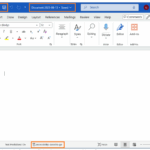
Microsoft has announced that it has released the new capability in beta designed to automatically search for texts in a document containing ‘todo:’ or ‘<< insert something here >>’. Users will then be able to view a complete list of to-dos and click on each item to go to the appropriate portion in that document.

The to-do feature, is an AI-powered tool that allows users to easily pick up where they left off in a document. Microsoft says that most Word users add a placeholder in a document to mark an area they need to return to later on. This enables them to keep working without breaking their flow, but isn’t ideal for managing a document.

The new AI-based tool automatically creates a to-do list with these placeholders. The user merely types “” or “TODO: finish this section,” as two examples, and Word will automatically recognise them as to-do placeholders and create a to-do list involving them.

Users will be presented with the to-do list when the return to the Word document, enabling them to easily find their placeholders and finish those elements. Clicking on a to-do item, says Microsoft, takes the user directly to that placeholder within the document.

For enhanced collaboration, the feature also lets users @-mention colleagues to notify them to perform certain tasks on a shared document and Word will send them a deep link via email to the right place in the document. In the future, Microsoft plans to add the ability to take actions on the notification by directly replying to the email. It’s also worth noting that the Microsoft To-Do app has a featured called shared lists designed to let users collaborate on a lineup of tasks

The new feature is now live on Office for Mac, available to Insiders on the Fast ring as a preview. It will be available to all Office 365 customers on Windows, Mac, and the web in the near future

Related Posts:

  • word doc save
    Microsoft Word Now Saves New Doc Automatically To Cloud
  • M365-Blog_09292025_agentMode_Hero_v1-809x455
    Microsoft Adds ‘Vibe Working’ to Word and Excel
  • microsoft-publisher-icon@2x
    Microsoft Retires 35-Year-Old Office Apps
  • microsoft-365-logo-with-some-of-its-apps-beside-it-and-a-field-to-add-alt-text
    Microsoft Tests Ad-Supported Free Version of 365 Apps
  • Microsoft-Lens-1
    Microsoft Lens Retired as AI Takes Over
  • OMB_Hero-WholeNewWayToWork
    Microsoft Denies Office-to-Copilot Rebranding Reports
  • Layered-WXPO
    Microsoft Office Adds Free Copilot Chat
  • Microsoft_Office_logo_(2013–2019).svg
    Microsoft Increases Office App Speed

Discover more from TechBooky

Subscribe to get the latest posts sent to your email.

Tags: AIartificial intelligencemicrosoftmicrosoft officeoffice 365office 365 to-do listoffice 365 todo list
Theresa Casimir

Theresa Casimir

New at TechBooky, write on important tech stuff from around the world

BROWSE BY CATEGORIES

Receive top tech news directly in your inbox

subscription from
Loading

Freshly Squeezed

  • Apple Adds Streaming-Style Subscription Packages To The App Store June 9, 2026
  • Apple Rolls Out Tailored App Store Recommendations June 9, 2026
  • Instagram Rolls Out Custom Profile Grid Arrangement Feature June 9, 2026
  • Signal Argues UK’s Device-Scanning Plan For Nude Images Threatens User Security June 9, 2026
  • UK Regulator Tells Social Media Firms To Stop Viral Illegal Content June 9, 2026
  • Apple Intelligence Gets Major AI Upgrade With New Siri, Safari Tools and Gemini-Powered Models June 9, 2026
  • Gogs Fixes Critical Zero-Day Bug That Enabled Remote Code Execution June 8, 2026
  • Amazon Adds AI-Powered Custom Merch Design June 8, 2026
  • NDPC & Meta Roll Out 2-Year Data Protection Program June 8, 2026
  • FCCPC Deregulates Airtime Lending in Nigeria June 6, 2026
  • Interswitch Jumps Into Africa’s Banking Tech Race With Temenos Deal June 6, 2026
  • Record Labels Face Lawsuit From Musicians’ Union Over AI Licensing June 6, 2026

Browse Archives

June 2026
MTWTFSS
1234567
891011121314
15161718192021
22232425262728
2930 
« May    

Quick Links

  • About TechBooky
  • Advertise Here
  • Contact us
  • Submit Article
  • Privacy Policy
Generic selectors
Exact matches only
Search in title
Search in content
Post Type Selectors
Search in posts
Search in pages
  • African
  • Artificial Intelligence
  • Gadgets
  • Metaverse
  • Tips
  • AI Search
  • About TechBooky
  • Advertise Here
  • Submit Article
  • Contact us

© 2025 Designed By TechBooky Elite

Discover more from TechBooky

Subscribe now to keep reading and get access to the full archive.

Continue reading

We use cookies to ensure that we give you the best experience on our website. If you continue to use this site we will assume that you are happy with it.