• Archives
  • Cryptocurrency
  • Earnings
  • Enterprise
  • About TechBooky
  • Submit Article
  • Advertise Here
  • Contact Us
TechBooky
  • African
  • AI
  • Metaverse
  • Gadgets
Generic selectors
Exact matches only
Search in title
Search in content
Post Type Selectors
Search in posts
Search in pages
  • African
  • AI
  • Metaverse
  • Gadgets
Generic selectors
Exact matches only
Search in title
Search in content
Post Type Selectors
Search in posts
Search in pages
TechBooky
Generic selectors
Exact matches only
Search in title
Search in content
Post Type Selectors
Search in posts
Search in pages
Home Software

Microsoft Plans to Phase Out Iconic Paint Program from Windows 10 Features

Uloma Mary Omolaiye by Uloma Mary Omolaiye
July 24, 2017
in Software
Share on FacebookShare on Twitter

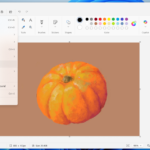
Microsoft, in a surprising move, has announced plans to gradually eliminate their iconic Paint program from Windows 10. This software, formally known as Microsoft Paint, has been a stalwart feature on every single Microsoft Windows version since its inception back in November 1985.

Microsoft’s announcement has sparked a wave of nostalgia and disappointment across various social media platforms, with numerous users posting “RIP” comments to express their dismay.

A notable member of the Paint user community, an artist known as “Jim’ll Paint It,” who has amassed nearly 7000 followers on Facebook by creating themed artwork requested by strangers, addressed the issue on Twitter: “Paint hasn’t been all that since they messed about it anyway. I’m running XP on a virtual machine because it’s the best one,” he claimed.

The plan to discontinue the Paint program was specified in a Microsoft report that stated, “Features on the list will be either removed from Windows 10 or will no longer be in active development and might be removed in future releases.” These future system updates may no longer integrate the Paint software.

Despite its notoriously limited toolset, the program’s ease of use has made it a beloved feature of Windows. Its charmingly primitive digital art capabilities were seen as a nostalgic nod to the early days of personal computing.

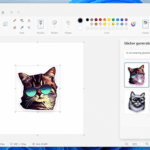
Microsoft Paint’s departure makes way for Paint 3D, a modernized version of the classic software. This new iteration allows users to create 3D images from regular photos while retaining the simplicity that fans loved in the original version. Microsoft hopes its user base will find Paint 3D’s innovative approach to showing depth in images even more exciting.

But as Paint transitions into Paint 3D, there are certain classic features that users will undoubtedly miss. The stamp mode, trail mode, ability to create regular shapes, and moving pictures are a few aspects facing replacement after 32 years.

While the tech world adjusts to this significant pivot, it’s worth revisiting the mark Microsoft Paint – a tool that democratized digital artistry – left on the industry. Its retirement from the Windows feature list marks the end of an era, but simultaneously ushers in the dawn of another.

Related Posts:

  • Paint-Project-File
    Microsoft Paint To Add Project Files Similar To Photoshop
  • How To Save Images From WebP Format To Either JPEG/JPG, GIF, PNG & Others.
    How To Save Images From WebP Format To Either…
  • ms ai notepad
    Microsoft's New AI features in Notepad, Paint, &…
  • Screenshot 2023-01-30 at 14.03.31
    Microsoft to Discontinue Remote Desktop Service
  • get-latest-updates-toggle
    Ads Could Be Coming To Windows 11 Shortly
  • 11-1024×576
    Count Down To The End Of Windows 10 Microsoft Support
  • microsoft-copilot-2
    Microsoft Fixes Copilot Auto-Install Bug and Apologizes
  • Chat_video_experience
    Microsoft Teams Integration For Windows 11 Set For Removal

Discover more from TechBooky

Subscribe to get the latest posts sent to your email.

Tags: microsoftmicrosoft paintMS Paintpaintwindows 10
Uloma Mary Omolaiye

Uloma Mary Omolaiye

BROWSE BY CATEGORIES

Receive top tech news directly in your inbox

subscription from
Loading

Freshly Squeezed

  • Cursor Introduces An AI Coding Tool For Designers December 12, 2025
  • OpenAI Unveils More Advanced Model as Google Rivalry Grows December 12, 2025
  • WhatsApp Is Redefining The Voicemail Features For Users December 12, 2025
  • Microsoft’s Nadella Is Building a Cricket App in His Spare Time December 12, 2025
  • Google Photos Expands ‘Remix’ Feature to More Countries December 12, 2025
  • Google Play Store Reinstates Fortnite December 12, 2025
  • Vodacom Announces Price Hike December 12, 2025
  • ChatGPT Set to Launch ‘Adult Mode’ By Q1 2026 December 12, 2025
  • Amazon to Invest $35B in India by 2030 for Jobs & AI Growth December 11, 2025
  • SpaceX May Launch Its Big IPO Next Year With a $1tr Valuation December 11, 2025
  • GPT-5.2 Debuts as OpenAI Answers “Code Red” Challenge December 11, 2025
  • Netflix Plans Heavy Borrowing to Fund Warner Bros Deal December 11, 2025

Browse Archives

December 2025
MTWTFSS
1234567
891011121314
15161718192021
22232425262728
293031 
« Nov    

Quick Links

  • About TechBooky
  • Advertise Here
  • Contact us
  • Submit Article
  • Privacy Policy
Generic selectors
Exact matches only
Search in title
Search in content
Post Type Selectors
Search in posts
Search in pages
  • African
  • Artificial Intelligence
  • Gadgets
  • Metaverse
  • Tips
  • About TechBooky
  • Advertise Here
  • Submit Article
  • Contact us

© 2025 Designed By TechBooky Elite

Discover more from TechBooky

Subscribe now to keep reading and get access to the full archive.

Continue reading

We use cookies to ensure that we give you the best experience on our website. If you continue to use this site we will assume that you are happy with it.