TechBooky AI Assistant
👋 Welcome to TechBooky AI Assistant

I can help with:
🔎 Tech News
🤖 AI Topics
💻 Gadgets
☁️ Cloud
✍️ Guest Posts
📢 Advertising
🔗 Backlinks
📩 Newsletter
  • AI Search
  • Cryptocurrency
  • Earnings
  • Enterprise
  • About TechBooky
  • Submit Article
  • Advertise Here
  • Contact Us
TechBooky
  • African
  • AI
  • Metaverse
  • Gadgets
Generic selectors
Exact matches only
Search in title
Search in content
Post Type Selectors
Search in posts
Search in pages
  • African
  • AI
  • Metaverse
  • Gadgets
Generic selectors
Exact matches only
Search in title
Search in content
Post Type Selectors
Search in posts
Search in pages
TechBooky
Generic selectors
Exact matches only
Search in title
Search in content
Post Type Selectors
Search in posts
Search in pages
Home Software

An Ode to Microsoft Paint: A Fond Nostalgic Look at a Software That Made Life Colourful

Theresa Casimir by Theresa Casimir
July 24, 2017
in Software
Share on FacebookShare on Twitter
If you remember the time when desktop PCs ruled the world, teetering on the corner of your school or home desk, you’re familiar with the humble attempts to explore and understand the various applications installed on the operating system. One such application that managed to steal our curiosity and hearts was Microsoft Paint. Whether it was an idle doodling exercise or a driven pursuit of creating a digital masterpiece, Paint was there for us, stoking our interest and adding a dash of colour to our computer interactions.
Microsoft Paint, a simple yet fundamental computer graphics application, has been bundled with every version of Microsoft Windows. Not only was it a fun playground, but it also served as a launch pad for many first-time digital artists. It offered an approachable insight into computer-generated art. Over the years, it nestled itself into our daily computer activities, always waiting patiently, ready to serve. From impromptu stick-figure doodles to more intricate image manipulation tasks, Paint was a go-to tool for all.
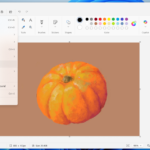
paint 1
Introduced first with the inaugural version of Windows 1.0 in 1985, Paint remained a core part of every Windows operating system, serving as an essential graphics editing tool. However, with the forthcoming Windows 10 Fall update, codenamed ‘Autumn’, Microsoft is shaking things up. This update will introduce an assortment of new features while simultaneously retiring some – including our long-standing partner, Microsoft Paint.
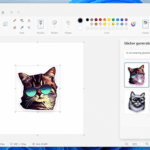
This move aligns with Microsoft’s Creator Update from April, which introduced Paint 3D. While Paint 3D echoes Paint’s accessibility, it also adds a range of 3D image marking tools and fundamental image editing features, taking the painting experience to an entirely new dimension. Despite its advancements, the familiar ease and simplicity of the original Paint app are something that many will miss. Alongside Paint, Microsoft also plans to retire Old Reader App, Outlook Express, and Reading List.
At present, there’s no exact timeline for these changes or the Fall update’s release. However, we can expect these shifts to take place sometime in October this year. As we prepare ourselves for this transition, we can’t help but feel nostalgic for the times we spent with our beloved Paint – doodling idle hours away, learning, and creating in its colourful universe.

Related Posts:

  • Paint-Project-File
    Microsoft Paint To Add Project Files Similar To Photoshop
  • ms ai notepad
    Microsoft's New AI features in Notepad, Paint, &…
  • copilot-1
    Microsoft Highlights Copilot Compatibility Issues…
  • Microsoft-Teams-6228c4fb14083
    Microsoft Speeds Up Teams Window Desktop Client
  • Microsoft_Office_logo_(2013–2019).svg
    Microsoft Increases Office App Speed
  • Screenshot 2023-01-30 at 14.03.31
    Microsoft to Discontinue Remote Desktop Service
  • microsoft-publisher-icon@2x
    Microsoft Retires 35-Year-Old Office Apps
  • microsoft-365-app-icon-1
    M365 Apps on Windows 10 to Receive Security Updates…

Discover more from TechBooky

Subscribe to get the latest posts sent to your email.

Tags: microsoftmicrosoft paintMS Paintoperating systempaintwindows
Theresa Casimir

Theresa Casimir

New at TechBooky, write on important tech stuff from around the world

BROWSE BY CATEGORIES

Receive top tech news directly in your inbox

subscription from
Loading

Freshly Squeezed

  • Snap Launches $2,195 AR Glasses to Challenge Phones June 17, 2026
  • Android 17 Is Here and Google Wants Gemini to Run Your Entire Phone June 17, 2026
  • SpaceX Buys Cursor Maker Anysphere for $60 Billion in Bold AI Power Play June 17, 2026
  • Britain’s Under-16 Social Media Ban Could Redefine Big Tech’s Responsibility To Children June 15, 2026
  • Anthropic Asked for AI Regulation, Fable 5 May Show What That Really Looks Like June 14, 2026
  • Amazon Raised Anthropic AI Security Concerns Before US Crackdown on Fable 5 and Mythos 5 June 14, 2026
  • Europe Calls Anthropic AI Ban a ‘Wake-Up Call’ as US Shuts Off Access to Fable 5 and Mythos 5 June 14, 2026
  • US Orders Anthropic to Disable Claude Fable 5 and Mythos 5 Over National Security Concerns June 14, 2026
  • Elon Musk Hits $1.1 Trillion as SpaceX Surpasses $2 Trillion Valuation June 13, 2026
  • SpaceX Prices Record $75 Billion IPO as Elon Musk Nears Trillionaire Status June 12, 2026
  • DoorDash Launches AI Chatbot for Food Orders June 12, 2026
  • Pool Launches App That Makes Screenshots More Useful June 12, 2026

Browse Archives

June 2026
MTWTFSS
1234567
891011121314
15161718192021
22232425262728
2930 
« May    

Quick Links

  • About TechBooky
  • Advertise Here
  • Contact us
  • Submit Article
  • Privacy Policy
Generic selectors
Exact matches only
Search in title
Search in content
Post Type Selectors
Search in posts
Search in pages
  • African
  • Artificial Intelligence
  • Gadgets
  • Metaverse
  • Tips
  • AI Search
  • About TechBooky
  • Advertise Here
  • Submit Article
  • Contact us

© 2025 Designed By TechBooky Elite

Discover more from TechBooky

Subscribe now to keep reading and get access to the full archive.

Continue reading

We use cookies to ensure that we give you the best experience on our website. If you continue to use this site we will assume that you are happy with it.