• AI Search
  • Cryptocurrency
  • Earnings
  • Enterprise
  • About TechBooky
  • Submit Article
  • Advertise Here
  • Contact Us
TechBooky
  • African
  • AI
  • Metaverse
  • Gadgets
Generic selectors
Exact matches only
Search in title
Search in content
Post Type Selectors
Search in posts
Search in pages
  • African
  • AI
  • Metaverse
  • Gadgets
Generic selectors
Exact matches only
Search in title
Search in content
Post Type Selectors
Search in posts
Search in pages
TechBooky
Generic selectors
Exact matches only
Search in title
Search in content
Post Type Selectors
Search in posts
Search in pages
Home Enterprise

Microsoft Reverses ‘Office VBA Macros Block By Default’

Ayoola by Ayoola
July 8, 2022
in Enterprise, Software
Share on FacebookShare on Twitter

Microsoft is reversing its planned change to block Visual Basic for Applications (VBA) macros by default in Office apps. 

The Washington-based company had earlier in the year announced that it would be preventing Office Users from seamlessly enabling certain content in files that have been downloaded from the internet and this included macros. Microsoft move is aimed at improving security against malicious files, with the company already testing this change ahead of a scheduled June rollout to all Microsoft users, but on June 30th, reverted the block.

According to the BleepingComputer   , Microsoft had last week notified IT admins that it would be rolling back the VBA macro block based on feedback from Office users testing the changes.

A Microsoft 365 message had read:

“We appreciate the feedback we’ve received so far, and we’re working to make improvements in this experience,”

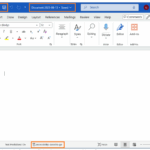
The new security banner that Microsoft had planned. Image: Microsoft

The unusual rollback had stunned many Microsoft 365 users, after a large percentage of them had for years anticipated Microsoft’s assertiveness in blocking micros form Office files. Office documents has over the years being targeted by hackers, as it is being laced with malicious macros, and Office in its response, had asked users to click to enable macros running with a simple button. The planned change by Microsoft connote that Office users would only be able to enable the macros by having to specifically tick an unblock option on the properties of a file.

With some IT admins left surprised and stunned by the last-minute rollback, these extra steps has widely elicited criticism as it hasn’t been received well by some users.

One Commenter had in the original announcement of the update by Microsoft said:

 “Another terrible update idea from Microsoft.”  Some users were miffed  with  the way it was difficult for end users to enable macros, while others were left astonished that the company will be rolling back the changes without effectively communicating to IT admins that the company is reworking the VBA macro block. It should be noted that many IT admins had notified users of the macro changes, as it’s a shift that would require user training.

Microsoft has failed to clarify the exact improvement it would be making to the VBA macros block, or when it will roll out once again.

 Angela Robertson, a principal group product manager for Microsoft 365 sought to  calm frayed nerves  when she said:

 “Based on feedback received, a rollback has started. An update about the rollback is in progress. I apologize for any inconvenience of the rollback starting before the update about the change was made available.”

Related Posts:

  • microsoft-365-logo-with-some-of-its-apps-beside-it-and-a-field-to-add-alt-text
    Microsoft Tests Ad-Supported Free Version of 365 Apps
  • c4398f2d-a521-487b-b68e-c986db06f158
    Microsoft Disables ActiveX in Office 2024 &…
  • OMB_Hero-WholeNewWayToWork
    Microsoft Denies Office-to-Copilot Rebranding Reports
  • word doc save
    Microsoft Word Now Saves New Doc Automatically To Cloud
  • m365app
    Microsoft Office Apps for Windows End Support October 14
  • 1071085-Hero-Background-1600×616
    Microsoft 365 Copilot App to Install by Default from October
  • dXmRB5MeFaufdWPnyWHf34
    Microsoft Adds Office Companion Apps to Windows 11 Taskbar
  • microsoft-365-app-icon-1
    M365 Apps on Windows 10 to Receive Security Updates…

Discover more from TechBooky

Subscribe to get the latest posts sent to your email.

Tags: applicationmicrosoftvba
Ayoola

Ayoola

Ayoola Faseyi, an Abuja based Journalist with interest in Technology and Politics. He is a versatile writer with articles in many renowned News Journals.He is the Co-Founder of media brand, The Vent Republic.

BROWSE BY CATEGORIES

Receive top tech news directly in your inbox

subscription from
Loading

Freshly Squeezed

  • Samsung Galaxy Z TriFold Sells Out as Google Teases Unified OS January 31, 2026
  • SendBaba Launches AI-Powered Email Marketing Platform in Nigeria January 31, 2026
  • PVH Corp Integrates ChatGPT to Transform Fashion Operations January 31, 2026
  • Google Study Finds Internal Debate Boosts AI Reasoning January 31, 2026
  • OpenAI-Nvidia $100 Billion Deal Reportedly on Hold January 31, 2026
  • NVIDIA’s Jensen Huang Says AI Is Driving Biggest Infrastructure Buildout Ever January 31, 2026
  • NVIDIA Launches Earth-2, an AI-Powered Global Weather Platform January 31, 2026
  • Nadella Highlights Copilot AI Growth Amid Data Centre Investment January 31, 2026
  • Cumulus HQ Waives $1,000 Diagnostic Fee for African Startups January 31, 2026
  • Windows 11 Surpasses One Billion Users Despite Mixed Reception January 30, 2026
  • Google’s Project Genie Opens Access to 3D AI Worlds January 30, 2026
  • Airtel, Adobe Team Up to Bring Premium Tools to 360M Users January 30, 2026

Browse Archives

February 2026
MTWTFSS
 1
2345678
9101112131415
16171819202122
232425262728 
« Jan    

Quick Links

  • About TechBooky
  • Advertise Here
  • Contact us
  • Submit Article
  • Privacy Policy
Generic selectors
Exact matches only
Search in title
Search in content
Post Type Selectors
Search in posts
Search in pages
  • African
  • Artificial Intelligence
  • Gadgets
  • Metaverse
  • Tips
  • AI Search
  • About TechBooky
  • Advertise Here
  • Submit Article
  • Contact us

© 2025 Designed By TechBooky Elite

Discover more from TechBooky

Subscribe now to keep reading and get access to the full archive.

Continue reading

We use cookies to ensure that we give you the best experience on our website. If you continue to use this site we will assume that you are happy with it.