Microsoft is reversing its planned change to block Visual Basic for Applications (VBA) macros by default in Office apps.
The Washington-based company had earlier in the year announced that it would be preventing Office Users from seamlessly enabling certain content in files that have been downloaded from the internet and this included macros. Microsoft move is aimed at improving security against malicious files, with the company already testing this change ahead of a scheduled June rollout to all Microsoft users, but on June 30th, reverted the block.
According to the BleepingComputer , Microsoft had last week notified IT admins that it would be rolling back the VBA macro block based on feedback from Office users testing the changes.
A Microsoft 365 message had read:
“We appreciate the feedback we’ve received so far, and we’re working to make improvements in this experience,”
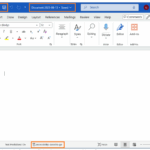
The new security banner that Microsoft had planned. Image: Microsoft
The unusual rollback had stunned many Microsoft 365 users, after a large percentage of them had for years anticipated Microsoft’s assertiveness in blocking micros form Office files. Office documents has over the years being targeted by hackers, as it is being laced with malicious macros, and Office in its response, had asked users to click to enable macros running with a simple button. The planned change by Microsoft connote that Office users would only be able to enable the macros by having to specifically tick an unblock option on the properties of a file.
With some IT admins left surprised and stunned by the last-minute rollback, these extra steps has widely elicited criticism as it hasn’t been received well by some users.
One Commenter had in the original announcement of the update by Microsoft said:
“Another terrible update idea from Microsoft.” Some users were miffed with the way it was difficult for end users to enable macros, while others were left astonished that the company will be rolling back the changes without effectively communicating to IT admins that the company is reworking the VBA macro block. It should be noted that many IT admins had notified users of the macro changes, as it’s a shift that would require user training.
Microsoft has failed to clarify the exact improvement it would be making to the VBA macros block, or when it will roll out once again.
Angela Robertson, a principal group product manager for Microsoft 365 sought to calm frayed nerves when she said:
“Based on feedback received, a rollback has started. An update about the rollback is in progress. I apologize for any inconvenience of the rollback starting before the update about the change was made available.”
Ayoola Faseyi, an Abuja based Journalist with interest in Technology and Politics. He is a versatile writer with articles in many renowned News Journals.He is the Co-Founder of media brand, The Vent Republic.
We use cookies to ensure that we give you the best experience on our website. If you continue to use this site we will assume that you are happy with it.


 The new security banner that Microsoft had planned. Image: Microsoft