• Archives
  • Cryptocurrency
  • Earnings
  • Enterprise
  • About TechBooky
  • Submit Article
  • Advertise Here
  • Contact Us
TechBooky
  • African
  • AI
  • Metaverse
  • Gadgets
Generic selectors
Exact matches only
Search in title
Search in content
Post Type Selectors
Search in posts
Search in pages
  • African
  • AI
  • Metaverse
  • Gadgets
Generic selectors
Exact matches only
Search in title
Search in content
Post Type Selectors
Search in posts
Search in pages
TechBooky
Generic selectors
Exact matches only
Search in title
Search in content
Post Type Selectors
Search in posts
Search in pages
Home Artificial Intelligence

Microsoft Tests New AI-Powered Windows Search

Akinola Ajibola by Akinola Ajibola
January 19, 2025
in Artificial Intelligence
Share on FacebookShare on Twitter

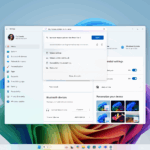
Microsoft, the US software giant, is exploring an artificial intelligence (AI)-powered search tool and it is testing AI-powered Windows search in a new development channel built for Windows 11 Insider testers. It was first announced in October 2024, and it is now available in a new developer channel build for Windows 11 Insider testers and it employs semantic indexing to allow users to search for local files in more casual language. To use this feature, you’ll need a Copilot Plus PC, much like with other Microsoft AI services.

The AI search tool is intended to be utilized on several platforms inside the Windows ecosystem. This feature works flawlessly in settings, file explorer, and taskbar search boxes.

What is the best part? The facility operates without an internet connection thanks to the NPU processors in the Copilot Plus computers.

The feature applies to search boxes in Settings, File Explorer, and the taskbar. It also works without the need for an internet connection, due to the NPU processors on Copilot Plus computers. AI search is now limited to Windows settings and files with picture and text types such as JPEG, PNG, PDF, TXT, and XLS.

Microsoft has also said that this feature only works for files that users have selected for indexing. However, it intends to broaden its ability to encompass cloud data saved on platforms such Microsoft OneDrive.

According to Microsoft, search only works for files in the indexable locations you’ve specified. Users can customize those places by going to Settings > Privacy & Security > Searching Windows, or they can select “Enhanced” to index their entire PC. The business notes that the capability will ultimately encompass cloud data, such as OneDrive files.

Microsoft has announced that the AI-powered Windows search “will gradually roll out to Windows Insiders on Snapdragon-powered Copilot+ PCs,” Microsoft says, with support for Intel or AMD Copilot Plus devices coming later. The feature will work on machines configured to Chinese, English, French, German, Japanese, or Spanish.

In addition to the improved search, the build contains AI authoring tools provided by Click to Do, a feature that allows you to select from context-sensitive menus of options by holding down the Windows key and left-clicking on your screen. When you click a block of text and pick Rewrite, you will now see a “Refine” option that will correct your grammar.

Along with the new search capability, the updated version includes AI authoring tools from Click to Do.

This is a somewhat unusual feature that provides users with context-sensitive menus of options when they press and hold the Windows key and left-click on their screen.

Clicking ‘Rewrite’ after selecting a block of text now brings up the ‘Refine’ option for grammar correction.

Related Posts:

  • get-latest-updates-toggle
    Ads Could Be Coming To Windows 11 Shortly
  • microsoft-copilot-2
    Windows 11 Preview Adds Shared Audio and Taskbar Copilot
  • Microsoft-delays-controversial-Recall-feature-rollout-for-Copilot-Plus-PCs-once-again.jpg
    Microsoft delays Copilot+ PC Recall to December
  • Chat_video_experience
    Microsoft Teams Integration For Windows 11 Set For Removal
  • 8566bb3a-a332-47bd-9234-ab9fe44fc82a
    Microsoft's Quick Test to Fix Non-Booting PCs
  • settings-agent-static
    Microsoft Tests Recall Snapshots and AI Agents in Windows 11
  • powershell-1024×683
    Microsoft Drops PowerShell 2.0 from Windows 11 & Server
  • iOS-Blog-Post-Image
    Microsoft; Windows 11 Start Menu Gets iPhone Feature

Discover more from TechBooky

Subscribe to get the latest posts sent to your email.

Tags: ai searchmicrosoftwindows
Akinola Ajibola

Akinola Ajibola

BROWSE BY CATEGORIES

Receive top tech news directly in your inbox

subscription from
Loading

Freshly Squeezed

  • Cursor Introduces An AI Coding Tool For Designers December 12, 2025
  • OpenAI Unveils More Advanced Model as Google Rivalry Grows December 12, 2025
  • WhatsApp Is Redefining The Voicemail Features For Users December 12, 2025
  • Microsoft’s Nadella Is Building a Cricket App in His Spare Time December 12, 2025
  • Google Photos Expands ‘Remix’ Feature to More Countries December 12, 2025
  • Google Play Store Reinstates Fortnite December 12, 2025
  • Vodacom Announces Price Hike December 12, 2025
  • ChatGPT Set to Launch ‘Adult Mode’ By Q1 2026 December 12, 2025
  • Amazon to Invest $35B in India by 2030 for Jobs & AI Growth December 11, 2025
  • SpaceX May Launch Its Big IPO Next Year With a $1tr Valuation December 11, 2025
  • GPT-5.2 Debuts as OpenAI Answers “Code Red” Challenge December 11, 2025
  • Netflix Plans Heavy Borrowing to Fund Warner Bros Deal December 11, 2025

Browse Archives

December 2025
MTWTFSS
1234567
891011121314
15161718192021
22232425262728
293031 
« Nov    

Quick Links

  • About TechBooky
  • Advertise Here
  • Contact us
  • Submit Article
  • Privacy Policy
Generic selectors
Exact matches only
Search in title
Search in content
Post Type Selectors
Search in posts
Search in pages
  • African
  • Artificial Intelligence
  • Gadgets
  • Metaverse
  • Tips
  • About TechBooky
  • Advertise Here
  • Submit Article
  • Contact us

© 2025 Designed By TechBooky Elite

Discover more from TechBooky

Subscribe now to keep reading and get access to the full archive.

Continue reading

We use cookies to ensure that we give you the best experience on our website. If you continue to use this site we will assume that you are happy with it.