• Archives
  • Cryptocurrency
  • Earnings
  • Enterprise
  • About TechBooky
  • Submit Article
  • Advertise Here
  • Contact Us
TechBooky
  • African
  • AI
  • Metaverse
  • Gadgets
Generic selectors
Exact matches only
Search in title
Search in content
Post Type Selectors
Search in posts
Search in pages
  • African
  • AI
  • Metaverse
  • Gadgets
Generic selectors
Exact matches only
Search in title
Search in content
Post Type Selectors
Search in posts
Search in pages
TechBooky
Generic selectors
Exact matches only
Search in title
Search in content
Post Type Selectors
Search in posts
Search in pages
Home Gadgets

Microsoft Warns the Software Community About the Windows 11 Vulnerability to Crash Apps.

Paul Balo by Paul Balo
May 6, 2022
in Gadgets
Share on FacebookShare on Twitter

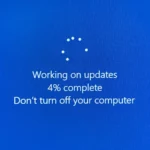
Live from the Microsoft Insider Program, it has gotten to our notice that the latest Windows 11 update built with the KB5012643 component NET 3.5 framework specifies Windows 11 lagged response. Microsoft sends a priority warning to the global software community to uninstall the latest Windows 11 patch due to the software’s vulnerability to crash apps that make the OS unstable.

Microsoft developers built the Windows 11 with Open source code to make the NET 3.5 framework ready for possible tweaks from the Microsoft Insider members. Recall Microsoft OS developers have reportedly used the NET 3.5 framework on previous OS versions which makes Windows OS accessible to apps featuring on the OS system but this current Windows 11 version happens to crash apps while launching or multitasking.

Towards the end of April, this has been a prioritized notice that viral in the Microsoft Insider community. The Microsoft Official developers confirmed The third edition NET framework is likely to crash third-party apps and Microsoft custom apps.

“After installing this update, some .NET Framework 3.5 apps might have issues or fail to open. Affected apps are using certain optional components in .NET Framework 3.5, such as Windows Communication Foundation (WCF) and Windows Workflow (WWF) components,” Microsoft said.

Microsoft is yet to develop a patch for the bugged Windows 11 latest updated version. The only solution to bypass the OS system crash is by uninstalling the latest Windows 11 patch tweaked with KB5012643. Microsoft said “if you cannot uninstall this update (KB5012643), you can also mitigate this issue by re-enabling .NET Framework 3.5 and the Windows Communication Foundation in Windows Features,”

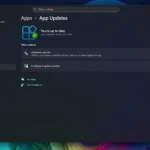
How to Uninstall Windows 11 KB5012643 Patch.

  • Go to the Start menu and search for “Windows Update Settings.”
  • Click the View Update History on the Windows Update settings window optional menu.
  • Then click Uninstall update.
  • Still, look out for the KB5012643 package to uninstall the update completely.

Recall Microsoft said uninstalling the Windows 11 KB5012643 patch, you can also reactivate the Net 3.5 Framework and the Windows Communication Foundation in Windows Features. The Windows 11 system can also allow users to downgrade their OS to the previous Windows 10 version. Microsoft released the system in Oct 2021 and this crashed Windows 11 updates were released in January 2022.

The Windows 11 OS is built to improve the gaming experience that is compatible to the Windows Communication interface built with the DirectX12 Ultimate technology. Microsoft Insider members can access up to tto100 high-quality PC games to experience playing games with the Windows 11 system for a monthly price. Microsoft Xbox Games is available on auto HDR tweaked for direct saves.


Related Posts:

  • microsofts-surface-duo-dualscreen-androi-5f1f3d057e8c350ae07dd862-1-jul-28-2020-15-24-20-poster
    Microsoft Patch Tuesday Fixes 63 Bugs, 1 Zero-Day
  • Chat_video_experience
    Microsoft Teams Integration For Windows 11 Set For Removal
  • 1764244442_v7f6s4rnfs8wghk3qecgd5
    Microsoft to Bring Store App Updates to Windows Update
  • powershell-1024×683
    Microsoft Drops PowerShell 2.0 from Windows 11 & Server
  • 8566bb3a-a332-47bd-9234-ab9fe44fc82a
    Microsoft's Quick Test to Fix Non-Booting PCs
  • windows-update-close
    Microsoft Releases Emergency Patch For Windows Update Bug
  • get-latest-updates-toggle
    Ads Could Be Coming To Windows 11 Shortly
  • microsoft-copilot-2
    Microsoft Fixes Copilot Auto-Install Bug and Apologizes

Discover more from TechBooky

Subscribe to get the latest posts sent to your email.

Tags: OSsoftware
Paul Balo

Paul Balo

Paul Balo is the founder of TechBooky and a highly skilled wireless communications professional with a strong background in cloud computing, offering extensive experience in designing, implementing, and managing wireless communication systems.

BROWSE BY CATEGORIES

Receive top tech news directly in your inbox

subscription from
Loading

Freshly Squeezed

  • Amazon Plans a $10b+ Investment in OpenAI December 17, 2025
  • Instagram Expands Reels Experience to TVs December 17, 2025
  • Downdetector Breaks Down 2025’s Biggest Service Outages December 17, 2025
  • Why TikTok Still Operates — And What the 2026 Deadline Means December 17, 2025
  • Facebook Overtakes TikTok as Kenya’s Top Social Platform December 17, 2025
  • X Updates Terms, Countersues to Defend ‘Twitter’ Trademark December 17, 2025
  • Airtel Africa, SpaceX Partner to Launch Starlink Direct-to-Cell December 17, 2025
  • Report: Warner Bros Likely to Spurn Paramount Offer, Side with Netflix December 17, 2025
  • OpenAI Appoints New Platform Chief to Turn ChatGPT into an OS December 16, 2025
  • Google and ChatGPT Drive Global Internet Traffic to 19% December 16, 2025
  • Musk Becomes the First Person Worth $600 Billion December 16, 2025
  • OpenAI Communications Chief Is Stepping Down December 16, 2025

Browse Archives

December 2025
MTWTFSS
1234567
891011121314
15161718192021
22232425262728
293031 
« Nov    

Quick Links

  • About TechBooky
  • Advertise Here
  • Contact us
  • Submit Article
  • Privacy Policy
Generic selectors
Exact matches only
Search in title
Search in content
Post Type Selectors
Search in posts
Search in pages
  • African
  • Artificial Intelligence
  • Gadgets
  • Metaverse
  • Tips
  • About TechBooky
  • Advertise Here
  • Submit Article
  • Contact us

© 2025 Designed By TechBooky Elite

Discover more from TechBooky

Subscribe now to keep reading and get access to the full archive.

Continue reading

We use cookies to ensure that we give you the best experience on our website. If you continue to use this site we will assume that you are happy with it.