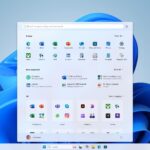
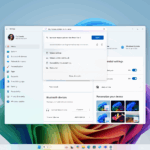
In the Windows 11 2024 update last year, Microsoft included a side panel to the Start menu, giving Android users instant access to the battery life, alerts, texts, calls, and photographs of their phones. Microsoft is now preparing to provide iPhone customers with Windows 11 laptops or PCs with a comparable experience.
The process of integrating Windows with the Apple iPhone has been quite painful. By offering a unified user interface and file sharing between the two platforms through the Start menu, Microsoft is going one step further in tying the two together.
With Windows 11, Windows Insiders may now begin testing iPhone access via the Start menu. According to a blog post by Microsoft, “this seamless integration allows iPhone users to enjoy the same benefits as Android users, including the ability to view phone connectivity and battery status, access messages and calls, and keep track of the latest activities, all conveniently integrated into the Start menu.”
A surprisingly effective method of connecting Windows to Android phones is the Phone Link program that Microsoft currently offers with Windows. However, iPhone consumers do not profit from the same advantages because of Apple’s refusal to open its platform. For instance, there are several nuances and precautions involved in connecting Apple’s iMessage to Windows’ Phone Link.
Microsoft is taking a somewhat different approach with its next update. Android users may view a “dashboard” of their phone’s priorities, including battery life, recent events (such a call or message), and quick shortcuts to Phone Link’s capabilities like calls or images, thanks to a floating sidebar Microsoft started testing last June for the Windows 11 Start menu. Naturally, iPhones were not included. They aren’t now.
Microsoft’s Phone Link function, which it has been enhancing in recent years, is carried over into this most current Start menu addition. The 2023 update lets you utilize iMessage from your PC, which exploits Apple’s requirement that you use iMessage to send texts to other iPhone users by utilizing Bluetooth to intercept incoming messages.
This new Start menu design will also allow you to exchange files between an Android or iPhone device, which will speed up the process of transferring papers or images between a Windows computer and a phone. In addition to enabling file sharing via Windows 11’s built-in “Share” function, Microsoft began testing iPhone file sharing for Windows PCs in December.
This new start menu which Microsoft is testing through its capabilities will first be available to Windows Insiders in the Dev and Beta Channels. its Dev and Beta channels, essentially puts Android and iPhone phones on an even playing field. It also adds a few new features, such as a consistent user interface between the two platforms, an easier and more consistent setup process for both Android and iPhone phones, and the ability to share files between Windows and Android/iPhones. In the upcoming months, Microsoft is expected to make them available to all Windows 11 users.
The final function is crucial since iPhones still require a workaround: Android users can access their phones’ calls, chats, and images through the floating Start sidebar, but the iPhone menu does not include that option. Though it’s more of a laborious procedure, file sharing essentially restores that capability.
Mainstream consumers, or what Microsoft refers to as the Stable Channel, are now unable to access this. Rather, you must still be willing to participate in the Windows Insider program and run either Windows 11 Insider Preview Build 26120.3000 and above in the Dev channel or 4805 and higher in the Beta channel. Additionally, you’ll need a phone on which you can download the Phone Link app (version 1.24121.30.0 or higher) and log in using a Microsoft account.
The increasing level of interaction across various operating systems is fantastic, in my opinion. For starters, Windows’ improved iPhone integration makes it much simpler for those who are unable to leave the Apple ecosystem. Second, you should be free to use any device you want without compromising on connectivity, functionality, or ease of use. In my opinion, this is precisely how things should be.
We use cookies to ensure that we give you the best experience on our website. If you continue to use this site we will assume that you are happy with it.