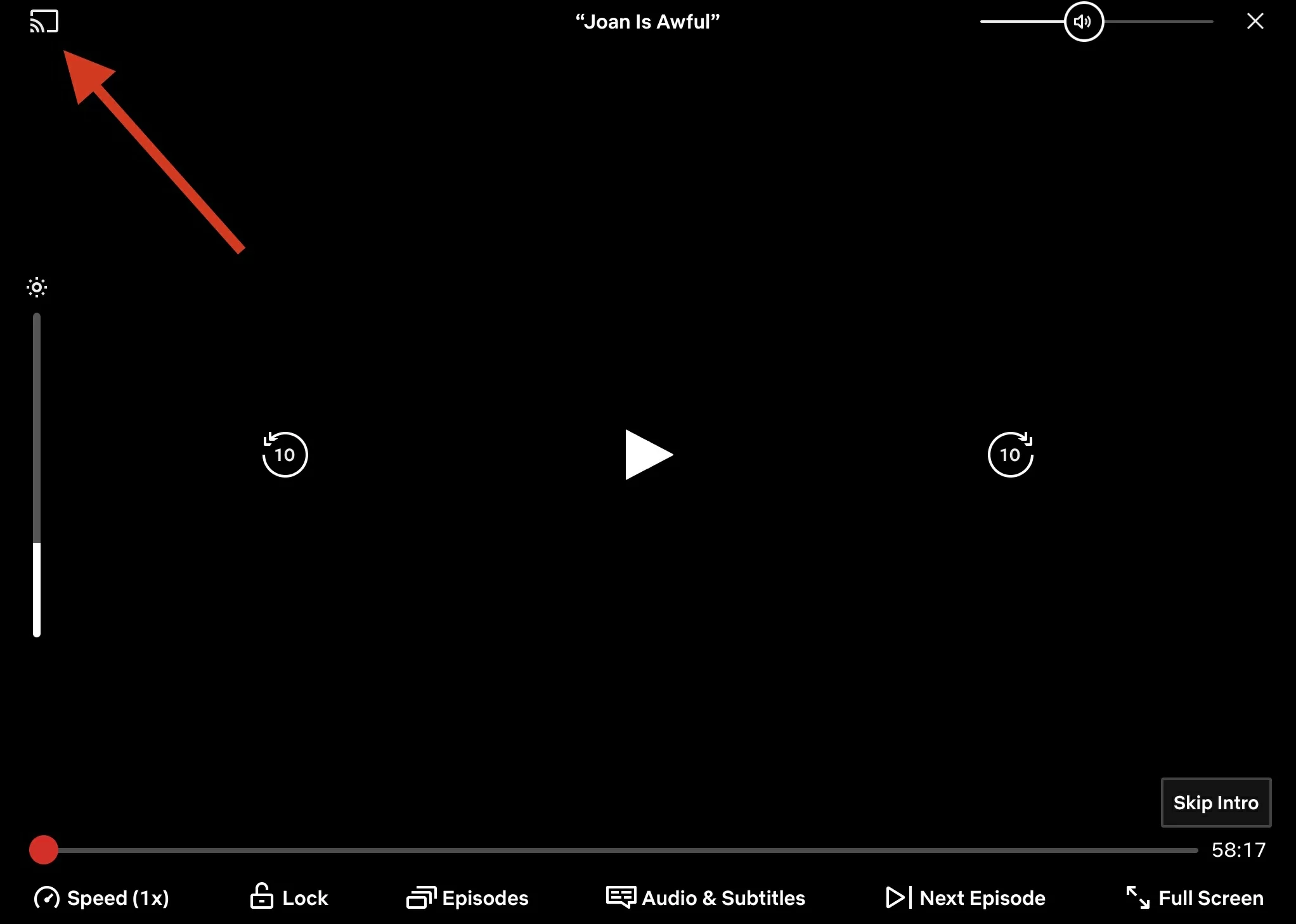
In a report rumour earlier today which says that Netflix is planning of taking out the casting support from smartphones to newer Chromecast models and Google TV Streamer devices. Although the The streaming giant and company hasn’t formally announced the change, its support page has been updated to reflect it. Many users have also reported that the Cast icon has vanished from their mobile app in recent days, voicing their frustration on social media. It’s worth noting that Netflix’s casting feature was previously available only to subscribers on non-ad-supported plans.
Casting using Netflix’s mobile app is a useful feature that allows users to view the app on smart TVs and other streaming devices without having to download and install it directly. It allows users with limited storage space to avoid installing the app on their smart TV and also allows them to operate navigation and search from their smartphones rather than the remote, making the process considerably easier.
However, according to a support page and website, Netflix no longer supports casting shows from a mobile device to the majority of TVs and TV-streaming devices. To navigate Netflix, users must use the remote that came with your television or TV-streaming device. This was first noticed by Android Authority and appears to be a new feature.
Some users who are members of the press have also noted that the Cast symbol is no longer visible at the top of the app’s main page. However some other members confirmed that they can still view it, regardless this may be a temporary condition. Netflix said anyone with an older Chromecast device or a TV that supports Google Cast can still cast the app. This excludes the latest Chromecast devices and Google TV Streamer.
A reddit user u/DavidinCincinnati posted two weeks ago that he is no longer able to see the Cast icon on Netflix’s mobile app. Several commentators also stated that they were experiencing similar problems. In another post on the same issue, user u/freetherabbit stated that he contacted customer care, who informed him that “if the device has its own remote, you cant cast.”
The change which will is also an update which will might possibly affect all, is rolling out gradually and mainly impacts older devices that depended on Netflix’s proprietary casting system, rather than standard protocols like Google Cast or AirPlay.
The removal process began in late May and June of 2024.
Netflix’s previous, proprietary casting solution is no longer available. To allow the Netflix app on the phone to “see” and control the app on the TV, both the mobile device and the TV/streaming player needed to be connected to the same network.
The great majority of current users will not notice any difference. Standard casting is still fully supported by major protocols such as Google Cast (used by Chromecast, Android TV, and many smart TVs) and Apple AirPlay.
Most recent smart TVs and streaming devices (e.g., Roku, Fire TV, newer smart TVs) use Google Cast or AirPlay, so the user-friendly connection process will continue to function normally.
The casting adjustments posted on Netflix’s help page don’t explain why the feature was deleted. It follows a similar move by Netflix in 2019, when it disabled AirPlay compatibility, claiming a need to “ensure our standard of quality for viewing is met.”
Netflix is yet to response based on the reached out to them for comment.
We use cookies to ensure that we give you the best experience on our website. If you continue to use this site we will assume that you are happy with it.