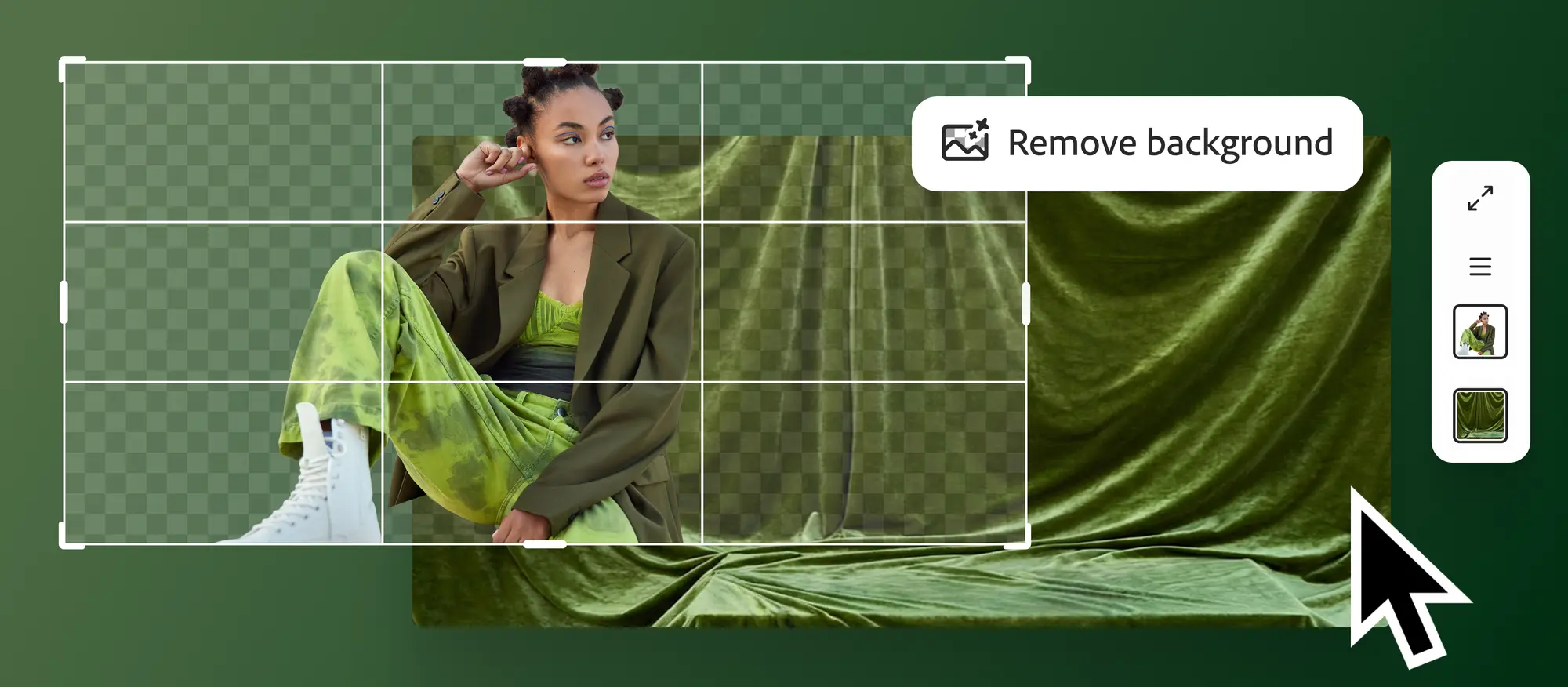
In October of last year, the San Jose-based computer company Adobe hosted its yearly creativity conference, Adobe Max 2025. The business introduced a number of new AI-powered features for its productivity apps and products during the event, such as the AI assistant update for Photoshop, its image editing program. The business has now said that customers can access the public beta version of Photoshop’s AI assistant. The software company has also revealed that it is adding new features to its Firefly Image Editor, which will enable users to add or modify objects within an image with a prompt and erase the backdrop from photographs.
With the addition of a conversational AI assistant to Photoshop and the unification of generative tools into a new Firefly Image Editor workspace, Adobe has made a significant update to its creative ecosystem.
The company revealed on Tuesday that customers may now access the public beta version of Photoshop’s AI helper feature. The new feature is available to users through Adobe’s image editing software’s web and mobile app editions. Additionally, Adobe Firefly has it. The IT company is offering premium Photoshop subscribers unrestricted image development and editing with the AI assistance through April 9. However, the new AI-based tool can only provide up to 20 image modifications for free users.
Photoshop’s new AI helper allows users to edit photos by giving the AI-powered tool a text-based description. For instance, users can ask Photoshop’s AI helper to alter the photograph’s background or eliminate distractions from a picture.
Additionally, Adobe claims that it can fine-tune the lighting and modify any image’s colour, contrast, and saturation. Photoshop’s AI assistant can apply corrections and desired refinements automatically, but it can also give users who want to make the changes themselves a step-by-step tutorial.
The contextual taskbar on the Photoshop website also offers the public beta version of Adobe’s AI assistant-backed AI Markup. It functions similarly to Photoshop’s Markup tool, which lets users choose a specific object inside a project. But using AI Markup, users may also use a text-based prompt to change just the targeted portion. For instance, users can utilise the AI Markup tool to choose a ball in an image and then ask Photoshop’s AI helper to alter the ball’s colour.
The software company has released new tools for the Firefly Image Editor, such as the Generative Fill tool, which enables users to add, replace, or refine features, in addition to the AI assistance in Photoshop. In addition to the Generative Expand, Generative Upscale, and Remove Background features, the company has developed the Generative Remove tool. The new tools are accessible everywhere.
For Photoshop AI Assistant, Photoshop for Web and the Photoshop mobile app are presently in public beta for the AI Assistant with the following features
Conversational Interface: Through a chat-based interface, users can ask for changes using text prompts in natural language.
Core Functions: The assistant may automatically carry out operations such as eliminating backdrops, modifying lighting, altering colours, and eliminating undesired things.
Voice Commands: Users of mobile apps can utilise voice input to make editing requests.
AI Markup (Web Only): Photoshop on the web has a new capability that lets users put markers directly on an image to indicate precisely where the AI should add or change things, like adding “flowers” or “mountains” to a particular location.
Usage & Access Unlimited AI generations are available to paid subscribers through April 9, 2026, and for the free users, they stand to get 20 generations for free at first.
While the updates for Firefly Image Editor to optimise generative workflows, the standalone Firefly Image Editor has been reworked into a single workspace.
Unified Toolset: A single interface now houses all of the essential generative features:
Generative Fill: Use context-aware results to add or replace components.
We use cookies to ensure that we give you the best experience on our website. If you continue to use this site we will assume that you are happy with it.