Snapchat is now adding more alerts to let people know when users have reached various locations after debuting a “Home Safe” feature that allows users to let friends and family know when they’ve safely returned home.
On Monday, the social media giant revealed that its new “Arrival Notifications” feature allows users to establish one-time or recurring notifications for locations outside of their house, giving them an automated way to post when they reach particular areas.
The firm had highlighted in a blog post that Arrival Notifications now work for everyday moments like automatically sharing when you arrive at a weekly class, practice or meeting or letting someone know you’re back for the night while travelling without needing to remember to send a message.
With the latest expansion of Arrival Notifications on Snap Map, Snapchat now allows its users to notify friends automatically when they arrive at any given location. Once restricted to “Home”, they can now be configured for a friend’s residence, the gym, or a place of employment. These can be regarded as the important safety measures which the company has put in place.
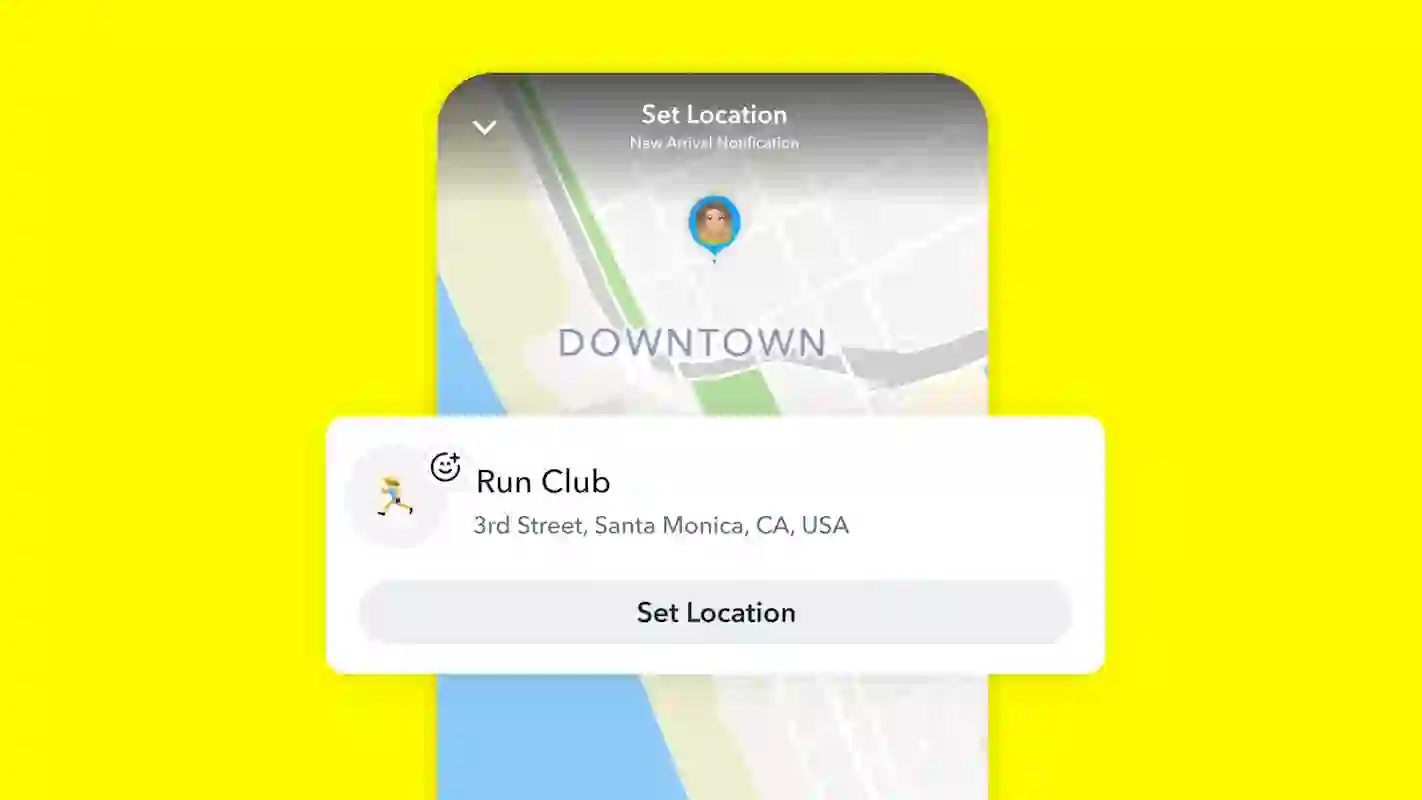
These features are regarded as important ones in which users can also select custom locations. By selecting any location on the map and labelling it with a name of your choosing, such as “Piano Lessons” or “Run Club”.
Another key feature its users can benefit from is the flexible timing, in which Snapchat users select a recurring reminder for everyday activities like practice or school, or a one-time alert that will expire after 24 hours if it is not triggered.
The Safety & Privacy allows the Snap Map to be turned off by default, and alerts only function for people with whom you have already shared your location.
And the last feature, which is capacity, is that users can store these alerts in up to ten separate locations.
“Arrival Notifications” can only be delivered to friends you have chosen to share your location with, just like the platform’s Home Safe alerts. It’s important to note that Snap Map by default disables location sharing. Snapchat clarified that unless you opt to share, no one can see your location or get an alert. One-time alerts expire 24 hours after they are received.
Snapchat users must provide their location to a reliable acquaintance they wish to stay in touch with in order to use Arrival Notifications. Next, you must touch on your friendship profile and select “Arrival Notifications” by scrolling down. On the map, you can select a place and give it a unique name.
Snapchat users may also designate a place for their “run club” or “piano lessons”, for instance. Snapchat will then let their friend know when they arrive, and they may select a one-time or regular alert.
Snapchat revealed last summer that Snap Map now boasts over 400 million monthly active users, coinciding with the new feature.
When Snap Map first launched in 2017, it allowed its users to view the whereabouts of their contacts and peruse public photos taken all over the world. Additionally, the functionality now provides methods for users to find activities and nearby hotspots.
Snapchat hopes to further compete with services like Apple’s “Find My” and the family location-sharing app Life360 with its Arrival Notifications and Home Safe features.
To configure this,
Open a particular chat or a friend’s profile.
To access the Snap Map section, scroll below.
Under Arrival Notifications, tap Add.
Put the place on the map, give it a name, and turn it on.
We use cookies to ensure that we give you the best experience on our website. If you continue to use this site we will assume that you are happy with it.