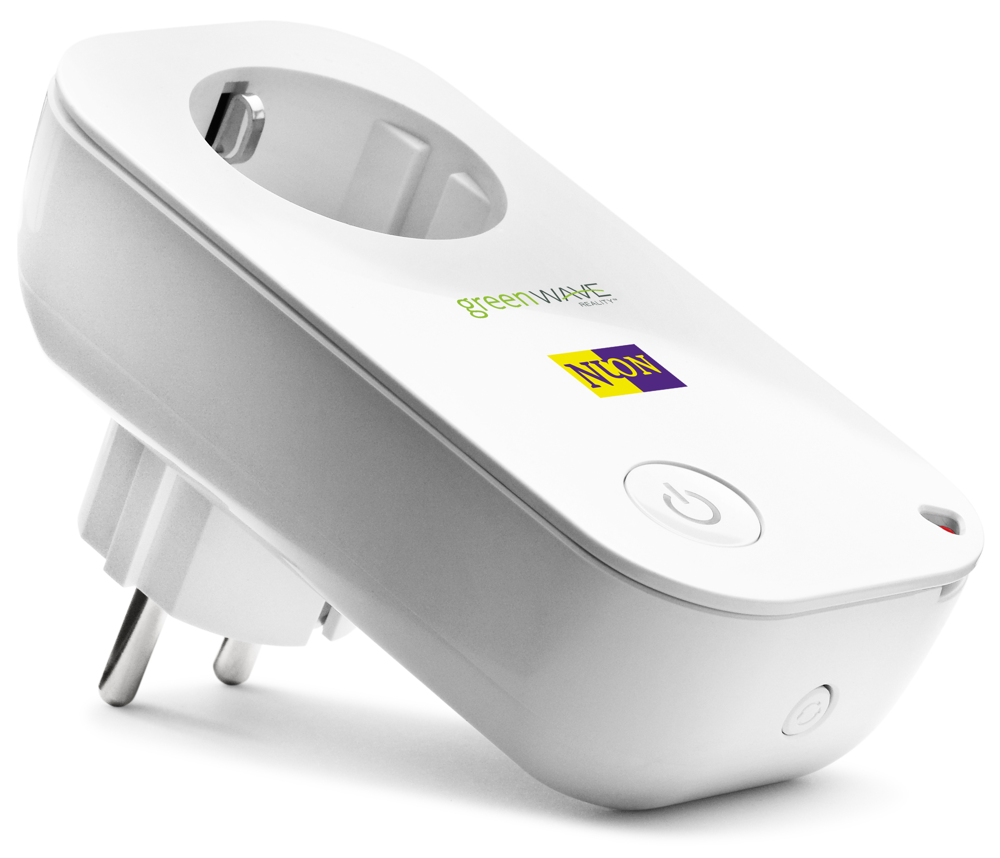
Smart plugs are often the first recommendation for a budget smart home setup. They plug into your existing wall outlet and turn whatever is plugged into them (lamp, fan, coffee maker, TV, etc.) into a device you can control remotely. Essentially, a smart plug is an adapter with Wi-Fi that lets you turn the power on/off via an app or voice command.
Setting up a smart plug is usually as simple as plugging it in, connecting it to your Wi-Fi through the brand’s app, and linking the app to Alexa or Google if desired. No tools or installation required – it’s DIY in minutes. Once set up, you can schedule that plug to turn on lamps at sunset or cut power to the iron when you leave home, for example.
Despite their low cost, many smart plugs have useful features. Most have a manual override button (so you can still toggle it by hand). Some offer energy monitoring, reporting how much power the connected device consumes. Others have “Away” modes that randomly turn a lamp on/off to simulate someone being home (great for vacations). Importantly, almost all work with voice assistants – so you can say “Alexa, turn off the fan” and the smart plug will cut power to the fan.
Popular options: The TP-Link Kasa Smart Plug is a bestseller worldwide and often comes in a 2-pack under $30. Belkin’s Wemo Wi-Fi Smart Plug is another highly-rated choice (around $25) and works with Alexa, Google, and Siri (HomeKit). If you’re in Nigeria, you can find smart plugs from brands like Oraimo; for example, the Oraimo WiFi Smart Plug (Wi-Fi Socket) is available on Jumia Nigeria. This lets you control appliances via an app and is built for the local power standards.
Once you have a smart plug, you’ll likely think of endless uses – from automating holiday lights to voice-activating the kettle. It’s one of the cheapest ways to make a “dumb” appliance smart.
Smart Bulbs ( ~$10–$50 per bulb )
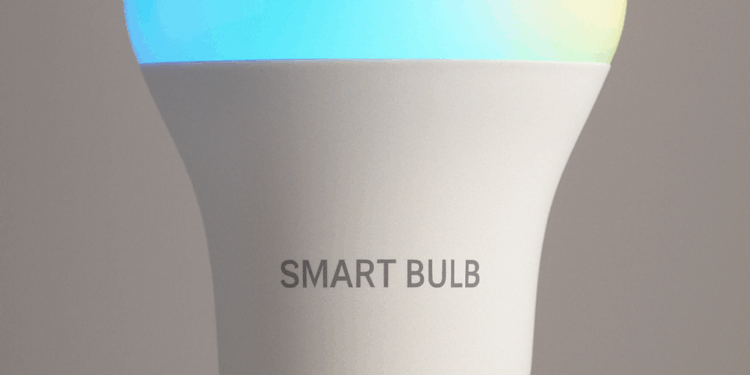
Smart light bulbs bring customizable lighting into your home without needing any new lamps or wiring. Just screw in a Wi-Fi or Bluetooth-enabled bulb, and you can control it through your phone or voice. With smart bulbs, you can turn lights on/off remotely, adjust brightness, and often change colours or colour temperature to suit your mood.
There are a few types of smart bulbs, but for budget purposes, look at Wi-Fi bulbs or Bluetooth bulbs (which don’t require a separate hub). For instance, Philips Hue is a well-known brand but its bulbs typically need the Hue Bridge hub and can be pricey. Fortunately, many cheaper bulbs exist: TP-Link Kasa sells white and colour smart bulbs that connect directly to Wi-Fi (around $15-$20 each). Wyze Bulb is another affordable option (~$8 for a white bulb) that offers app and voice control. Even Xiaomi’s Yeelight bulbs are popular globally for their low cost and vivid colours, no hub needed.
Setting up a smart bulb is as easy as replacing your old bulb and following an app to connect it. After that, you can do fun things like set schedules (e.g. bedroom lamp gradually brightens as an alarm in the morning), or use voice commands like “Hey Google, dim the living room lights to 50%.” If it’s a colour bulb, you can even say “Alexa, make the kitchen light blue.”
For those in Nigeria, check if platforms like Jumia carry brands like Tuya-based bulbs or Xiaomi. Often you can find multicolour LED smart bulbs on local marketplaces that work with universal apps like Smart Life. Just ensure the bulb’s base (e.g. E27 screw) matches your fixtures and that it supports 220-240V. An example listing is the “Generic WiFi Smart Bulb” on Jumia, which offers colour changing via app and voice for a budget price.
Practical uses: Smart bulbs are perfect for creating ambiance. You can have a warm dim light in the evening for relaxation, or bright white when working. You can set lights to turn on automatically at sunset or when you walk in the door. Combined with sensors or routines, your lights can even flash or change colour for alerts (one popular idea: flash red if your smart security camera detects motion at night). And of course, being able to say “Turn off all lights” when you’re already in bed is a delightful convenience.
Please continue to the next page
Related Reading
More contextual TechBooky stories selected from tags, categories and article context.
Paul Balo is the founder of TechBooky and a highly skilled wireless communications professional with a strong background in cloud computing, offering extensive experience in designing, implementing, and managing wireless communication systems.
We use cookies to ensure that we give you the best experience on our website. If you continue to use this site we will assume that you are happy with it.