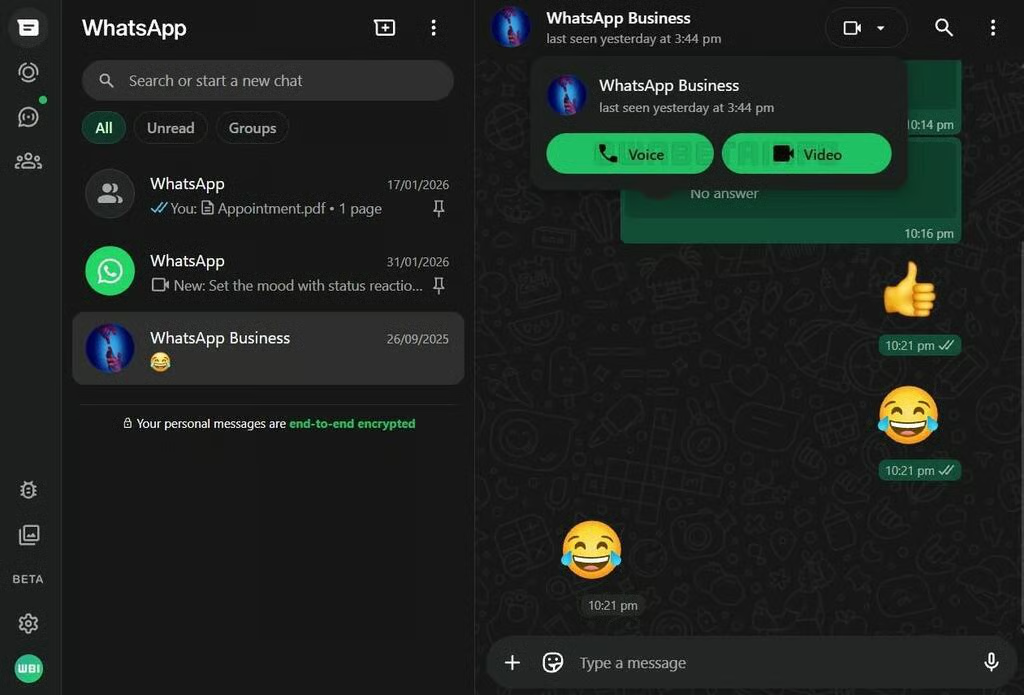
In a direct challenge to conferencing services like Zoom, which is also another minor but important step, WhatsApp is making its web version a real desktop app substitute, as the business has started by implementing a native phased rollout of voice and video conversations straight from WhatsApp Web clients, eliminating the need for customers to install a desktop client or connect via a smartphone, according to the website WABetaInfo.
This means that WhatsApp users can now make calls using a browser without installing additional software thanks to this feature, which was previously only available through desktop and mobile applications.
The feature will only be accessible in the first phase for one-on-one conversations and to those who have signed up for WhatsApp’s beta program. In the upcoming weeks, a wider public rollout is anticipated. For over a year, WhatsApp has been working behind the scenes to replicate in the browser an experience that is almost exactly the same as its desktop program.
In a real sense, does WhatsApp want to become Zoom? A question I had asked myself.
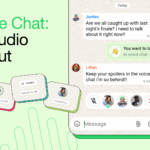
The action was taken as Meta worked on adding further calling capabilities to WhatsApp Web, such as the ability to make audio and video calls within group conversations. As of right now, group calls will accommodate up to 32 members and include features like scheduled calls and call links.
The launch of personal calls, even while group calling is still in testing, indicates that WhatsApp is getting close to the time when its browser version will no longer be a temporary fix but rather a full-fledged platform, much like Zoom and Microsoft Teams.
It is anticipated that WhatsApp would incorporate screen-sharing features into its web version to further emphasise that goal. During video calls, this would enable users to directly display documents, slides, or other on-screen content.
The privacy and encryption feature is one in which the Signal protocol is used to ensure that all web-based calls are end-to-end encrypted, preventing Meta or WhatsApp from accessing the audio or video, which happens to be an addition.
This is an advantage for browser-only and Linux users. Due to the lack of an official desktop app for Linux, the upgrade is particularly important for users of that operating system. They had only been able to communicate via the browser up until now. Linux users can now access almost all of WhatsApp’s essential features straight from the web thanks to support for voice and video calls.
Users of Windows and macOS who would rather not install desktop software, whether because of personal preferences or work-related constraints, will also find the update appealing. Now, they may use the browser to make both video and audio calls.
Only a select few beta users may currently access the function, but WhatsApp intends to make it available to all users in the upcoming weeks. After testing is finished, group calling support should be available.
Click Settings > Help and Feedback, then toggle the “Join the Beta” box to sign up for WhatsApp Web’s beta program. Choose a private conversation. To start a call, click the new Voice or Video icons at the top of the chat window.
Users will probably be among the first to use new WhatsApp Web features as they become available, though there is no assurance that you will have instant access to voice and video calling on the web.
For Linux users, who have traditionally lacked an official desktop application, as well as those utilising shared or corporate computers where software installation is banned, this update is especially important.
Before being made more broadly available and providing Linux users and others with complete browser-based calling, the feature will initially only be available for one-on-one talks and beta users.
We use cookies to ensure that we give you the best experience on our website. If you continue to use this site we will assume that you are happy with it.