A cybersecurity company has found a new method for taking over WhatsApp accounts that exploits the app’s legal device-linking feature. Without obtaining passwords, SIM cards, or authentication codes, the GhostPairing campaign enables hackers to fully access a victim’s WhatsApp account. The attack uses social engineering to persuade consumers into authorising a malicious device rather than taking use of software faults. According to reports, the technique is hard to spot, spreads swiftly through reliable contacts, and exposes significant flaws in the way device-pairing features are now created and comprehended by users.
The research from the cybersecurity company Gen Digital claims that the attack starts with a quick message from a reliable acquaintance, usually along the lines of “Hey, I just found your photo!” pickup line, which is sent. The message contains a link that shows up in WhatsApp as a preview similar to Facebook. When visitors click the link, they are taken to a phoney webpage that mimics a Facebook photo viewer and requests that they “verify” before they can access the material.
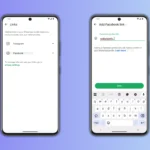
Facebook is not involved in the verification process at all. Rather, the page subtly initiates the official device-pairing procedure of WhatsApp. After victims provide their phone number, WhatsApp creates a numerical pairing code. The phoney page then gives users instructions to input this code into WhatsApp, giving the impression that it is a standard security check.
Users unintentionally accept the attacker’s browser as a linked device when they type the code, according to the research. This grants attackers complete access to WhatsApp Web, enabling them to read conversations, download media, send messages as the victim, and receive new messages instantly. It is challenging to detect the hack because the phone keeps operating normally.
Although the campaign was initially seen in Czechia, Gen Digital cautioned that it might quickly expand to other areas. Instead of using mass spam to spread the attack, compromised accounts are utilised to transmit the same enticement to contacts and group chats.
The technique does not take advantage of software vulnerabilities or get around encryption, according to the report’s researchers. Rather, it depends on legitimate features functioning as intended and social engineering. This makes the attack especially worrisome, according to the research, since linked devices stay active until users actively deactivate them.
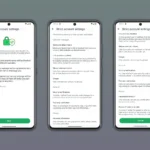
Users are encouraged to often check WhatsApp’s Settings > Linked Devices section and delete any strange sessions in order to be safe. Additionally, the researchers suggested turning on two-step verification, treating any request to scan QR codes or input pairing numbers from websites as suspicious, and taking the time to confirm odd messages, even from contacts you know.
Also Whatsapp users should never share codes, never scan QR codes from outside websites or enter pairing codes. Whatsapp users should always be the only one to start the WhatsApp device connecting process.
Another advise to users, is to activate 2FA, (Two Factor Authentication or Multi-Factor Authentication), in which the setting is in your WhatsApp settings, by enabling the Two-Step Verification. This offers a crucial layer of overall protection, even though it doesn’t prevent this particular vulnerability once a device is connected.
Also users should check unexpected links, before clicking on a strange link sent by a friend, give them a call to make sure.
According to reports, GhostPairing is drawing attention to more general dangers in device-pairing technologies that are utilised by numerous apps. Convenience is an important benefit, but the report suggested that greater controls, more context for pairing requests, and more explicit cautions might help lessen abuse.
Why it is dangerous, with the authentication bypass, the link seems authentic to WhatsApp’s systems because the user directly authorises it, and this circumvents the conventional security. Also stealthy persistence by the “ghost device” which might stay linked in the background for months while the victim’s phone keeps operating normally. The quick spread is a cycle that is continued by the attackers using the compromised account to message the victim’s friends, family, and co-workers.
We use cookies to ensure that we give you the best experience on our website. If you continue to use this site we will assume that you are happy with it.