TechBooky AI Assistant
👋 Welcome to TechBooky AI Assistant

I can help with:
🔎 Tech News
🤖 AI Topics
💻 Gadgets
☁️ Cloud
✍️ Guest Posts
📢 Advertising
🔗 Backlinks
📩 Newsletter
  • AI Search
  • Cryptocurrency
  • Earnings
  • Enterprise
  • About TechBooky
  • Submit Article
  • Advertise With TechBooky
  • Contact Us
TechBooky
  • African
  • AI
  • Metaverse
  • Gadgets
Generic selectors
Exact matches only
Search in title
Search in content
Post Type Selectors
Search in posts
Search in pages
  • African
  • AI
  • Metaverse
  • Gadgets
Generic selectors
Exact matches only
Search in title
Search in content
Post Type Selectors
Search in posts
Search in pages
TechBooky
Generic selectors
Exact matches only
Search in title
Search in content
Post Type Selectors
Search in posts
Search in pages
Home General App

New Google Photos Swipe Up Effect Makes Memories Much More Detailed.

...with the Google Photo app, my memory can be brand new.

Emeka Eni by Emeka Eni
August 11, 2021
in App
Share on FacebookShare on Twitter
Share this story

Send it to someone who should read it.

f Facebook X X in LinkedIn wa WhatsApp tg Telegram @ Email
In Brief
  •   Google recently tweaked its Photos app to broaden its memory feature, since it has recorded several users that tag the Photos app as the most...
  • This new tweak focused on improving the Memory album within Photos — an individual media library that is expected to revive nostalgic experiences.
  • The Google Photo app now has a simplified UI — Memories now features a swipe-up menu that reveals in-depth details about the exact nostalgic scenario that...


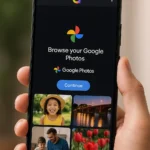
Google recently tweaked its Photos app to broaden its memory feature, since it has recorded several users that tag the Photos app as the most preferred Google product. This new tweak focused on improving the Memory album within Photos — an individual media library that is expected to revive nostalgic experiences.

The Google Photo app now has a simplified UI — Memories now features a swipe-up menu that reveals in-depth details about the exact nostalgic scenario that makes up the image located in the Memory tab. With these details revealed by swiping up effect, it should encourage more users to oblige with making more memories with the Google Photo app.

Google’s Photo app is not the flagship product developed by the Search Giant. Still, it remains the most popular app Google has built under its custom brand. It is a known fact because every Android user uses Photos to store media files, including photos and videos.

The swipe-up menu section under the Memories album in the Googles Photo app has always existed which can be accessed via the dotted overflow menu of the selected image. The three-dot sub-menu list is dedicated to displaying information that also gives options to view other related images data, including information about images captured at the same time and day.

For contrast, when you select an image, the three-dot overflow menu is a dedicated button to reveal the sub-menu about the selected image — “View all photos from this day, Order canvas print, Order photos print as well as the Memory settings.”

It is worth noting that these options are still accessible via the menu section of Photos Memory by swiping up. Now, the new menu overlay is similar to the previous options of the Photo app — this prompts ease usage.

Also worth reading
Googlebook Launches As Google’s $899 AI Laptop Bet Judge Orders Google To Make Rival Android App Stores Easier To Install Google’s Pixel 11 AI Features Show Gemini Moving Beyond Chat Made By Google 2026 Is Really A Gemini Hardware Test EU Orders Google To Open Android And Search Data To Rival AI Assistants Pixel 11 Pro Fold Gets Brighter Screens And Real Dust Protection

Without the three-dot, you can easily swipe up to access the same available Exchangeable Image File (Exif) data tied with the Memory album. The Exif data includes information about the location the image was taken and the time the image was captured.

At the top of the screen, you would see an option that allows you to add an image to a new or existing album, or hide the image if the nostalgic experience becomes unpleasant. Note that the previous options are still available when you swipe up, such as Memory settings, Ordering photos or canvas, etc.

Without adding tags, the Exif data can tell the type of pet that features on the image, which could either be a cat, a dog, or alien in nature your pet might be whenever you do the swipe up effect.

Google intends to use its Photo product to influence its users’ throwback experience while using its products, especially at the time when throwback will be rated entertaining.

Per TechBooky’s consent about this Google Photo improvements, the Search Giant silently released this update for its custom android users. Still, Photos version 5.53.0.388724750 is the current app update with swiping up effect that reveals in-depth Exif data.

Related Reading

More contextual TechBooky stories selected from tags, categories and article context.

  • aura google
    Aura Restores Google Photos Integration
  • assets_task_01jryr2pwyfwsagc1sv1n2e5px_img_0
    Introducing Google Photos Integration for Gemini's…
  • android-auto-launcher-home-screen-1
    Google Rolls Out Media App Switcher For Android Auto
  • spotify-deal-page-467x316
    Google Gemini Spotify Extension Rolls Out Search…
  • Gemini_Live
    Android Tests Gemini Live Gesture Shortcut
  • android and apple music
    Android Beta Adds Apple Music 5.2 With Playlist Playground
  • Grok
    xAI Gives Grok a "Memory" Capability
  • googlephotos1
    Google Photos Rolls Out Quick-Fix Tools To Subtly…
Keep Reading Smarter

Search TechBooky with AI

Use TechBooky's AI Search to explore the context behind this story and related coverage across the site.

Try AI Search
More On This Topic
App
Follow TechBooky

Follow TechBooky for more technology stories and newsroom updates.

f Facebook X X in LinkedIn ig Instagram wa WhatsApp

Tags: androidappGoogle Photo
Emeka Eni

Emeka Eni

I am a tech enthusiast, creating contents, graphic designer and am Africa.

Search TechBooky
Open TechBooky AI Search Try the AI Assistant

BROWSE BY CATEGORIES

Receive top tech news directly in your inbox

subscription from
Loading

Freshly Squeezed

  • Outside Review Finds Gaps in OpenAI Agent Monitoring October 23, 2026
  • South Africa Reworks Cross-Border Crypto Rules After Feedback October 23, 2026
  • DeepSeek Nears $15B Round With Tencent and CATL, Report Says October 23, 2026
  • Bolt Launches Electric Rides in Johannesburg, Targets 500 EVs October 23, 2026
  • OpenAI’s $30B Round Could Value It at $1.25T, Report Says October 23, 2026
  • MNT-Halan’s IPO Tests Africa’s Public-Market Appetite for Fintech October 22, 2026
  • Meta’s AI Spending Faces a New Test After Earnings October 22, 2026
  • Anthropic Launches Claude Duet, a Proactive AI Agent for Work October 22, 2026
  • Barclays to Cut 5,000 Jobs as AI and Technology Drive Cost Savings October 22, 2026
  • OpenAI Buys Orchestra Bio to Bring AI Agents Into Drug Development October 22, 2026
  • ChatGPT Locked Chats Hide Conversations, but Do Not Make Them Private Vaults October 22, 2026
  • Gemini Comes to Cars, but UK and Nigeria Miss Personal Intelligence Rollout October 22, 2026

Browse Archives

October 2026
M T W T F S S
 1234
567891011
12131415161718
19202122232425
262728293031  
« Sep    

Quick Links

  • About TechBooky
  • Advertise With TechBooky
  • Contact us
  • Submit Article
  • Privacy Policy
Generic selectors
Exact matches only
Search in title
Search in content
Post Type Selectors
Search in posts
Search in pages
  • African
  • Artificial Intelligence
  • Gadgets
  • Metaverse
  • Tips
  • AI Search
  • About TechBooky
  • Advertise With TechBooky
  • Submit Article
  • Contact us

© 2025 Designed By TechBooky Elite

Discover more from TechBooky

Subscribe now to keep reading and get access to the full archive.

Continue reading

We use cookies to ensure that we give you the best experience on our website. If you continue to use this site we will assume that you are happy with it.