TechBooky AI Assistant
👋 Welcome to TechBooky AI Assistant

I can help with:
🔎 Tech News
🤖 AI Topics
💻 Gadgets
☁️ Cloud
✍️ Guest Posts
📢 Advertising
🔗 Backlinks
📩 Newsletter
  • AI Search
  • Cryptocurrency
  • Earnings
  • Enterprise
  • About TechBooky
  • Submit Article
  • Advertise With TechBooky
  • Contact Us
TechBooky
  • African
  • AI
  • Metaverse
  • Gadgets
Generic selectors
Exact matches only
Search in title
Search in content
Post Type Selectors
Search in posts
Search in pages
  • African
  • AI
  • Metaverse
  • Gadgets
Generic selectors
Exact matches only
Search in title
Search in content
Post Type Selectors
Search in posts
Search in pages
TechBooky
Generic selectors
Exact matches only
Search in title
Search in content
Post Type Selectors
Search in posts
Search in pages
Home Service news

Windows 11 Gets Faster, Cleaner File Explorer in New Update

Akinola Ajibola by Akinola Ajibola
November 25, 2025
in Service news
Share on FacebookShare on Twitter
Share this story

Send it to someone who should read it.

f Facebook X X in LinkedIn wa WhatsApp tg Telegram @ Email
In Brief
  • Microsoft is upgrading Windows 11 File Explorer by adding a preloading function for speedier launch times, as well as cleaning up and reorganising the right-click context...
  • These updates are now being tested with Windows Insiders and are slated to roll out to all users in early 2026.
  • The changes and modifications to the File Explorer in Windows 11 is to make it less cluttered and start faster.

Microsoft is upgrading Windows 11 File Explorer by adding a preloading function for speedier launch times, as well as cleaning up and reorganising the right-click context menu. These updates are now being tested with Windows Insiders and are slated to roll out to all users in early 2026.

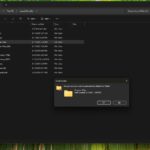
The changes and modifications to the File Explorer in Windows 11 is to make it less cluttered and start faster. The most recent Windows 11 Dev preview builds include File Explorer preloading “to help improve File Explorer launch performance,” as well as improvements to the context menu to reduce the amount of space occupied by less frequently performed operations.

File Explorer’s preloading should make it launch faster on computers with limited performance. It loads almost instantly on contemporary PCs, but it loads much slowly on less capable devices like Windows handhelds and tablets.

This adjustment comes as part of a larger attempt to optimise Windows 11 for a wide range of hardware, from high-end gaming machines to low-cost laptops. According to posts on X (previously Twitter) from computer aficionados and Windows observers, such as those published by well-known accounts like Windows Latest, the feature has stirred excitement for its potential to improve daily productivity. Users have long complained about File Explorer’s sluggishness, particularly when exploring huge directories or networked discs, and this preload could be the tipping point.

Users can disable File Explorer preloading so that it does not run in the background all the time. After all, the majority of computers will not require File Explorer to be preloaded. It’s similar to the work Microsoft performed with its Office apps earlier this year to boost Word’s starting time with a scheduled job that runs discreetly when you boot your PC to help Office apps open faster.

The modifications to the File Explorer context menu will be welcome on both fast and slow computers. Microsoft is reducing clutter in the context menu by shifting activities that are infrequently used into submenus. There is a new manage file flyout that allows you to compress files into ZIPs, copy as a path, set as a desktop backdrop, and rotate right or left.

Also worth reading
KB5070311 Update Resolves File Explorer and Search Bugs Windows 11 Surpasses One Billion Users Despite Mixed Reception Microsoft Revises The List of Windows 11 Supported Processors KB5070311 Update Causes Dark Mode Flash Issue, Microsoft Confirms Windows 11 Preview Adds Shared Audio and Taskbar Copilot Millions Rush to Get Microsoft’s Free Windows Update Before Deadline

Cloud file options have also been moved to a separate cloud provider flyout, which includes Send to My Phone. The modifications make the context menu seem much cleaner, and it should be easier to locate frequently used activities.

All of these enhancements are being tested in the most recent Dev preview builds of Windows 11, and they should be available to all Windows 11 users in early 2026.

The Speed Improvements are on;

File Explorer will be preloaded in the background to guarantee that it launches quickly when opened. This mirrors the earlier “startup boost” feature used in Microsoft Office apps and is designed to improve performance, particularly on lower-end hardware where launch times tend to be slower.

THE optional features allows users who do not want to use the functionality can disable “Enable window preloading for faster launch times” in the File Explorer Folder Options under the View tab.

Microsoft has stated that preloading will have a small impact on RAM utilisation.

Related Reading

More contextual TechBooky stories selected from tags, categories and article context.

  • File-Explorer-dark-mode-dialogs-for-Delete-Folder-1
    KB5070311 Update Resolves File Explorer and Search Bugs
  • STK_109_WINDOWS_C_84940e2be8
    KB5070311 Update Causes Dark Mode Flash Issue,…
  • get-latest-updates-toggle
    Ads Could Be Coming To Windows 11 Shortly
  • CeeYjMDncRmSGNPVY3oH7B
    Microsoft Tests New AI-Powered Windows Search
  • iOS-Blog-Post-Image
    Microsoft; Windows 11 Start Menu Gets iPhone Feature
  • windows update
    New Upgrade Policy Announced for Windows Users
  • microsoft-copilot-2
    Windows 11 Preview Adds Shared Audio and Taskbar Copilot
  • onedrive
    Microsoft Is Rolling Out OneDrive’s Offline Mode For Web
Keep Reading Smarter

Search TechBooky with AI

Use TechBooky's AI Search to explore the context behind this story and related coverage across the site.

Try AI Search
More On This Topic
Service news
Follow TechBooky

Follow TechBooky for more technology stories and newsroom updates.

f Facebook X X in LinkedIn ig Instagram wa WhatsApp

Tags: file explorerwindows 11windows 11 update
Akinola Ajibola

Akinola Ajibola

Search TechBooky
Open TechBooky AI Search Try the AI Assistant

BROWSE BY CATEGORIES

Receive top tech news directly in your inbox

subscription from
Loading

Freshly Squeezed

  • Meta’s $18B Teen Safety Deal Turns Social Media Into A Regulated Product August 26, 2026
  • Ventures Platform’s $84M Fund Shows African VC Is Becoming More Selective August 26, 2026
  • Bill Gates Says AI Needs A Robot Tax And Human Reserved Jobs August 26, 2026
  • Amazon Shuts Down Mechanical Turk As Human Data Work Enters The AI Age August 26, 2026
  • India’s AM Intelligence Orders 9,000 Nvidia Rubin GPUs For An $8B AI Factory Push August 26, 2026
  • Perplexity And Nvidia Take AI Agents Local With Portable Computer August 26, 2026
  • Fitbit Founders Return With Luffu Link, A Wearable Built For Family Care August 25, 2026
  • Meta’s Hatch AI Agent Plan Would Put Zuckerberg In The Paid AI Race August 25, 2026
  • OpenAI Wants ChatGPT Work To Bring Coding Agents Into The Office August 25, 2026
  • Amazon Device Price Hikes Show The AI Memory Squeeze Is Reaching Homes August 25, 2026
  • India’s Airbound Raises $37M As Drone Delivery Looks For Its Trucking Moment August 25, 2026
  • Oura’s Reported $16B IPO Plan Turns Smart Rings Into A Platform Fight August 25, 2026

Browse Archives

August 2026
M T W T F S S
 12
3456789
10111213141516
17181920212223
24252627282930
31  
« Jul    

Quick Links

  • About TechBooky
  • Advertise With TechBooky
  • Contact us
  • Submit Article
  • Privacy Policy
Generic selectors
Exact matches only
Search in title
Search in content
Post Type Selectors
Search in posts
Search in pages
  • African
  • Artificial Intelligence
  • Gadgets
  • Metaverse
  • Tips
  • AI Search
  • About TechBooky
  • Advertise With TechBooky
  • Submit Article
  • Contact us

© 2025 Designed By TechBooky Elite

Discover more from TechBooky

Subscribe now to keep reading and get access to the full archive.

Continue reading

We use cookies to ensure that we give you the best experience on our website. If you continue to use this site we will assume that you are happy with it.