7. Use Strong, Unique Passwords (and a Password Manager) + Enable MFA
Credential security is paramount in protecting your home network and online accounts. Weak or reused passwords are a major cause of breaches – 81% of hacking-related breaches involve stolen or weak passwords . Unfortunately, many users reuse passwords across multiple services; one survey found 65% of people reuse the same password on multiple accounts , which means if one account gets compromised, attackers can often get into others. The solution is straightforward: use strong, unique passwords for every account and enable multi-factor authentication wherever possible.
Unique, strong passwords: Never reuse passwords between your router, your Wi-Fi, your email, your banking, etc. If one gets leaked in a data breach, hackers will try it elsewhere (a tactic called credential stuffing). Create passwords that are long (at least 12 characters, 16+ is better) and seemingly random. For example, an account password like Rain!Museum37Coffee is far stronger than something like Winter2023 or password123. Password managers can make this much easier – these are apps that generate and store complex passwords for you, so you only have to remember one master password. Popular managers in 2025 include LastPass, 1Password, Dashlane, Bitwarden, and others. Using a password manager not only helps you create unique logins for every site, but it also keeps them encrypted and handy across your devices. Many browsers even have built-in managers that will suggest strong passwords and sync them securely. Adopting one can eliminate the temptation to reuse or write down passwords in insecure places.
As repetitive as the advice may sound, it’s worth it – “do not reuse your passwords!” A famous case illustrating this involved hackers gaining access to home security cameras and even baby monitors simply because people reused passwords that had leaked from other sites . Don’t let a careless reuse make your smart home, game accounts, or work data vulnerable. Take the time to update important accounts with unique creds. If you suspect an account’s password might have leaked, change it immediately (and if you used it elsewhere, change those too).
Enable multi-factor authentication (MFA): Strong passwords are one wall; MFA is the second wall that makes your accounts exponentially more secure. MFA (also called two-factor authentication or 2FA) means you need a second step to log in – usually a temporary code from an app (like Google Authenticator or Authy), a text message code, or a hardware key or biometric confirmation. With MFA turned on, even if someone somehow knows your password, they cannot access your account without that second factor. This is huge for security. Microsoft reported that enabling MFA blocks 99.9% of automated attacks on their accounts . It’s one of the most effective measures you can take, and it’s increasingly available on all sorts of services (email, social media, banking, gaming platforms, smart home cloud accounts, etc.).
For your home network, consider MFA wherever applicable: for instance, if your router’s admin interface supports two-factor (some high-end models do via smartphone notifications), use it. Definitely secure your primary email with MFA since email access can be a gateway to resetting other passwords. The same goes for your Wi-Fi management app, network storage devices, and any important online service. The slight extra step to login is worth the dramatic boost in security. And if possible, use an authenticator app or hardware key as the second factor rather than SMS, since SIM-swap attacks can hijack text messages (SMS 2FA is still better than nothing, but app-based is stronger .
In summary: unique passwords + MFA = a very tough shield. Yes, it requires a bit of effort to set up, but once you’re using a good password manager and have MFA on your key accounts, it largely runs in the background of your life. The result is that even if one layer fails, the intruder hits another wall – which usually sends them looking for an easier target.
8. Segment Your Home Network for Smart Devices and Guests
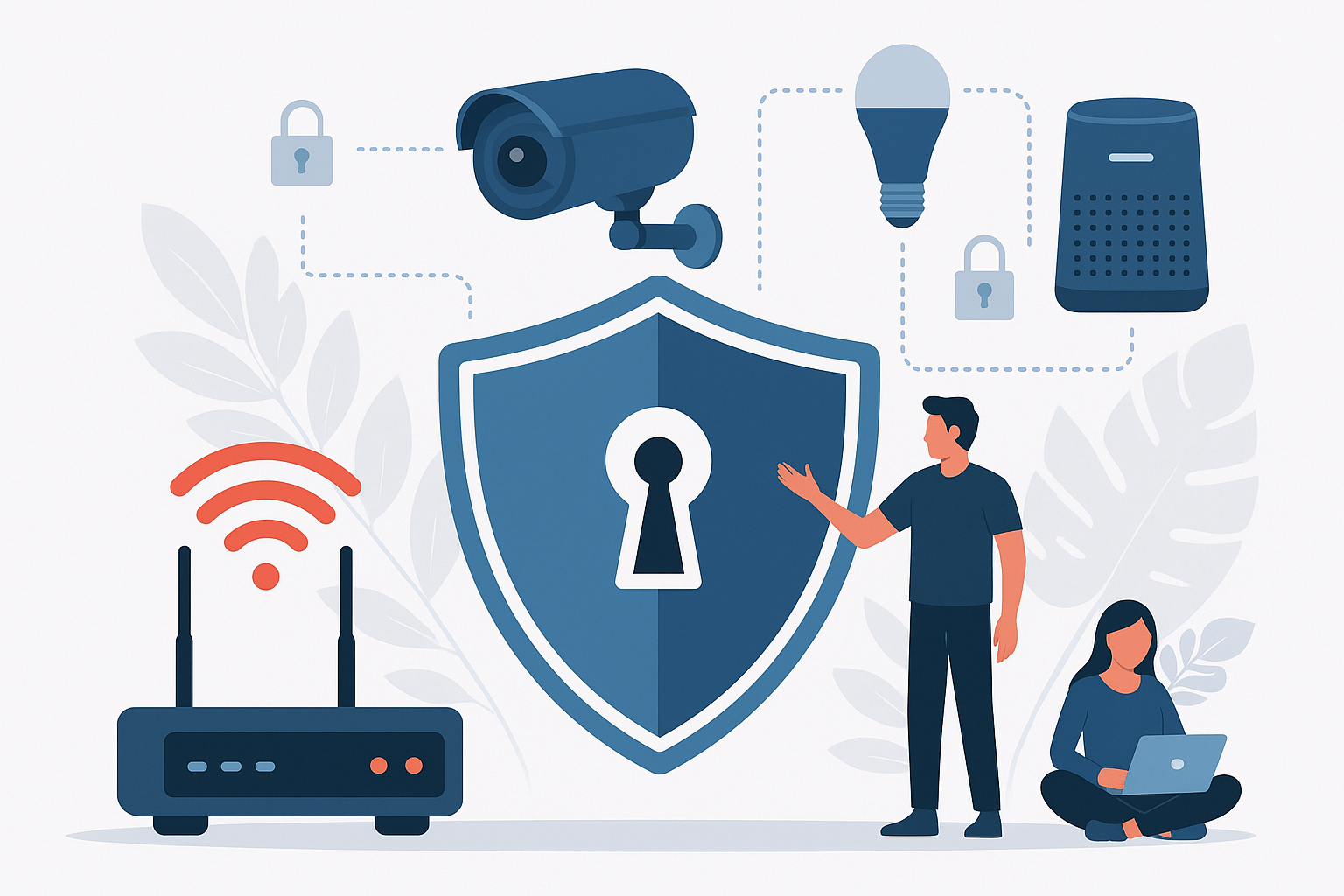
Not every device in your home needs to be on the same network. In fact, it’s often safer if they aren’t. Network segmentation is a pro-level strategy that’s becoming easier for regular users to implement, thanks to guest network features on routers. The idea is to separate your devices into different networks/zones based on trust and function, so that a compromise of one does not immediately grant access to all.
Why segment? Think of it this way: you might trust your work laptop and personal phone (which you keep updated and secured) more than that cheap smart lightbulb or an old IP camera you installed. If that lightbulb gets hacked, do you want it to have direct network access to sniff or attack your laptop? Probably not. By putting it on a separate network, you contain the risk. NIST cybersecurity researchers recommend setting up a separate Wi-Fi network for your smart home devices distinct from the network where your computers and phones reside . Many people already do a form of this by using the “Guest Wi-Fi” for IoT devices – it’s an easy way to isolate them.
How to segment: Check your router – most modern routers let you create a guest Wi-Fi network with a different name and password. Enable it and use it for IoT gadgets (smart TVs, speakers, cameras, thermostats, etc.) and even for guests who visit your home. The guest network typically has client isolation, meaning those devices can access the internet but not talk to devices on your main network. For example, if your main network is “MyHome” and the guest is “MyHome-IoT”, connect all your “risky” smart devices to MyHome-IoT. That way, if a hacker exploits a vulnerability in your smart fridge, they might get onto the IoT Wi-Fi, but they still can’t directly reach your work PC on the main Wi-Fi to steal files or install malware. You’ve compartmentalized the threat.
Some routers even allow deeper segmentation (multiple SSIDs or VLANs for “Home”, “Work”, “IoT”, etc.), but sticking to at least two zones (main and IoT/guest) is a great start for most. Gamers might choose to keep consoles on the main network with PCs, or even put consoles on their own VLAN if very techy – the principle is flexible. At a minimum, separate untrusted or less-managed devices from your primary devices. The NSA and other security agencies note that implementing network segmentation at home can significantly mitigate risks by limiting what an intruder can do .
Bonus tip: If you work from home with sensitive data, you could take segmentation further by dedicating one network (or one wired LAN connection) solely to your work computer and using another for personal devices. This isn’t always practical, but it can ensure that your work machine has an extra level of isolation from any personal browsing or IoT activity on your other network. Some high-end routers or mesh systems support creating an entirely separate Wi-Fi SSID for work devices. Evaluate your needs – for many, the simple guest network approach will suffice to greatly improve security.
Please continue to the next page
Related Reading
More contextual TechBooky stories selected from tags, categories and article context.
Paul Femi Balo is the founder and publisher of TechBooky. He covers artificial intelligence, African technology, digital infrastructure, enterprise technology and the global digital economy.
We use cookies to ensure that we give you the best experience on our website. If you continue to use this site we will assume that you are happy with it.