TechBooky AI Assistant
👋 Welcome to TechBooky AI Assistant

I can help with:
🔎 Tech News
🤖 AI Topics
💻 Gadgets
☁️ Cloud
✍️ Guest Posts
📢 Advertising
🔗 Backlinks
📩 Newsletter
  • AI Search
  • Cryptocurrency
  • Earnings
  • Enterprise
  • About TechBooky
  • Submit Article
  • Advertise With TechBooky
  • Contact Us
TechBooky
  • African
  • AI
  • Metaverse
  • Gadgets
Generic selectors
Exact matches only
Search in title
Search in content
Post Type Selectors
Search in posts
Search in pages
  • African
  • AI
  • Metaverse
  • Gadgets
Generic selectors
Exact matches only
Search in title
Search in content
Post Type Selectors
Search in posts
Search in pages
TechBooky
Generic selectors
Exact matches only
Search in title
Search in content
Post Type Selectors
Search in posts
Search in pages
Home Service news

WhatsApp Passkey Protection For Encrypted Backups: What It Means

Akinola Ajibola by Akinola Ajibola
November 1, 2025
in Service news, Social Media
Share on FacebookShare on Twitter
Share this story

Send it to someone who should read it.

f Facebook X X in LinkedIn wa WhatsApp tg Telegram @ Email
In Brief
  • WhatsApp has revealed a passwordless option to secure users’ chat backups by enabling the use of passkeys.
  • Soon, users will be able to access their encrypted backups using their device’s screen lock methods which includes such as a PIN, fingerprint, or face ID...
  • This implies that you can access WhatsApp’s backup in the event that you misplace your handset by using techniques like your fingerprint, face, or the screen...

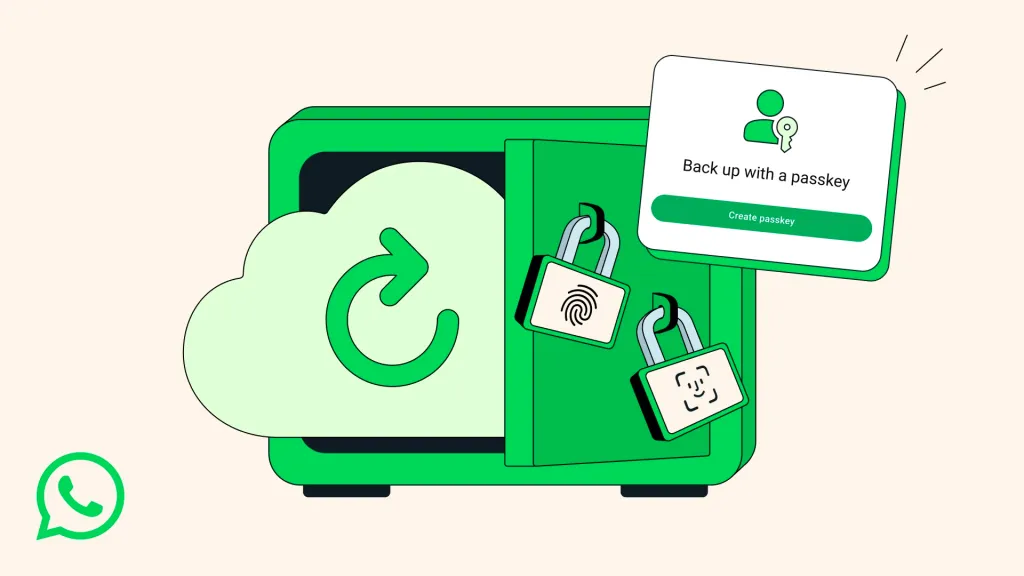
WhatsApp has revealed a passwordless option to secure users’ chat backups by enabling the use of passkeys. Soon, users will be able to access their encrypted backups using their device’s screen lock methods which includes such as a PIN, fingerprint, or face ID eliminating the need for traditional passwords. This feature will be available for both iOS and Android devices.

This implies that you can access WhatsApp’s backup in the event that you misplace your handset by using techniques like your fingerprint, face, or the screen lock code of your old cellphone, the company claims.

WhatsApp claims that the upgrade will be released “gradually over the coming weeks and months” and will facilitate the application of the same security protocols that safeguard private conversations and phone conversations to backups. Although end-to-end encryption for backups was first implemented in 2021, WhatsApp users had to either create a password linked to the encryption key or save a 64-digit key.

WhatsApp’s encrypted backups formerly used 64-character encryption keys or passwords.

In 2021, Meta added end-to-end encryption for conversation backups, bringing that capability to the market. Users ran the danger of losing their data if they misplaced their key or forgot their password, even though it improved security.

These laborious steps are eliminated by Passkeys, a login technique that substitutes authentication mechanisms like facial recognition integrated into your devices for passwords. Instead, consumers simply tap or glance at their device to secure their data or sign into accounts. In 2023, WhatsApp began to support passkeys for account logins; this most recent passkey expansion indicates that the platform is moving towards a future where passwords are completely obsolete.

That is what the new system seeks to address. With passkeys, users can now link access directly to their device and eliminate the need to memorise complicated passwords or store encryption keys.

The Rollout will be done gradually as the new function will be made available to users over the next several weeks and months, according to WhatsApp, which surpassed 3 billion active users in May.

The business said that users might need to monitor when this feature becomes available to you, as it will be rolled out to users in the upcoming weeks and months.

Also worth reading
Meta’s Muse AI Agent Will Test User Trust WhatsApp Tests A Business Folder To Tame Brand Messages WhatsApp Is Developing On-Device Scam Detection Feature For Android Users Texas Takes Action Against WhatsApp Over Encryption Microsoft Drops SMS Codes for Passkey Sign-Ins U.S. Probes Claim Meta Can Read Encrypted WhatsApp Chats

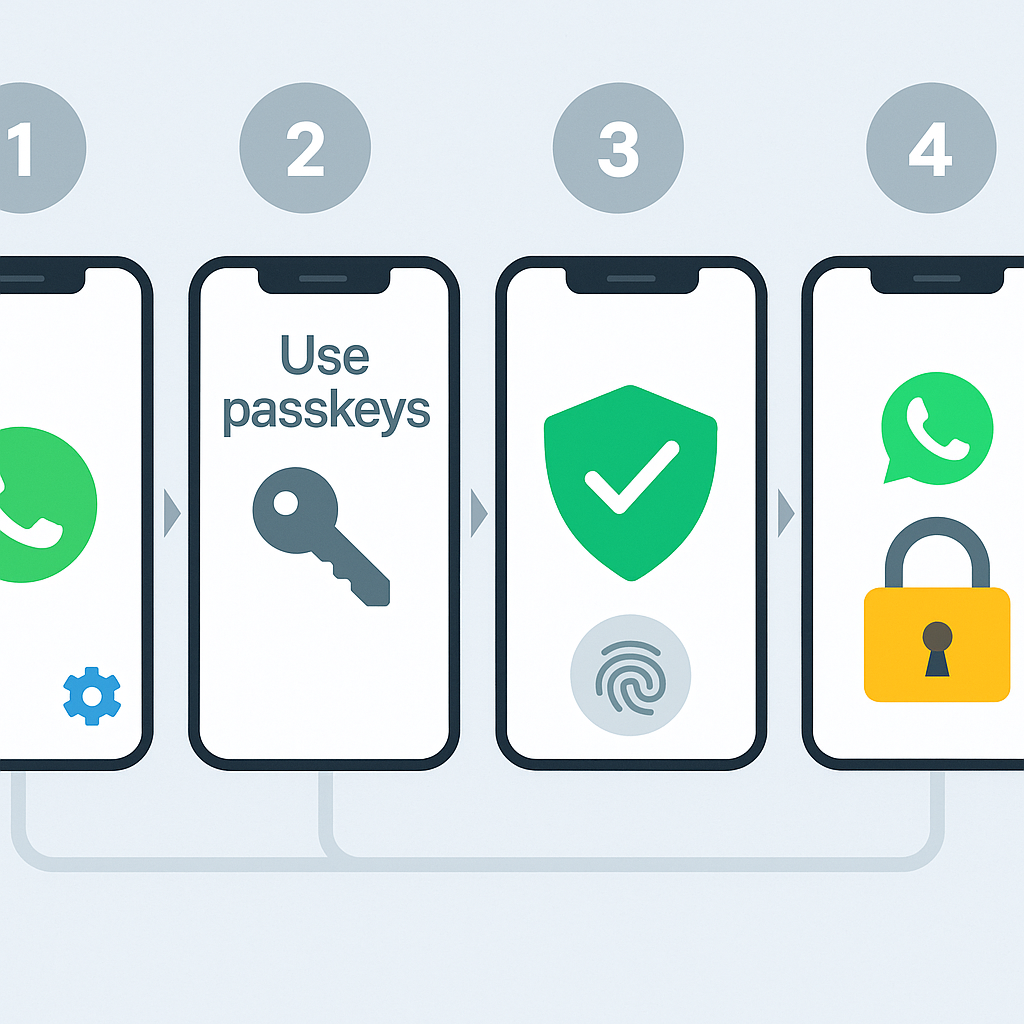
To verify whether the feature is enabled on their account, users should navigate to Settings > Chats > Chat backup > End-to-end encrypted backup and see if the passkey option is present.

The new passkey option can be activated and tested by many users via their WhatsApp settings, according to Nairametrics’ checks, which verify that the tool is already accessible to Nigerian users.

The new passkey option can be activated and tested by many users via their WhatsApp settings, according to a new agency’ checks, which verify that the tool is already accessible to Nigerian users.

Things everyone should be aware of as Meta keeps enhancing security and privacy across all of its platforms, the upgrade was released. In August, WhatsApp revealed a number of security features aimed at shielding users against online frauds in both group and private conversations.

The business also claimed to have blocked more than 6.8 million accounts connected to scam centres that operate in several nations. Additionally, it brought in new safety overviews that notify users when they are added to groups they are not familiar with and give background information before interacting with the people on their contact list.

The company owned by Meta clarified that it is collaborating with OpenAI to counteract fraudulent conduct associated with the usage of scam messages generated by artificial intelligence. The partnership resulted in the suppression of multiple fraud schemes linked to Cambodia. These initiatives, according to WhatsApp, are a part of its larger plan to improve security tools and encryption features for its expanding user base worldwide.

In its release, WhatsApp stated that “many of us carry years of priceless memories in our WhatsApp chats photos, heartfelt voice notes, and important conversations.” Because of this, it’s crucial to safeguard them in case you misplace your phone or need to switch to an other device.

Why WhatsApp passkeys matter for everyday users

Quick answer: Passkeys can make account recovery safer by reducing dependence on passwords and weak recovery habits.

Why this still matters

  • Encrypted backups are only useful when users can protect and recover them safely.
  • Passkeys reduce password exposure but still require careful device and account management.
  • This is part of a broader move toward simpler consumer security tools.

Also useful on TechBooky

  • WhatsApp scam detection on Android
  • How to use Incognito Mode in Chrome for Android
  • Free proxy servers and privacy risks

Related Reading

More contextual TechBooky stories selected from tags, categories and article context.

  • d5d55b26-0e95-4dc9-a45c-3a61b0661cbe
    WhatsApp Passkeys: How To Set Them Up And Replace SMS Codes
  • backups-header
    Signal Offers Both Premium & Free Backup Options For Chats
  • Microsoft_passwordless
    Microsoft Will Roll Out Passkey Support For All Consumers
  • WA_GUEST_CHAT_SHARE_MESSAGES_WITH_NO_WHATSAPP_USERS_ANDROID
    Guest Chats Comes To WhatsApp On Android & iOS
  • WhatsApp-Beta-tests-new-Meta-AI-chat-memory-feature
    Whatsapp Developing A Redesigned Meta AI Interface…
  • WA_MISSED_CALL_REPLY_WITH_VOICE_MESSAGE_RECORD_FEATURE_ANDROID
    WhatsApp Tests Voice Notes for Missed Calls
  • Picture2
    Soon, WhatsApp Will Simplify the Process of Adding…
  • WhatsApp Password Feature (1)
    WhatsApp Adds Password Feature for Stronger Account Security
Keep Reading Smarter

Search TechBooky with AI

Use TechBooky's AI Search to explore the context behind this story and related coverage across the site.

Try AI Search
More On This Topic
Service news Social Media
Follow TechBooky

Follow TechBooky for more technology stories and newsroom updates.

f Facebook X X in LinkedIn ig Instagram wa WhatsApp

Tags: encrypted backupPasskeywhatsapp
Akinola Ajibola

Akinola Ajibola

Search TechBooky
Open TechBooky AI Search Try the AI Assistant

BROWSE BY CATEGORIES

Receive top tech news directly in your inbox

subscription from
Loading

Freshly Squeezed

  • Nuance Labs Raises $50M To Make AI Avatars Less Awkward September 15, 2026
  • AI Startup Funding Is Splitting Into Winners And Strugglers September 15, 2026
  • Trump And Jensen Huang Push Back On AI Doom Talk September 15, 2026
  • Microsoft Says People Matter More Than AI In New Safety Code September 14, 2026
  • OpenAI Urges UK Lawmakers To Regulate Frontier AI September 14, 2026
  • Google And Meta Gain As AI Slowdown Could Help Them Catch Up September 14, 2026
  • AI Data Centre Pollution Fight Puts Compute Boom On Trial September 14, 2026
  • Anthropic Profit Claim Comes With Big AI Cost Questions September 14, 2026
  • Trump Rejects AI Slowdown As CEOs Warn Of Safety Risks September 14, 2026
  • OpenAI. Google And Anthropic Explore AI Standards Body September 14, 2026
  • China Pushes Back As AI Safety Fight Turns Geopolitical September 14, 2026
  • Six Things That Changed in AI Video Generation in 2026 (and What Still Doesn’t Work) September 14, 2026

Browse Archives

September 2026
M T W T F S S
 123456
78910111213
14151617181920
21222324252627
282930  
« Aug    

Quick Links

  • About TechBooky
  • Advertise With TechBooky
  • Contact us
  • Submit Article
  • Privacy Policy
Generic selectors
Exact matches only
Search in title
Search in content
Post Type Selectors
Search in posts
Search in pages
  • African
  • Artificial Intelligence
  • Gadgets
  • Metaverse
  • Tips
  • AI Search
  • About TechBooky
  • Advertise With TechBooky
  • Submit Article
  • Contact us

© 2025 Designed By TechBooky Elite

Discover more from TechBooky

Subscribe now to keep reading and get access to the full archive.

Continue reading

We use cookies to ensure that we give you the best experience on our website. If you continue to use this site we will assume that you are happy with it.