TechBooky AI Assistant
👋 Welcome to TechBooky AI Assistant

I can help with:
🔎 Tech News
🤖 AI Topics
💻 Gadgets
☁️ Cloud
✍️ Guest Posts
📢 Advertising
🔗 Backlinks
📩 Newsletter
  • AI Search
  • Cryptocurrency
  • Earnings
  • Enterprise
  • About TechBooky
  • Submit Article
  • Advertise With TechBooky
  • Contact Us
TechBooky
  • African
  • AI
  • Metaverse
  • Gadgets
Generic selectors
Exact matches only
Search in title
Search in content
Post Type Selectors
Search in posts
Search in pages
  • African
  • AI
  • Metaverse
  • Gadgets
Generic selectors
Exact matches only
Search in title
Search in content
Post Type Selectors
Search in posts
Search in pages
TechBooky
Generic selectors
Exact matches only
Search in title
Search in content
Post Type Selectors
Search in posts
Search in pages
Home Security

How to Set Up WhatsApp Passkeys and Ditch SMS Codes

Paul Balo by Paul Balo
July 8, 2025
in Security, Social Media, Tips
Share on FacebookShare on Twitter
Share this story

Send it to someone who should read it.

f Facebook X X in LinkedIn wa WhatsApp tg Telegram @ Email

In Brief
  • Remember the six-digit code WhatsApp texts you every time you set up a new phone—or worse, when a SIM-swap scammer tries to?
  • As of late 2023 on Android and April 2024 on iOS, you can skip that ritual for good by switching to passkeys.
  • A passkey is a tiny pair of cryptographic keys: one lives safely on your device (inside Google Password Manager or iCloud Keychain), the other sits on...

Remember the six-digit code WhatsApp texts you every time you set up a new phone—or worse, when a SIM-swap scammer tries to? As of late 2023 on Android and April 2024 on iOS, you can skip that ritual for good by switching to passkeys. A passkey is a tiny pair of cryptographic keys: one lives safely on your device (inside Google Password Manager or iCloud Keychain), the other sits on WhatsApp’s server. When you log in, your phone simply proves it holds the matching key with Face ID, Touch ID, fingerprint, or your device PIN—no SMS, no phishing window.

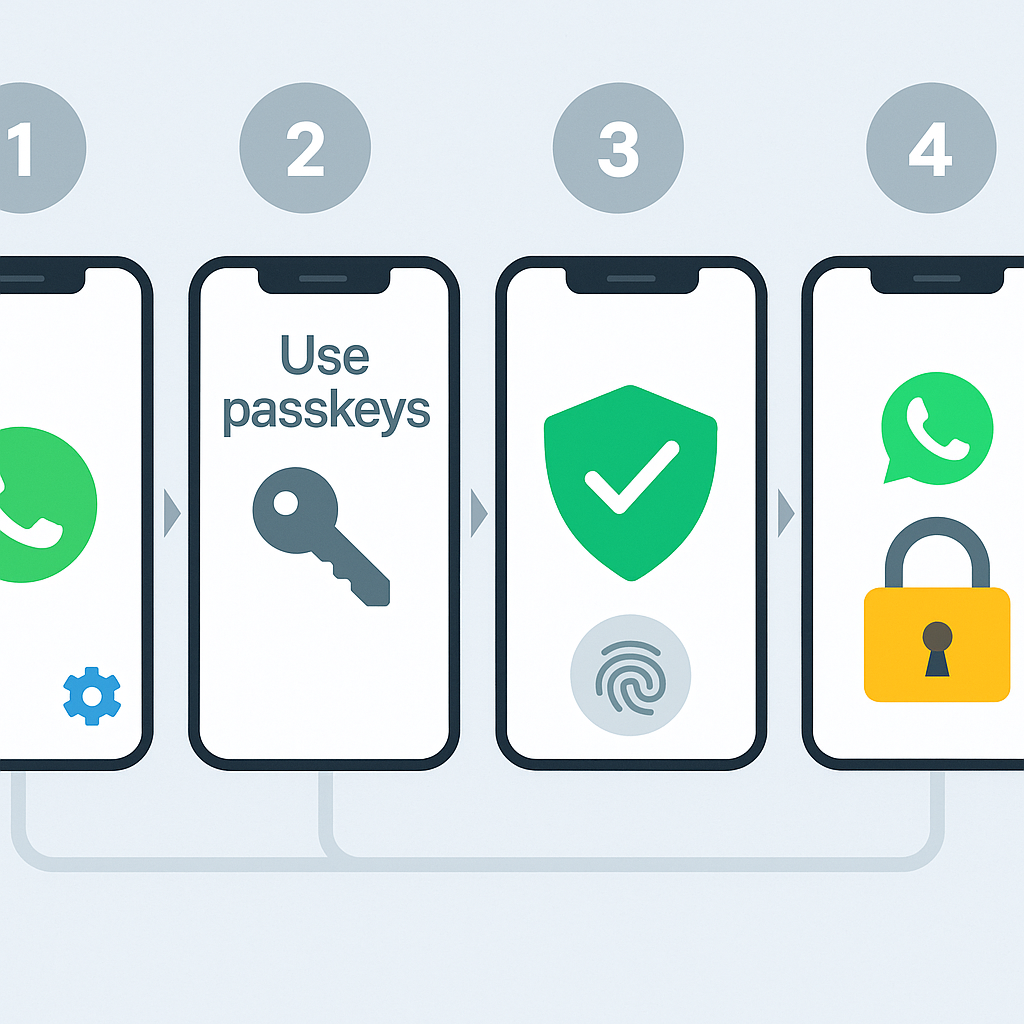
Below is a step-by-step guide you can finish just before you can finish that cup of coffee. 

1. Update WhatsApp

  • Android: Play Store › Manage apps › WhatsApp › Update
  • iOS: App Store › Profile icon › Pending Updates › WhatsApp

Passkeys require version 2.23.21.12 or later on Android and 24.7.10 or later on iOS.

2. Create your passkey (Android)

  1. Open WhatsApp › ⋮ (three dots) › Settings
  2. Tap Account › Passkeys › Create passkey
  3. Hit Continue and confirm with your screen-lock (fingerprint, face, or PIN)
  4. Android saves the credential to Google Password Manager; it syncs to any phone where you’re logged in.

3. Create your passkey (iPhone)

  1. Open WhatsApp › Settings
  2. Select Account › Passkeys › Create passkey
  3. Approve with Face ID / Touch ID / Passcode
  4. The key is stored in iCloud Keychain and travels automatically to other Apple devices.

4. Log in the next time—no SMS required

  • Install WhatsApp on a new handset.
  • Enter your phone number; instead of a text, the app pops a “Verify with passkey” prompt.
  • Unlock your phone once—done. WhatsApp matches the cryptographic keys behind the scenes.

(If you ever lose every device tied to the passkey, you can still fall back to the classic SMS flow.)

Also worth reading
Microsoft Drops SMS Codes for Passkey Sign-Ins WhatsApp Is Developing On-Device Scam Detection Feature For Android Users Texas Takes Action Against WhatsApp Over Encryption WhatsApp Plus Launches On iOS With Premium Features WhatsApp Tests Subscription With Largely Cosmetic Perks GitHub Confirms Hackers Stole Data From About 3,800 Internal Repositories

5. Keep two-step verification ON

Passkeys replace the SMS/voice registration code, not the six-digit two-step-verification PIN you may have set earlier. Keep that PIN; it adds another hurdle for SIM-swappers and rogue re-registrations.

Why bother?

Pain point killed How passkeys fix it
SIM-swap fraud & phishing links Keys never leave your phone and won’t unlock on look-alike domains.
Roaming with no cellular signal Biometric unlock works offline; no waiting for a text that never comes.
Slow multi-device setup One touch instead of typing a 6-digit SMS on each device.
Password reuse risk There’s literally no password to steal, leak, or reuse.

Meta also plans to let the same WhatsApp passkey unlock Messenger and autofill Meta Pay checkouts later this year, broadening its value.

Frequently asked

  • Can I delete or change a passkey?
    Yes. Go back to Settings › Account › Passkeys—delete, then create a new one.
  • Does it break chat backups or encrypted chats?
    No. End-to-end encryption, backup passwords, and Chat Lock all work the same.
  • What if I still need SMS codes?
    Passkeys are opt-in. You can keep SMS as backup or skip passkeys entirely—your choice.


Five taps and one fingerprint scan are all it takes to retire SMS login codes on WhatsApp. You get faster sign-ins, iron-clad protection against phishing, and zero dependence on your phone carrier—exactly the upgrade most users say they want. Do it once, and the next time you switch phones, you’ll wonder how you ever lived with copy-and-paste codes.

Related Reading

More contextual TechBooky stories selected from tags, categories and article context.

  • English_WhatsApp_passkey-encrypted-backups-1
    WhatsApp Adds Passkey Protection for Encrypted Backups
  • 3a8e75a5-3c1a-45cd-ae8e-b2024718e527
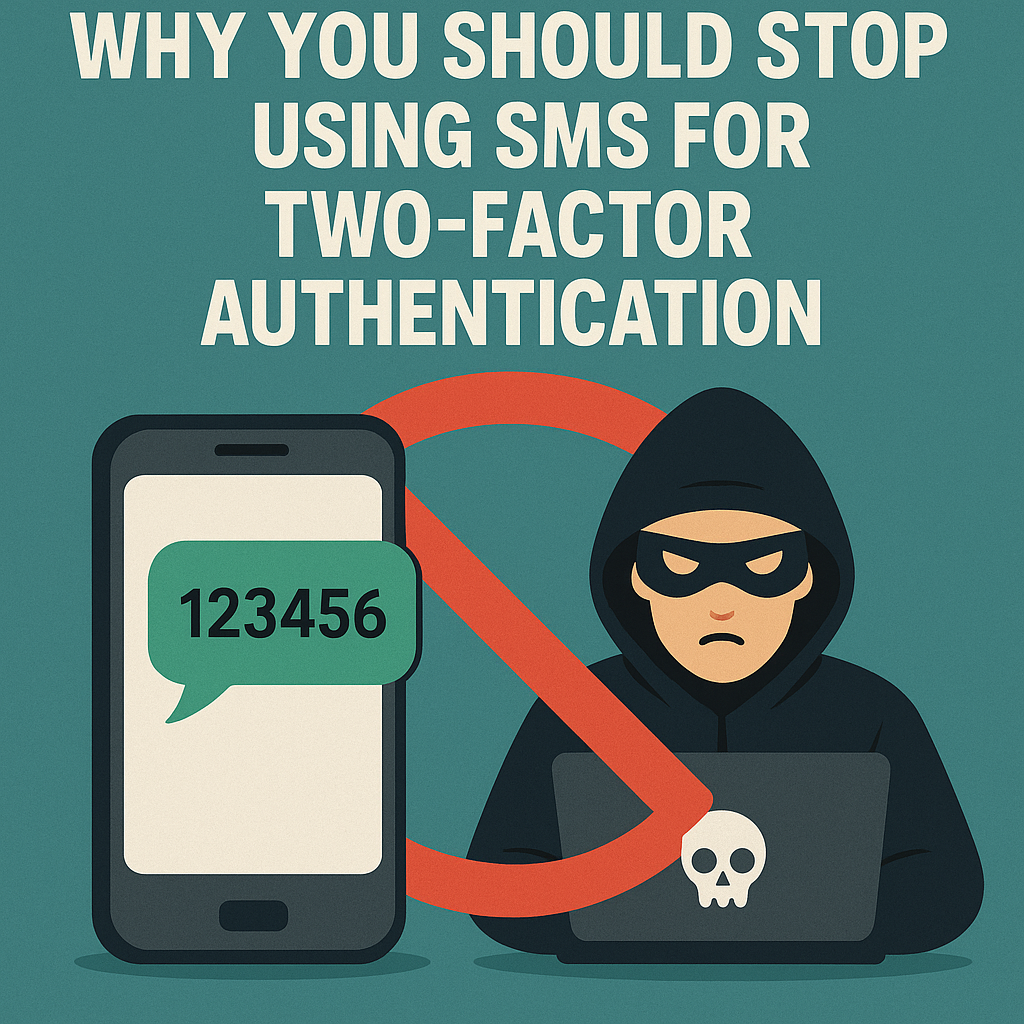
    Why You Should Stop Using SMS for Two‑Factor Authentication
  • Microsoft-is-removing-SMS-code-authentication
    Microsoft Drops SMS Codes for Passkey Sign-Ins
  • Microsoft_passwordless
    Microsoft Will Roll Out Passkey Support For All Consumers
  • twostep
    Google Sign in Will Require 2FA Verification
  • Microsoft Unveils New Surface Laptop
    Microsoft Plans Password Deletion for 1 Billion Users
  • WhatsApp Password Feature (1)
    WhatsApp Adds Password Feature for Stronger Account Security
  • WA_MANAGE_ADD_USE_SWITCH_MULTIPLE_ACCOUNTS_SAME_DEVICE_FEATURE_IOS
    WhatsApp Brings Multi-Account Feature to iOS Beta
Keep Reading Smarter

Search TechBooky with AI

Use TechBooky's AI Search to explore the context behind this story and related coverage across the site.

Try AI Search
More On This Topic
Security Social Media Tips
Follow TechBooky

Follow TechBooky for more technology stories and newsroom updates.

f Facebook X X in LinkedIn ig Instagram wa WhatsApp

Tags: Passkeysecuritytipswhatsapp
Paul Balo

Paul Balo

Paul Balo is the founder of TechBooky and a highly skilled wireless communications professional with a strong background in cloud computing, offering extensive experience in designing, implementing, and managing wireless communication systems.

Search TechBooky
Open TechBooky AI Search Try the AI Assistant

BROWSE BY CATEGORIES

Receive top tech news directly in your inbox

subscription from
Loading

Freshly Squeezed

  • Hugging Face Faces Deepfake Safety Questions After AI Forensics Study July 28, 2026
  • Recursive Superintelligence Signs $410M AWS Compute Deal July 28, 2026
  • Apple Upgrade Turns iPhones And Macs Into A Leasing Business July 28, 2026
  • Lyft And Baidu Start London Robotaxi Tests As Europe Race Heats Up July 28, 2026
  • PayPal Raises Profit Outlook As Turnaround Meets Takeover Speculation July 28, 2026
  • Microsoft Launches MAI-Cyber-1-Flash As AI Security Becomes A Model Race July 28, 2026
  • Anthropic Says It Does Not Want An Open-Weight AI Ban, But Still Wants Tough Rules July 28, 2026
  • X Money Launches In The US As Musk Moves X Closer To An Everything App July 28, 2026
  • Snapchat Brings Spotify Listening To Snap Map With Now Playing July 27, 2026
  • Threads Users Can Now DM Meta AI As The Assistant Moves Deeper Into Social Apps July 27, 2026
  • NVIDIA Launches Open Secure AI Alliance To Make Open Models A Cyber Defence Tool July 27, 2026
  • CXMT Surges 470% As China Bets Big On AI Memory Chips July 27, 2026

Browse Archives

July 2026
M T W T F S S
 12345
6789101112
13141516171819
20212223242526
2728293031  
« Jun    

Quick Links

  • About TechBooky
  • Advertise With TechBooky
  • Contact us
  • Submit Article
  • Privacy Policy
Generic selectors
Exact matches only
Search in title
Search in content
Post Type Selectors
Search in posts
Search in pages
  • African
  • Artificial Intelligence
  • Gadgets
  • Metaverse
  • Tips
  • AI Search
  • About TechBooky
  • Advertise With TechBooky
  • Submit Article
  • Contact us

© 2025 Designed By TechBooky Elite

Discover more from TechBooky

Subscribe now to keep reading and get access to the full archive.

Continue reading

We use cookies to ensure that we give you the best experience on our website. If you continue to use this site we will assume that you are happy with it.