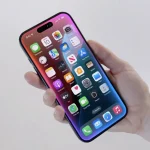
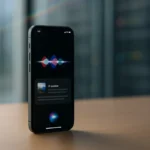
Apple is starting to show how its AI overhaul of Siri will feel in everyday use. In the latest iOS 27 developer beta, the company has switched on new controls that let users adjust how quickly Siri speaks and how expressive its voice sounds.
These options, labelled “Pace” and “Expressivity,” are now live in iOS 27 beta 3 after previously appearing as “Coming soon” in earlier developer builds. They form part of Apple’s wider push to make Siri more natural and personal as the assistant is rebuilt around generative AI.
The new controls go beyond simply picking a male- or female-sounding Siri. In iOS 27 beta 3, testers can:
Choose from a range of Siri voices with different accents
Use a slider to adjust how fast or slow Siri talks (“Pace”)
Use another slider to change how much human-like emotion Siri puts into responses (“Expressivity”)
As users tweak these settings, Siri speaks sample phrases such as “You have one new message,” giving an immediate preview of how different combinations of voice, speed and emotion will sound.
The move echoes a broader trend in AI assistants: letting people shape the personality and delivery of the voice they interact with. Apple is positioning Siri’s customization as a way to make the assistant feel more personally tuned to each user, while it transitions the system to generative AI under the hood.
Voice personalization has quickly become a competitive feature among AI platforms. The updated Siri still focuses mainly on pacing and expressivity, while third-party assistants have gone further on stylistic control. For example, ChatGPT’s assistant added options in December 2025 to adjust warmth and enthusiasm, alongside base style and tone settings that can make it sound more friendly, professional, candid or quirky. In that system, the chosen style affects not only how the AI speaks but also how it presents information/
Apple’s current beta stops short of that level of persona tuning, but it marks a notable expansion from earlier Siri versions, which offered comparatively limited voice choice and no explicit control over emotional delivery.
Apple first introduced the revamped voice controls at WWDC 2026, positioning them as one part of a broader redesign of Siri for iOS 27. The AI-powered version of Siri is tightly integrated throughout the updated operating system, and Apple is giving users multiple ways to start a conversation with the assistant. On devices running the new software, iPhone owners will be able to:
Start talking to Siri by speaking, as before
Swipe down from the Dynamic Island at the top of the screen and type
Press the side button to invoke the assistant
Open a new stand-alone Siri app
This multi-entry design underlines Apple’s intent to make the AI assistant a central layer of iOS, whether users want to talk out loud or quietly type their requests.
Alongside the Siri changes, iOS 27 beta 3 also includes smaller interface tweaks, such as an updated icon for the Reminders app.
As with many early developer releases, iOS 27 beta 3 is not without hiccups. Some users posting on X have reported losing access to the new Siri experience after updating. Others say their phones began indexing data again, a process that typically happens as the system prepares and optimizes data for Siri’s AI-powered search and assistance features.
Those issues are appearing in a developer beta that is meant for testing, not general use, and they may shift as Apple iterates through future builds.
The new pace and expressivity controls suggest Apple sees voice customization as a key part of how people will judge the next generation of Siri. As generative AI moves closer to the centre of iOS, Apple is working to ensure the assistant not only understands more but also sounds more like something users want to interact with regularly.
Related Reading
More contextual TechBooky stories selected from tags, categories and article context.
Paul Balo is the founder of TechBooky and a highly skilled wireless communications professional with a strong background in cloud computing, offering extensive experience in designing, implementing, and managing wireless communication systems.
We use cookies to ensure that we give you the best experience on our website. If you continue to use this site we will assume that you are happy with it.