The Windows 11 Insider Preview Build 26120.3653 (KB5053658) is being made available to the beta channel for Windows Insiders on version 24H2 today.
Two categories are used to document changes in Beta Channel builds and updates: first, new features, enhancements, and fixes are being progressively made available to Insiders who have enabled the toggle to receive the most recent updates as they become available (via Settings > Windows Update*); second, new features, enhancements, and fixes are being made available to all members of the Beta Channel. See the Reminders section at the bottom of this blog article for further details.
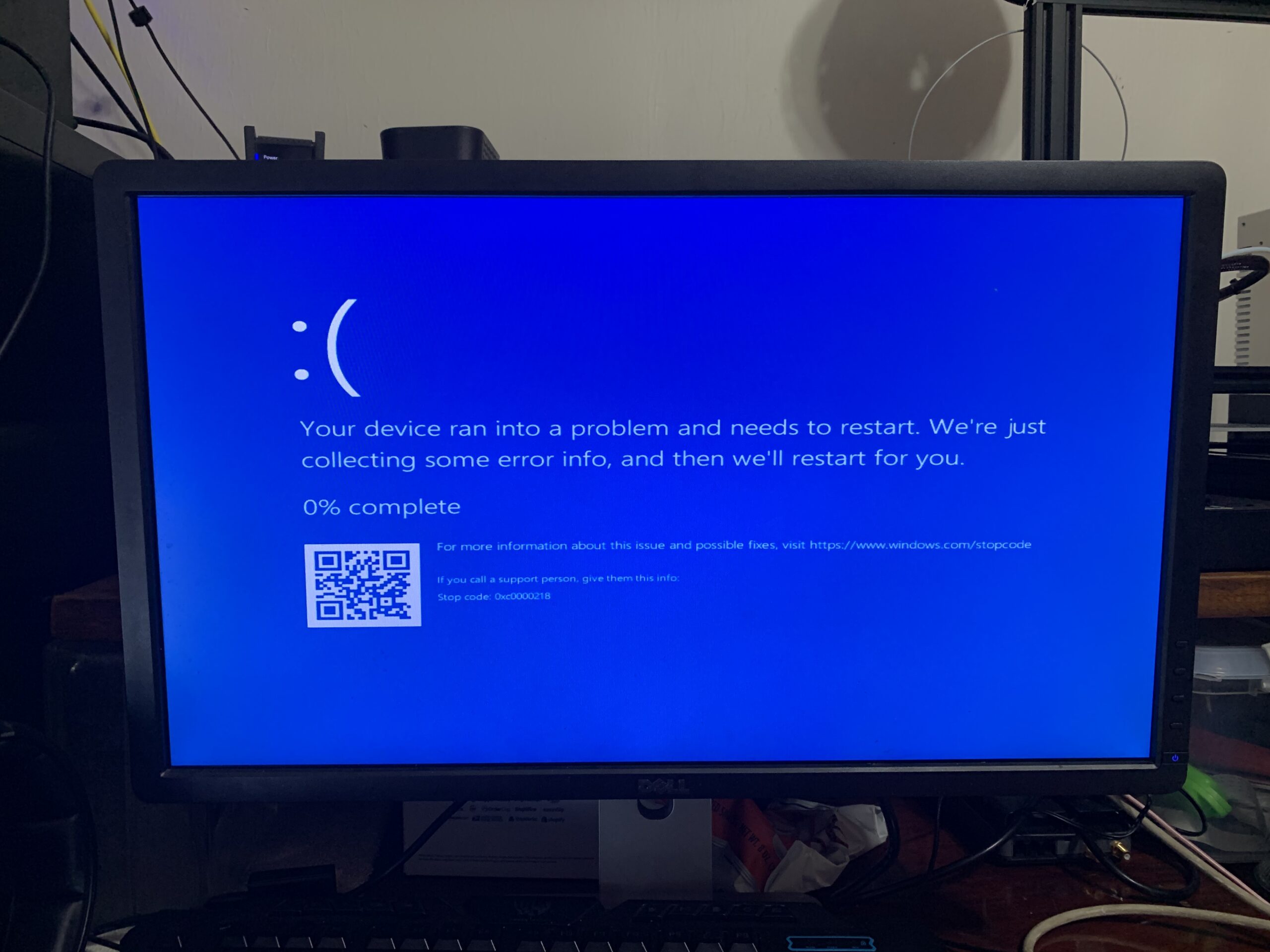
The most recent Windows Insider Preview release now supports Quick Machine Recovery (QMR), a component of the Windows Resiliency Initiative that was unveiled at Ignite 2024. When activated, this function reduces system downtime and user intervention by automatically identifying and deploying solutions straight from the Windows Recovery Environment (WinRE), addressing common boot issues on Windows 11 systems. The device enters WinRE, establishes a network connection, and transmits diagnostic information to Microsoft in the event of a major boot failure. Microsoft can then use Windows Update to implement specific fixes.
Quick Machine Recovery, a technology intended to stop events like the Crowdstrike disaster from last year, is being tested by Microsoft. IT workers may remotely rescue Windows 11 machines, even if they won’t boot, according to the newest Windows Insider Preview build (6120.3653).
This functionality is enabled by default for residential users, although IT administrators are invited to enable, modify, or test it. To further improve the functionality, Windows Insiders may begin testing it right now and offer input through Feedback Hub. Choose Recovery and Uninstall > Quick Machine Recovery from the Feedback Hub software on your Windows computer. In the following days, you should expect a test remediation package that will let you see the rapid machine recovery in action.
In response to the Crowdstrike outage, Microsoft first unveiled Quick Machine Recovery last year as part of its Windows Resiliency Initiative. A flawed kernel-level update released by Crowdstrike in July of last year affected banks, airlines, TV broadcasters, and other organizations by causing the Blue Screen of Death to show up on millions of Windows machines. Since many required physical access to the computers in order to apply a remedy, IT administrators found it difficult to swiftly get them back up.
Quick Machine Recovery, however, ought to at least aid in averting such outages. In order to access the network and give Microsoft diagnostic data, it asks a device to enter the Windows Recovery Environment. Microsoft can then use the Windows Update mechanism to remotely distribute patches.
For residential users, the functionality is activated by default. Windows Insiders may now test it out in a simulated scenario.
The contributor of the Windows Insider Blog has written a comprehensive explanation of the Quick Machine Recovery test patch for non-booting PCs.
Related Reading
More contextual TechBooky stories selected from tags, categories and article context.
We use cookies to ensure that we give you the best experience on our website. If you continue to use this site we will assume that you are happy with it.