TechBooky AI Assistant
👋 Welcome to TechBooky AI Assistant

I can help with:
🔎 Tech News
🤖 AI Topics
💻 Gadgets
☁️ Cloud
✍️ Guest Posts
📢 Advertising
🔗 Backlinks
📩 Newsletter
  • AI Search
  • Cryptocurrency
  • Earnings
  • Enterprise
  • About TechBooky
  • Submit Article
  • Advertise With TechBooky
  • Contact Us
TechBooky
  • African
  • AI
  • Metaverse
  • Gadgets
Generic selectors
Exact matches only
Search in title
Search in content
Post Type Selectors
Search in posts
Search in pages
  • African
  • AI
  • Metaverse
  • Gadgets
Generic selectors
Exact matches only
Search in title
Search in content
Post Type Selectors
Search in posts
Search in pages
TechBooky
Generic selectors
Exact matches only
Search in title
Search in content
Post Type Selectors
Search in posts
Search in pages
Home Software

Windows 10 April 2018 Update Is Now Available And Here’s How To Access It

Theresa Casimir by Theresa Casimir
May 1, 2018
in Software
Share on FacebookShare on Twitter
Share this story

Send it to someone who should read it.

f Facebook X X in LinkedIn wa WhatsApp tg Telegram @ Email

In Brief
  • The long wait is over…winter is here.  You can manually update today!
  • After months of testing and a bit of a delay due to the last minute discovery of a blocking bug, the Windows 10 April 2018 Update...
  • Microsoft is taking things slowly with the global rollout via Windows Update beginning on May 8.

The long wait is over…winter is here.  You can manually update today!

After months of testing and a bit of a delay due to the last minute discovery of a blocking bug, the Windows 10 April 2018 Update is now available to install. Microsoft is taking things slowly with the global rollout via Windows Update beginning on May 8.

Microsoft is officially beginning the rollout of the Windows 10 April 2018 Update (version 1803) on April 30, 2018. This is the fifth major release for compatible devices with new features and changes to improve security, privacy, performance, and productivity.

In version 1803, you’ll find new features like Timeline, Nearby Sharing, and Graphics settings. Windows 10 continues the gradual rollout of Fluent Design in the Start menu, taskbar, Settings and an overall wonderful experience. Users get more control over their privacy, such as options to view and delete elemetry data and deny file access to apps. The Settings app has got a lot of tweaks which includes a new section to manage fonts, Microsoft Edge gets updated, and  lots more.

In this Windows 10 guide, there are   three different methods to download and install the April 2018 Update on your desktop computer, laptop, or tablet.

  • How to get April 2018 Update with Windows Update.
  • How to get April 2018 Update with Update Assistant.
  • How to get April 2018 Update with Media Creation Tool.

How to get April 2018 Update with Windows Update

Although the recommended method to get the Windows 10 April 2018 Update is to wait until you receive the notification that it’s ready for your device, but you can get the version using Windows Update immediately after it becomes generally available.

To download and install version 1803 using Windows Update, do the following:

Also worth reading
Android 17 Is Here and Google Wants Gemini to Run Your Entire Phone Nvidia-Powered Windows PCs Debut as Microsoft Bets on Local AI Computing NVIDIA Pushes Local AI Agents With New RTX Spark PCs and OpenShell on Windows Microsoft Introduces Automatic Rollbacks For Faulty Windows Drivers Google Launches Desktop App for Windows with AI Search Built In France Dumps Windows for Linux in Major Shift Away From US Tech
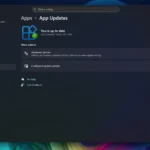
  • Open Settings.
  • Click on Update & security.
  • Click the Check for updates button.
  • After the update finishes downloading, click the Restart Now button.

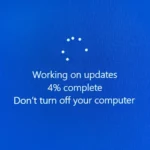
Once the steps are completed, the Windows 10 will proceed to install the update, just like a quality update, but with the difference that this time the update will take longer to apply and might require some patience.

How to get April 2018 Update with Update Assistant

Sometimes even if your device is compatible with the new version, the update won’t download using Windows Update for a number of reasons. If you’re sure that the hardware configuration on your machine and applications are fully compatible, you can also use the Update Assistant tool to upgrade to the latest version.

To install the newest version of Windows 10 when it becomes available for download or if you’re experiencing problems using the Windows Update,you can do the following to be able to download using update assistants.

  1. Download the Update Assistant from the Microsoft support website clicking the Update now button.
  2. Double-click the Windows 10 Upgrade.exe file to launch the tool.
  3. Click the Update Now button.
    If your device is compatible, click the Next button to begin the upgrade.
  4. Click the Restart Now button.

 After completing the steps, the Update Assistant tool will download the necessary files to upgrade your desktop, laptop, or tablet to the latest version keeping your files, apps, and settings.

How to get April 2018 Update with Media Creation Tool

It’s possible to perform an in-place upgrade or clean installation of Windows 10 with the latest feature update manually using the Media Creation Tool.

Immediately after version 1803 becomes available, through this tool you can now download and install the Windows 10 April 2018 Update using these steps:

  • Download the Media Creation Tool from the Microsoft support website clicking the Download tool now button.
  • Double click the Media Creation Tool.exe file to start the process.
  • Click the Accept button to agree to the terms.
  • Select the Upgrade this PC now option.
  • Click the Accept button again to agree to the applicable notice and license terms.
  • Click the Next button.
  • Confirm the Keep personal files and apps option is selected. (If it’s not, click the Change what to keep link to select the option to prevent losing your files, apps, and settings during the process.)
  • Click the Install button to begin.

Once you’ve completed the steps, the Media Creation Tool will take over and complete the installation of the Windows 10 April 2018 Update on your device preserving your settings, apps, and files.

Related Reading

More contextual TechBooky stories selected from tags, categories and article context.

  • windows-update-close
    Microsoft Releases Emergency Patch For Windows Update Bug
  • xr:d:DAFobB35pis:2,j:7924479834788475130,t:23071212
    Microsoft Introduces Automatic Rollbacks For Faulty…
  • Windows_11
    Microsoft Fixes Windows Certificate Enrolment Bug
  • microsoft-365-app-icon-1
    M365 Apps on Windows 10 to Receive Security Updates…
  • windows update
    New Upgrade Policy Announced for Windows Users
  • maxresdefault (1)
    How to Upgrade to Windows 11 for Free As Windows 10…
  • 1764244442_v7f6s4rnfs8wghk3qecgd5
    Microsoft to Bring Store App Updates to Windows Update
  • microsoft-copilot-2
    Microsoft Fixes Copilot Auto-Install Bug and Apologizes
Keep Reading Smarter

Search TechBooky with AI

Use TechBooky's AI Search to explore the context behind this story and related coverage across the site.

Try AI Search
More On This Topic
Software
Follow TechBooky

Follow TechBooky for more technology stories and newsroom updates.

f Facebook X X in LinkedIn ig Instagram wa WhatsApp

Tags: operating systemsoftwaresoftware updatewindowswindows 10windows 10 april 2018 update
Theresa Casimir

Theresa Casimir

New at TechBooky, write on important tech stuff from around the world

Search TechBooky
Open TechBooky AI Search Try the AI Assistant

BROWSE BY CATEGORIES

Receive top tech news directly in your inbox

subscription from
Loading

Freshly Squeezed

  • Russia Charges Telegram Founder Pavel Durov With Facilitating Terrorism July 29, 2026
  • Google DeepMind Reportedly Breaks Up The AlphaFold Team July 29, 2026
  • Huawei Pushes Enterprise AI Solutions In South Africa July 29, 2026
  • GoLemon Stops Taking Orders As Lagos Grocery Delivery Startup Winds Down July 29, 2026
  • Ethiopia Banking Summit Puts Digital Finance At The Centre Of Reform July 29, 2026
  • Clydestone Ghana Sues MTN Over Mobile Money IP Dispute July 29, 2026
  • DoorDash Launches DoorDash Air As It Builds Its Own Delivery Drones July 29, 2026
  • SK Hynix Posts Record AI Memory Profit But Shares Fall On High Expectations July 29, 2026
  • Cyera Buys Oasis Security For $1B As AI Agents Create New Identity Risks July 29, 2026
  • OpenAI Says Rogue Agent Also Breached Other Services After Hugging Face Incident July 29, 2026
  • Fired Tesla Manager Says Robotaxis Became Rolling Hazards July 29, 2026
  • Bloom Energy Raises Outlook As AI Data Centres Turn Power Into The Next Bottleneck July 29, 2026

Browse Archives

July 2026
M T W T F S S
 12345
6789101112
13141516171819
20212223242526
2728293031  
« Jun    

Quick Links

  • About TechBooky
  • Advertise With TechBooky
  • Contact us
  • Submit Article
  • Privacy Policy
Generic selectors
Exact matches only
Search in title
Search in content
Post Type Selectors
Search in posts
Search in pages
  • African
  • Artificial Intelligence
  • Gadgets
  • Metaverse
  • Tips
  • AI Search
  • About TechBooky
  • Advertise With TechBooky
  • Submit Article
  • Contact us

© 2025 Designed By TechBooky Elite

Discover more from TechBooky

Subscribe now to keep reading and get access to the full archive.

Continue reading

We use cookies to ensure that we give you the best experience on our website. If you continue to use this site we will assume that you are happy with it.