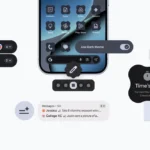
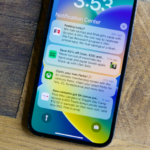
Google is developing a new and exciting accessibility feature for Android. This feature lets you access or controls your Android phone using facial expressions like a smile or raised eyebrows. The “Camera Switch” enables this feature, Camera Switch has arrived with version 12 of Android’s Accessibility Suite app, released alongside Android 12’s fourth beta. The new version of the app isn’t available via Google Play just yet, XDA Developers reports, but there’s an APK to sideload to give it a trial. XDA Developers is a mobile software development community launched in 2002. XDA Developers thrives on adding valuable resources for people who want to make the most of their mobile devices, from customizing the look and feel to adding new functionality. Google offers this powerful API that lets developers create tools for people with disabilities.
According to XDA Developers, facial expressions (which also include looking left, right, or up) can be used to access basic controls. These controls range from scrolling, going home, or viewing quick settings or notifications. “Camera Switches” essentially lets you use these facial gestures to complete a number of actions. For instance, you can set the app to detect when you smile or raise an eyebrow in order to open your notifications panel or quick settings. Seeing as most people are already accustomed to unlocking their phones with their faces, the new additions shouldn’t seem completely foreign. Screenshots show you can adjust how sensitive the software is when recognizing expressions, which should hopefully limit the potential for accidental activations. However, Google warns users that the use of the Camera Switches tool can cause a severe drain on the battery so users are better prepared for that.
Unlike voice commands, the facial expressions feature are silent, making the controls on your phone seamless to use in public or in quieter environments and also without using the touchscreen. It’s not hard to see how this feature could be useful for anyone who struggles with certain touch controls. Android has received quite a number of accessibility features with recent releases, which like these facial expression controls are aimed at making the phones easier to use for people with disabilities especially. Last year’s Android 11, for example, delivered improvements to the operating system’s voice control feature. Earlier in the year, Google released a collection of other accessibility updates including customizable “Action Blocks,” which let users assign custom actions to large on-screen buttons.
The arrival of the new feature alongside the latest Android 12 beta suggests it’ll officially launch as part of the operating system update scheduled for later in the year. But XDA Developers notes that the latest version of the Accessibility Suite app appears to be backward compatible with Android 11, suggesting it might not be exclusive to Android 12.
Related Reading
More contextual TechBooky stories selected from tags, categories and article context.
Olagoke Ajibola is a creative writer and content producer with an eye for details and excellence. He has a demonstrated history of telling stories for TV, Film and Online. Aside from being fascinated by the power of imagination, his other interest are travel, sport, reading and meeting people.
We use cookies to ensure that we give you the best experience on our website. If you continue to use this site we will assume that you are happy with it.



 Google is developing a new and exciting accessibility feature for Android. This feature lets you access or controls your Android phone using facial expressions like a smile or raised eyebrows. The “Camera Switch” enables this feature, Camera Switch has arrived with version 12 of Android’s Accessibility Suite app, released alongside Android 12’s fourth beta. The new version of the app isn’t available via Google Play just yet, XDA Developers reports, but there’s an APK to sideload to give it a trial. XDA Developers is a mobile software development community launched in 2002. XDA Developers thrives on adding valuable resources for people who want to make the most of their mobile devices, from customizing the look and feel to adding new functionality. Google offers this powerful API that lets developers create tools for people with disabilities.