The automated caption was first introduced last year however Google introduced this new feature, transcription option for Google Drive Users. This new feature that will make it simpler for users to browse through movies as new searchable transcripts for videos stored in Google Drive have been revealed by Google. All Google Workspace users will be able to access the functionality starting today and ending on March 26. This is an improvement over the company’s automated captioning service from the previous year for dubbed video transcripts. The software giant with headquarters in Mountain see emphasized that users may now see and search video transcripts. Because touching on a sentence will instantly skip the video to that point, it will be simpler to find certain portions of a video. Notably, all Google Drive users are now able to utilize this function.
The new technology, which was released this week, aims to retain Drive users with Google rather than having them transfer their movies to one of the several AI transcription services available.
The software giant revealed the new functionality in a blog post on Workspace. The automated captions function, which debuted in July 2024, is expanded upon by this. When videos are uploaded, this feature automatically creates captions for them. Workspace administrators can modify this parameter to only enable caption production upon request.
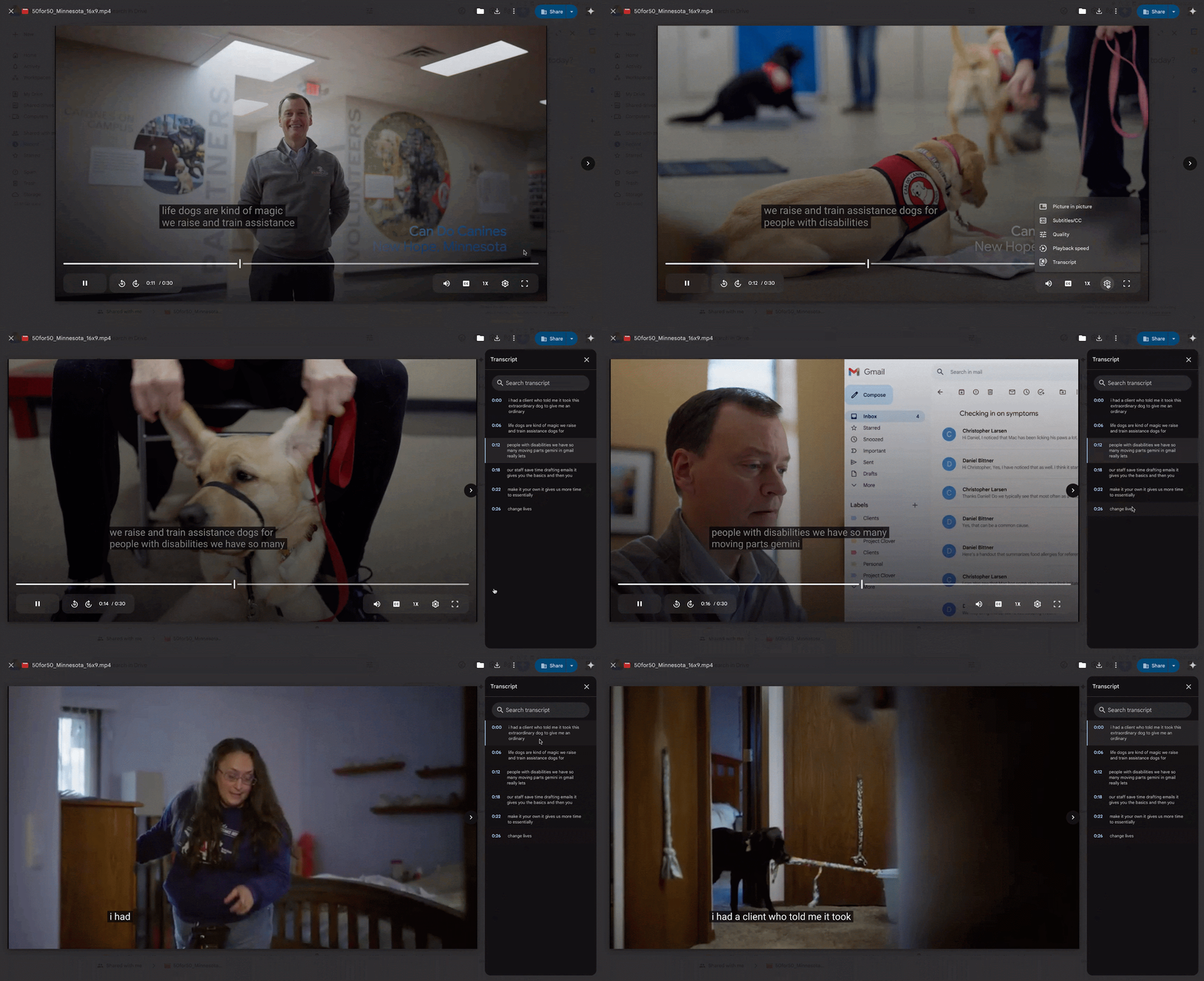
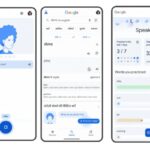
The transcripts resemble those you may see on YouTube. If one is available, it will show up in a sidebar next to the video as time-stamped text blocks, each of which will be highlighted as it is said in the movie. At the top of this sidebar is the transcript search bar, and clicking on individual text blocks will transport you to that scene in the film. By selecting “Transcript” from the options button at the bottom of the movie, you may view the transcripts. This is another alternative to it to bring the transcription option to your view.
Google stated at the time of the feature’s launch that it employs voice recognition technology to transcribe the audio because spoken words are utilized and English is the language spoken. The functionality has not yet been expanded to additional languages, despite the company’s stated ambitions to do so.
Users could read the captions while the movie was playing thanks to the automated captioning technology, but they were unable to access the transcripts independently. With the latest version, this is now being included. Transcripts may be viewed in a right-hand side panel while a video is playing on Google Drive.
Time stamps are included with these transcriptions. On the list, sentences are divided into distinct elements. A search bar is also included on the side panel. To get the precise time stamp, users can either search for particular terms or browse through the transcriptions. In addition to jumping the video to that time stamp, clicking on the sentence makes it simple for viewers to locate what they’re searching for.
Users must first play a movie on Google Drive in order to activate the feature. Users should confirm that the selected video has captions automatically. To verify this, search for a CC button in the video player’s lower right corner. After that, a new ‘Transcript’ option will appear when you press on the Settings button in the lower right corner. The side panel will open when you tap this.
The transcript option is only available if the video already has captions, as indicated by the CC button that shows up in the controls along the bottom of the Google Drive video player.
If a video doesn’t have captions, you can create them by right-clicking a video file in Drive, choosing “Manage caption tracks,” and then “generate automatic captions.”
With this new offering, Google is targeting commercial transcription services like Otter. However, if it wants to compete in the business market, it will have to rush to include capabilities like editable transcripts, AI-generated summaries, or a compilation of actionable things.
For instance, Otter integrates rather easily with Zoom and Google Meet. But since free users are subject to restrictions, this might be where Google wins over more supporters.
However, it’s also possible that this is merely a clever technique to get people to experiment with the hundreds or even thousands of family films they upload to Google Drive every year.
More From Google on this feature
Getting started
Admins: There is no admin control for this feature.
End users:
Your video must have captions to access this feature. A video with captions will have the CC button in the bottom right corner of the video player set to active (not grayed out).
You can add captions to a video by right-clicking the video in Drive > selecting Manage caption tracks > generate automatic captions. You can also generate captions when the video is playing by going to the three dot menu on top right > manage captions tracks > generate automatic captions.
To access video transcripts, open a video with captions in Google Drive > click the gear icon in the bottom right corner of the video to open the video settings > select “Transcript”
We use cookies to ensure that we give you the best experience on our website. If you continue to use this site we will assume that you are happy with it.