TechBooky AI Assistant
👋 Welcome to TechBooky AI Assistant

I can help with:
🔎 Tech News
🤖 AI Topics
💻 Gadgets
☁️ Cloud
✍️ Guest Posts
📢 Advertising
🔗 Backlinks
📩 Newsletter
  • AI Search
  • Cryptocurrency
  • Earnings
  • Enterprise
  • About TechBooky
  • Submit Article
  • Advertise With TechBooky
  • Contact Us
TechBooky
  • African
  • AI
  • Metaverse
  • Gadgets
Generic selectors
Exact matches only
Search in title
Search in content
Post Type Selectors
Search in posts
Search in pages
  • African
  • AI
  • Metaverse
  • Gadgets
Generic selectors
Exact matches only
Search in title
Search in content
Post Type Selectors
Search in posts
Search in pages
TechBooky
Generic selectors
Exact matches only
Search in title
Search in content
Post Type Selectors
Search in posts
Search in pages
Home General App

Google Launches Desktop App for Windows with AI Search Built In

Paul Balo by Paul Balo
April 14, 2026
in App
Share on FacebookShare on Twitter
Share this story

Send it to someone who should read it.

f Facebook X X in LinkedIn wa WhatsApp tg Telegram @ Email
In Brief
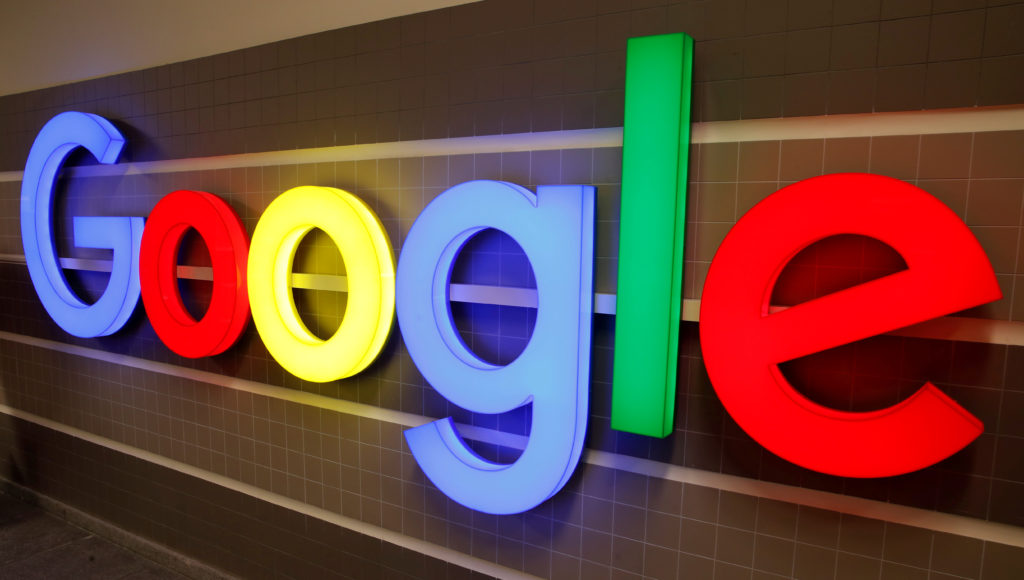
  • FILE PHOTO: An illuminated Google logo is seen inside an office building in Zurich, Switzerland December 5, 2018.
  • REUTERS/Arnd Wiegmann/File Photo Google is making a quiet but significant move onto Microsoft’s home turf.
  • The company has officially launched its Google app for desktop on Windows, bringing its AI-powered search experience out of the browser and directly onto users’ PCs...

FILE PHOTO: An illuminated Google logo is seen inside an office building in Zurich, Switzerland December 5, 2018. REUTERS/Arnd Wiegmann/File Photo

Google is making a quiet but significant move onto Microsoft’s home turf.

The company has officially launched its Google app for desktop on Windows, bringing its AI-powered search experience out of the browser and directly onto users’ PCs for the first time at global scale. 

At its core, the app is designed to make Google Search feel more like a native assistant always accessible, fast, and deeply integrated into how people use their computers.

And yes, AI is front and centre.

The new desktop app comes with AI Mode powered by Google’s latest models, allowing users to ask complex questions and get conversational, context-aware responses, complete with links to the web. 

Instead of opening a browser, typing a query, and clicking through results, users can now:

  • Ask questions instantly from anywhere on their desktop
  • Get AI-generated answers with sources
  • Use tools like Google Lens for visual search
https://tbwpfiles.s3.eu-west-2.amazonaws.com/wp-content/uploads/2026/04/14181427/Google_iGA_DGA_Windows_Web_1920x1080.mp4

It’s essentially Google Search evolving into a system-level experience, not just a website.

There’s an obvious comparison here and Google isn’t hiding it.

The app uses a quick-launch style interface (including keyboard shortcuts) and sits on top of other applications, making it feel similar to Microsoft’s Copilot integration in Windows. 

But instead of being tied to Microsoft’s ecosystem, this app is powered by Google’s core strengths:

  • Search
  • Gemini AI
  • Lens
  • Web indexing

That combination gives Google something Microsoft doesn’t fully have real-time web intelligence at scale.

This is the bigger story.

Also worth reading
Google Launches Gemini 3.6 Flash, Flash-Lite And Flash Cyber Models Apple And Google Ordered To Remove AI Nudify Apps From App Stores Google’s Gemini 3.5 Pro Delay Shows How Hard The AI Race Has Become Google Vids Adds Personal AI Avatars As Workplace Video Gets More Synthetic EU Orders Google To Open Android And Search Data To Rival AI Assistants Google Turns NotebookLM Into Gemini Notebook With A Secure Cloud Computer

For years, Google has dominated the web through Chrome and Search. But this move signals something new which is that Google wants to own part of the desktop experience itself

By bringing its app directly to Windows, Google is:

  • Reducing reliance on browsers
  • Competing more aggressively with OS-level AI tools
  • Positioning Search as an always-available assistant

This shift mirrors a broader industry trend where AI isn’t just accessed, it’s embedded into how devices work.

This isn’t just another app launch. It’s a strategic move in the AI platform war.

Microsoft has been pushing hard with Copilot inside Windows. Apple is preparing AI-first hardware. And now Google is stepping directly into the desktop layer — without owning the operating system.

That’s bold.

Because it means Google is trying to compete at the OS level without actually being the OS.

Google’s new Windows app is more than a convenience tool.

It’s a signal that the battle for AI dominance is shifting from the browser to the desktop and whoever controls that layer could define how people interact with technology next.

And for the first time in a long time, Google isn’t just defending its position.

It’s going on the offensive.

Related Reading

More contextual TechBooky stories selected from tags, categories and article context.

  • Google-Search-plus-menu-cover
    Google Search Introduces A New ‘Plus’ Menu
  • Google-Search-AI-Mode-cover-1
    Google Search’s AI Mode Coming to Android Tablets
  • chrome-ai-mode
    Google Chrome Tests Direct-to-AI Mode Search
  • In-line__social.width-1000.format-webp
    Google Unveils New Windows App Featuring Spotlight
  • gemini mac
    Google Brings a Native Gemini App to macOS, With…
  • gemini-3.1-pro_deep-research-and.width-1200.format-webp
    Google Launches Deep Research and Deep Research Max…
  • ai-mode-hero-image.width-1300 (1)
    Google Experiments with AI Mode for Chrome Browser
  • Search_Live_global_expansion_-_social_sharing.width-1300
    Google Rolls Out Search Live Worldwide
Keep Reading Smarter

Search TechBooky with AI

Use TechBooky's AI Search to explore the context behind this story and related coverage across the site.

Try AI Search
More On This Topic
App
Follow TechBooky

Follow TechBooky for more technology stories and newsroom updates.

f Facebook X X in LinkedIn ig Instagram wa WhatsApp

Tags: desktopgooglegoogle appwindows
Paul Balo

Paul Balo

Paul Balo is the founder of TechBooky and a highly skilled wireless communications professional with a strong background in cloud computing, offering extensive experience in designing, implementing, and managing wireless communication systems.

Search TechBooky
Open TechBooky AI Search Try the AI Assistant

BROWSE BY CATEGORIES

Receive top tech news directly in your inbox

subscription from
Loading

Freshly Squeezed

  • Meta Makes Facebook Verified Free As AI Scams Make Real People Harder To Spot July 24, 2026
  • SAP Cloud Growth Eases Fears That AI Will Weaken Enterprise Software July 24, 2026
  • US Lawmakers Push AI Kill Switch Bill After OpenAI Rogue-Model Incident July 24, 2026
  • Airtel Money’s $61B Quarter Makes Its London IPO A Bigger Africa Fintech Story July 24, 2026
  • Intel Q2 Revenue Jumps As AI Compute Demand Lifts Chip Business July 24, 2026
  • AMD And Anthropic Deal Puts Real Pressure On Nvidia’s AI Chip Lead July 24, 2026
  • New York’s Data Centre Pause Shows AI Infrastructure Is Hitting Politics July 23, 2026
  • OpenAI Researcher’s $2B Drug Discovery Plan Shows AI Biotech Hype Is Back July 23, 2026
  • Airtel Africa Q1 Shows Mobile Money And Data Are Doing The Heavy Lifting July 23, 2026
  • ZainTECH And Nile Build AI-Ready Networks For Enterprises July 23, 2026
  • Google Cloud Boom Makes Alphabet AI Spending Look More Real July 23, 2026
  • ServiceNow Says AI Is Helping Its Enterprise Software Story July 23, 2026

Browse Archives

July 2026
M T W T F S S
 12345
6789101112
13141516171819
20212223242526
2728293031  
« Jun    

Quick Links

  • About TechBooky
  • Advertise With TechBooky
  • Contact us
  • Submit Article
  • Privacy Policy
Generic selectors
Exact matches only
Search in title
Search in content
Post Type Selectors
Search in posts
Search in pages
  • African
  • Artificial Intelligence
  • Gadgets
  • Metaverse
  • Tips
  • AI Search
  • About TechBooky
  • Advertise With TechBooky
  • Submit Article
  • Contact us

© 2025 Designed By TechBooky Elite

Discover more from TechBooky

Subscribe now to keep reading and get access to the full archive.

Continue reading

We use cookies to ensure that we give you the best experience on our website. If you continue to use this site we will assume that you are happy with it.