• AI Search
  • Cryptocurrency
  • Earnings
  • Enterprise
  • About TechBooky
  • Submit Article
  • Advertise Here
  • Contact Us
TechBooky
  • African
  • AI
  • Metaverse
  • Gadgets
Generic selectors
Exact matches only
Search in title
Search in content
Post Type Selectors
Search in posts
Search in pages
  • African
  • AI
  • Metaverse
  • Gadgets
Generic selectors
Exact matches only
Search in title
Search in content
Post Type Selectors
Search in posts
Search in pages
TechBooky
Generic selectors
Exact matches only
Search in title
Search in content
Post Type Selectors
Search in posts
Search in pages
Home Service news

Microsoft Increases Office App Speed

Akinola Ajibola by Akinola Ajibola
March 28, 2025
in Service news
Share on FacebookShare on Twitter

If you frequently use Microsoft Office, you might want to check out a new feature that will make your favourite application run faster. Startup Boost, a feature that will be available very soon which will shorten the time it takes for a Microsoft Office program to start.

Beginning with Word in May, Microsoft intends to increase the Office products’ launch speeds. To ensure that Word and ultimately other Office programs start promptly, a new scheduled job will run discreetly when your computer boots up, improving the launch speeds of Office apps.

In an email to IT administrators, Microsoft said, “To improve performance and load-time of Office applications, we are introducing a new Startup Boost task from the Microsoft Office installer.” “The application stays in a paused state until it launches and the sequence resumes, or the system removes the application from memory to recover resources, after the system completes the task.”

The first program to receive this Startup Boost will be Word, and according to Microsoft, “support for additional applications will come in future updates.” This will begin in May. Only computers with at least 8GB of RAM and 5GB of free disk space will be able to use Startup Boost. Additionally, while Energy Saver mode is in effect, Startup Boost will be turned off. Startup Boost will appear as a scheduled activity and be fully customizable, allowing you to quickly turn it off if you don’t want an Office application using up too much RAM.

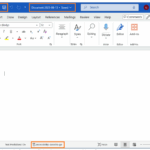
Word will have an option to turn off Office programs from starting silently in the background when the computer boots up. Although the scheduled job may always be deleted, Microsoft cautions that when an update is applied, the Office installer will rebuild the process; thus, IT administrators will need to control this through the in-app setting. It is an optional job that may be deactivated through in-app settings and is shown in Windows job Scheduler.

Although most app developers don’t utilize them frequently, Microsoft employs a variety of scheduled tasks to conduct Windows tasks discreetly and improve the operating system. Many OEMs utilize tasks to update drivers and other system components, and Google employs a scheduled task for its Chrome updater. However, the majority of other programs, such as Adobe Creative Suite, execute startup processes in Windows’ standard startup area, which makes it simple to deactivate them.

How is Speed Boost going to function? Like other scheduled tasks, programs, and services that startup automatically, the related task will start up discreetly once you sign in to Windows. Until you launch it or the system releases it from memory to free up resources, the Office program will stay in a stopped state.

Only if your computer has sufficient memory and resources to operate the function without degrading Windows’ performance will it be enabled. A minimum of 5GB of free storage space and 8GB of accessible RAM are required. Additionally, if Energy Saver mode is activated, Startup Boost will be suppressed.

Related Posts:

  • OMB_Hero-WholeNewWayToWork
    Microsoft Denies Office-to-Copilot Rebranding Reports
  • microsoft-365-logo-with-some-of-its-apps-beside-it-and-a-field-to-add-alt-text
    Microsoft Tests Ad-Supported Free Version of 365 Apps
  • 1604217-microsoft
    Windows 11 Gets Faster, Cleaner File Explorer in New Update
  • 1071085-Hero-Background-1600x616
    Microsoft 365 Copilot App to Install by Default from October
  • copilot-1
    Microsoft Highlights Copilot Compatibility Issues…
  • word doc save
    Microsoft Word Now Saves New Doc Automatically To Cloud
  • M365-Blog_09292025_agentMode_Hero_v1-809x455
    Microsoft Adds ‘Vibe Working’ to Word and Excel
  • excelagentmode
    Microsoft Introduces ‘Vibe Working’ Mode To Word,…

Discover more from TechBooky

Subscribe to get the latest posts sent to your email.

Tags: microsoftmicrosoft officeoffice
Akinola Ajibola

Akinola Ajibola

BROWSE BY CATEGORIES

Receive top tech news directly in your inbox

subscription from
Loading

Freshly Squeezed

  • Apple’s Overhauled Siri Said To Add Auto‑Deleting Chat History As Privacy Pitch May 18, 2026
  • Google Tells Its PostgreSQL Engineers To Rely Heavily On AI May 18, 2026
  • Microsoft Retires Teams’ Together Mode to Simplify Video and Boost Performance May 18, 2026
  • Cybercriminal Twins Arrested After Leaving Microsoft Teams Recording On May 16, 2026
  • Hackers Alerted Odido About A breach Exposing 6.2M Customers’ Data May 16, 2026
  • Exchange Vulnerability Turns OWA Into Script-Launching Tool May 15, 2026
  • OpenAI Introduces ChatGPT For Personal Finance With Bank Account Integration May 15, 2026
  • Outage On Google’s Nest App May 15, 2026
  • Microsoft Introduces Automatic Rollbacks For Faulty Windows Drivers May 15, 2026
  • Opay & Moniepoint Collaborate With Vitel On Airtime & Data Services May 15, 2026
  • OpenAI Extends Codex Integration To ChatGPT Apps On iOS & Android For Users May 15, 2026
  • Microsoft Initiates Claude Code Licenses Termination May 15, 2026

Browse Archives

May 2026
MTWTFSS
 123
45678910
11121314151617
18192021222324
25262728293031
« Apr    

Quick Links

  • About TechBooky
  • Advertise Here
  • Contact us
  • Submit Article
  • Privacy Policy
Generic selectors
Exact matches only
Search in title
Search in content
Post Type Selectors
Search in posts
Search in pages
  • African
  • Artificial Intelligence
  • Gadgets
  • Metaverse
  • Tips
  • AI Search
  • About TechBooky
  • Advertise Here
  • Submit Article
  • Contact us

© 2025 Designed By TechBooky Elite

Discover more from TechBooky

Subscribe now to keep reading and get access to the full archive.

Continue reading

We use cookies to ensure that we give you the best experience on our website. If you continue to use this site we will assume that you are happy with it.