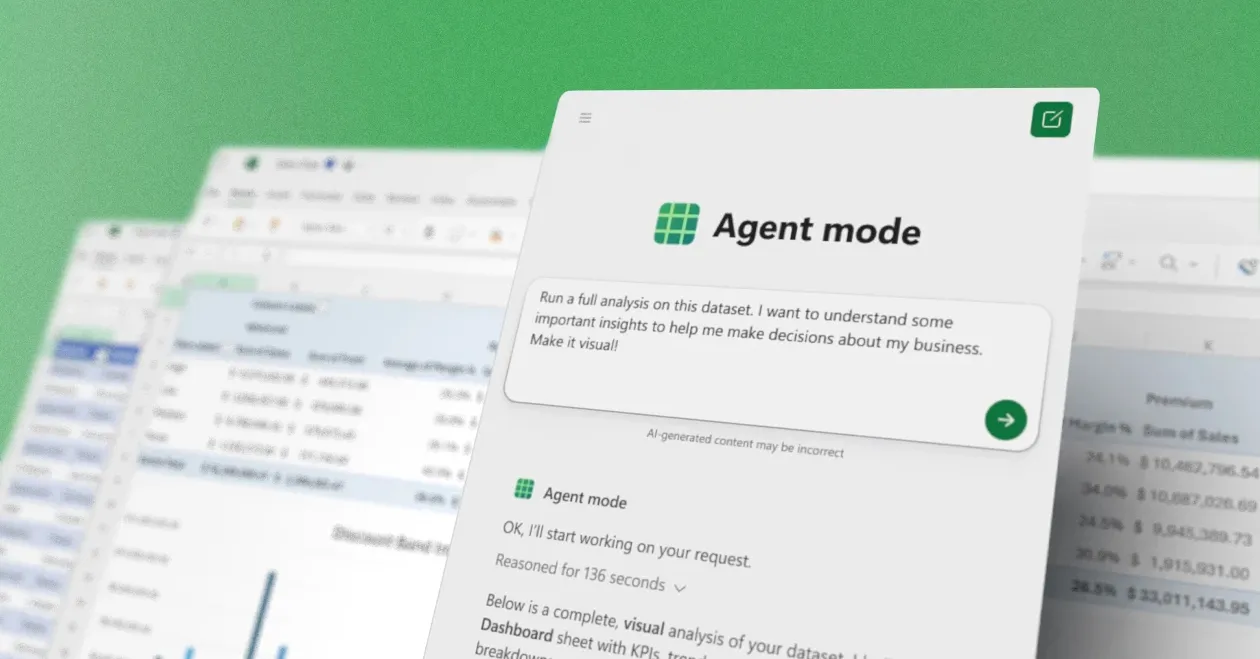
This week, Microsoft will launch a new agent mode within Office programs, including Word, Excel, and PowerPoint. The Agent Mode, which Microsoft has been attempting to market to companies, is a more potent version of the Copilot experience in Office and was formerly referred to as “vibe working.”
The introduction of “vibe working” by Microsoft is a new AI-driven workflow for Word, Excel, and PowerPoint. This project represents a shift from passive AI support to autonomous human-agent cooperation, and it was inspired by the “vibe coding” movement in software development.
Sumit Chauhan, corporate vice president of Microsoft’s Office Product Group, acknowledges that “when we first shipped Copilot, foundation models were not powerful enough to use Copilot to command the applications.” “This meant that Copilot was a passive partner in documents: it could respond to inquiries but fell short when asked to act directly on the canvas.”
The goal of the new Agent Mode is to make it easier for users to follow instructions and make changes to documents, spreadsheets, and presentations. According to Chauhan, “models have made significant improvements in instruction following, reasoning, and overall quality over the past year, and they are now better at handling multi-step edits reliably without losing your intent.”
A sidebar that displays each action Copilot takes on a document will allow you to observe the Copilot AI agent in real time. Excel allows you to add tables or formulas straight into a workbook. Additionally, PowerPoint’s Agent Mode can maintain the template style used by corporations while adding new material to already-existing decks.
The rollout of Vibe working focuses on two main features inside the Microsoft 365 Copilot ecosystem. First, Agent Mode in Word and Excel allows Copilot to perform multi-step tasks directly on documents or spreadsheets instead of just answering questions. In Excel, users can build complex models, create pivot tables, and generate charts using natural language prompts, with iterative validation to self-correct errors.
In Word, the agent can autonomously draft, reformat, and update reports using existing files or external research. Second, Office Agent within Copilot Chat provides a chat-first experience that creates polished Word documents and PowerPoint presentations from scratch by engaging in deep research, clarifying user intent such as target audience or visual theme, and offering a live preview of slides as they are built.
Microsoft is diversifying its AI foundation to power agentic tasks, using different models depending on the function. Agent Mode typically relies on high-level reasoning models like OpenAI’s GPT-5 to handle complex, multi-step logic, while the Office Agent in Copilot chat leverages Anthropic’s models, such as Claude, to provide diverse perspectives and high-quality creative output.
The rollout began this week in April 2026 for Microsoft 365 Copilot and Premium subscribers. The features are initially launching on the web versions of Word, Excel, and PowerPoint, though support for native desktop apps is expected to follow shortly. Additionally, some users may need to enable the “Frontier” setting in the Microsoft admin center to access these early-stage agent capabilities.
These new Copilot features are being made accessible with Microsoft 365 Personal and Family subscriptions, as well as Microsoft 365 Copilot and Microsoft 365 Premium users.
Related Reading
More contextual TechBooky stories selected from tags, categories and article context.
We use cookies to ensure that we give you the best experience on our website. If you continue to use this site we will assume that you are happy with it.