TechBooky AI Assistant
👋 Welcome to TechBooky AI Assistant

I can help with:
🔎 Tech News
🤖 AI Topics
💻 Gadgets
☁️ Cloud
✍️ Guest Posts
📢 Advertising
🔗 Backlinks
📩 Newsletter
  • AI Search
  • Cryptocurrency
  • Earnings
  • Enterprise
  • About TechBooky
  • Submit Article
  • Advertise With TechBooky
  • Contact Us
TechBooky
  • African
  • AI
  • Metaverse
  • Gadgets
  • Intelligence
  • AI Search
Generic selectors
Exact matches only
Search in title
Search in content
Post Type Selectors
Search in posts
Search in pages
  • African
  • AI
  • Metaverse
  • Gadgets
  • Intelligence
  • AI Search
Generic selectors
Exact matches only
Search in title
Search in content
Post Type Selectors
Search in posts
Search in pages
TechBooky
Generic selectors
Exact matches only
Search in title
Search in content
Post Type Selectors
Search in posts
Search in pages
Home Service news

Spotify Launches Group Chat Feature

Akinola Ajibola by Akinola Ajibola
January 30, 2026
in Service news
Share on FacebookShare on Twitter
Share this story

Send it to someone who should read it.

f Facebook X X in LinkedIn wa WhatsApp tg Telegram @ Email
In Brief
  • Spotify is now introducing group chats after introducing a message option in August of last year.
  • The Group Chats, an extension of Spotify’s in-app messaging tool, will now allow users to share the podcasts, playlists, and audiobooks they’re listening to with up...
  • This also means that users may no longer use external messaging services in order to share and discuss music, podcasts, and audiobooks within the app.

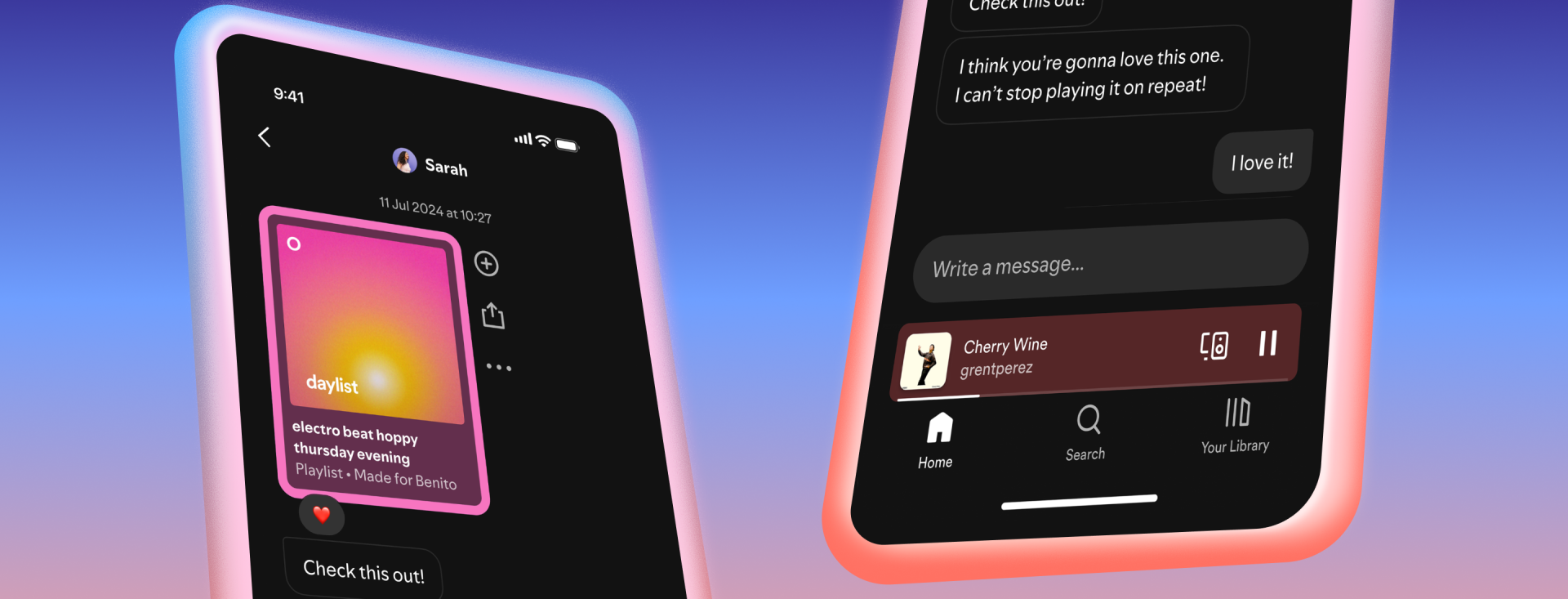
Spotify is now introducing group chats after introducing a message option in August of last year. The Group Chats, an extension of Spotify’s in-app messaging tool, will now allow users to share the podcasts, playlists, and audiobooks they’re listening to with up to ten individuals, the business revealed this week. This also means that users may no longer use external messaging services in order to share and discuss music, podcasts, and audiobooks within the app.

Only those with whom you have already exchanged content can initiate a chat. You can strike up a discussion with someone, for instance, if you have a joint playlist or have joined a Jam or Blend.

The action coincides with Spotify’s ongoing efforts to enhance the social aspects of its streaming service. The company has progressively incorporated social features over time, such as the ability to follow someone and see what they listen to, as well as comments on podcasts.

Spotify has stated that while its messaging feature is designed to support content sharing, users should keep doing so outside of the app.

Both in transit and at rest, messages are encrypted. Nevertheless, end-to-end encryption does not safeguard them.

Some of the highlights of Spotify’s group chat features are that up to ten people can participate in group conversations. In terms of the accessibility on mobile devices (iOS and Android), the feature is accessible to both free and premium users who are 16 years of age or older. Content sharing is an addition to text and emojis; users can transmit songs, albums, playlists, podcasts, and audiobooks. 

Also worth reading
Netflix Q3 Profit Rises as Ad Revenue Forecast Falls Malachyte Raises $10M To Bring Spotify-Style AI To E-Commerce Spotify Turns 300M Premium Users Into An AI Music Bet Snapchat Brings Spotify Listening To Snap Map With Now Playing Spotify’s New AI Assistant Turns Music Discovery Into A Conversation Spotify Tests Audiobook–Print Sync Feature

It also makes room for existing connections only, where users can only initiate a group conversation with individuals they have already linked with using tools like collaborative playlists, Blends, or Jams in order to prevent spam. For security reasons messages are not end-to-end encrypted, but they are encrypted while they are in transit and at rest. An advantage of this approach is that it allows Spotify to more easily detect and prevent harmful or abusive content, helping maintain safer group conversations while still protecting data during transmission and storage.

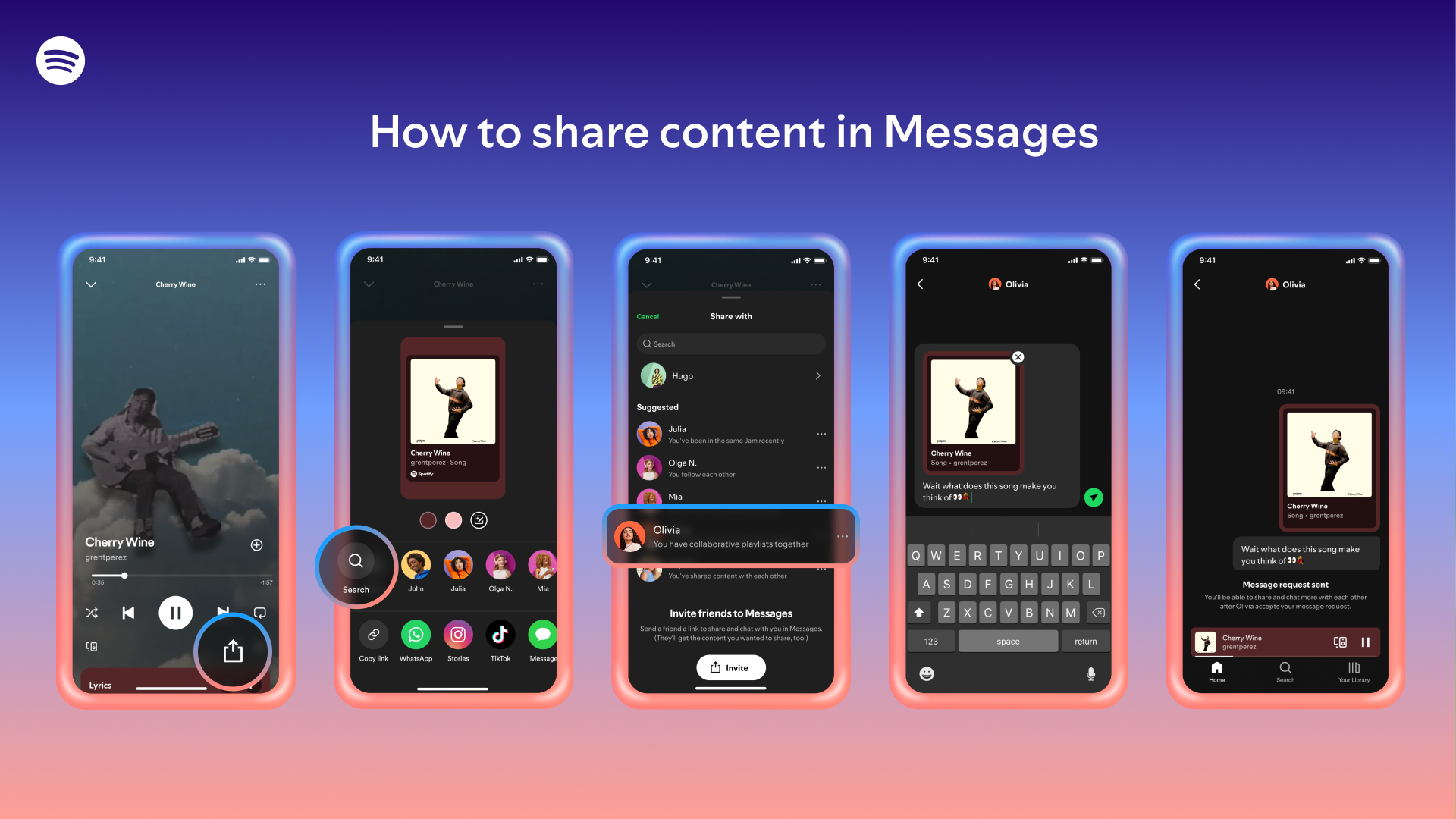
To launch the group discussion, launch the Spotify mobile app, then tap the symbol for your profile. Then choose messages. Proceed to select “create group” or “new message.” 

To begin the thread, choose up to nine additional individuals from your list of current relationships.

Users can completely disable the feature if they would rather not use it. To do this, navigate to Settings and Privacy > Social Features > Privacy and Social.

To avoid being added to any upcoming group or one-on-one discussions, turn off the Messages option. 

To begin a group conversation with your pals, would you like assistance creating a Blend or a Jam first? 

Related Reading

More contextual TechBooky stories selected from tags, categories and article context.

  • How-to-share-content-to-a-chat-1920x1080
    Spotify Introduces DMs
  • Threads-Logo
    Threads Launches Group Chats as Messaging Expands to the EU
  • Spotify-Free-Update-1024x546
    Choose & Play Songs For Free On Spotify
  • spotify audiobooks
    Spotify Debuts Audiobook Charts For Listeners In UK and US
  • Listening-Activity-Header
    Spotify Introduces Real-Time Music Sharing With Friends
  • YIVGYD3QCRPM7FHYSIQKMNFR6M
    Spotify Report A Higher Fraction Of Premium Users’…
  • Header-1440x820px-1920x733
    Spotify Tests Author Pages Audiobook Video Clips, and More
  • FTR-Header-2880x1640-2-1-1920x733
    Spotify Adds New Features To Enhance Podcast Discovery
Keep Reading Smarter

Search TechBooky with AI

Use TechBooky's AI Search to explore the context behind this story and related coverage across the site.

Try AI Search
More On This Topic
Service news
Follow TechBooky

Follow TechBooky for more technology stories and newsroom updates.

f Facebook X X in LinkedIn ig Instagram wa WhatsApp

Tags: group chatSpotifystreaming
Akinola Ajibola

Akinola Ajibola

Akinola Ajibola contributes to TechBooky, covering technology news, digital innovation and developments shaping the global digital economy.

Search TechBooky
Open TechBooky AI Search Try the AI Assistant

BROWSE BY CATEGORIES

Receive top tech news directly in your inbox

subscription from
Loading

Freshly Squeezed

  • Reddit to Test Logged-In Experience as AI Scraping Grows October 29, 2026
  • Intel Data Centre Revenue Jumps 78% as PC Sales Slow October 29, 2026
  • Amazon AWS Growth Hits 39% as Earnings Miss Expectations October 29, 2026
  • Google and Singapore Test AI Co-Clinician and Predictive Healthcare October 29, 2026
  • GTBank Cards and Squad Checkout Go Live With Google Pay in Nigeria October 29, 2026
  • KRA and Safaricom Discuss M-PESA Tax Invoices for Small Traders October 29, 2026
  • Samsung AI Chip Profit Soars as Consumer Devices Slip Into Loss October 29, 2026
  • Malaysia Seizes $12M in AI Chip Servers as Export-Control Probe Widens October 29, 2026
  • The State of Digital Payments in Bangladesh: 2026 Market Overview October 29, 2026
  • Cassava to Resell Anthropic Claude Across Africa Through Amazon Bedrock October 29, 2026
  • Microsoft Revenue Hits $92.3B as Azure Growth Reaches 48% October 28, 2026
  • Alphabet Cloud Revenue Doubles to $30.7B as AI Spending Deepens Cash Drain October 28, 2026

Browse Archives

October 2026
M T W T F S S
 1234
567891011
12131415161718
19202122232425
262728293031  
« Sep    

Quick Links

  • About TechBooky
  • Advertise With TechBooky
  • Contact us
  • Submit Article
  • Privacy Policy
Generic selectors
Exact matches only
Search in title
Search in content
Post Type Selectors
Search in posts
Search in pages
  • African
  • Artificial Intelligence
  • Gadgets
  • Metaverse
  • Tips
  • AI Search
  • Intelligence
  • About TechBooky
  • Advertise With TechBooky
  • Submit Article
  • Contact us

© 2025 Designed By TechBooky Elite

Discover more from TechBooky

Subscribe now to keep reading and get access to the full archive.

Continue reading

We use cookies to ensure that we give you the best experience on our website. If you continue to use this site we will assume that you are happy with it.