Finally, YouTube is prepared to make its Likeness Detection technology available to all of its adult artists who are 18 years or older, granting the general public access to advanced anti-deepfake monitoring that was once limited to high-profile individuals. This move follows its initial announcement in 2024, the business has also increased user access. The deepfake-detecting tool was first made available to a small number of video creators last year. In March of this year, the streaming giant made it available to journalists and government officials.
This update shifts the feature from an exclusive resource for Partner Program members, journalists, and politicians into a universal system for protecting identity.
The artificial intelligence (AI) tool will allow artists to discover whether their deepfakes are being disseminated by spreading on the site, with a broader release in a few weeks. Additionally, they will have the ability to report such information.
Google had revealed on a support website that “all eligible creators who are over the age of 18” will now have access to the Likeness Detection tool, which was previously limited to a small group of producers through the YouTube Partner Program (YPP), civic leaders, and media professionals. The rollout is scheduled for the upcoming weeks.
YouTube Studio on the desktop allows creators to locate the activation button once they have access to the deepfake detection tool on their channel. Users must navigate to the “Content detection” option on the left and search for “Likeness.” After that, selecting “Start now” will direct the creator to a different site where they must grant YouTube permission to use the similarity identification technology. A one-time verification where the user confirms their facial features is another step in the process.
Once configured, the algorithm will operate in the background to identify any videos posted on the platform that include artificially created likenesses of the artist, who can also be regarded as the creator. YouTube claims that if a user does not see any videos on the page, it may simply indicate that their deepfakes are not being uploaded. Interestingly, the Likeness Detection tool only considers visual likeness and is unable to identify instances in which a creator’s voice is produced and utilized without permission.
According to the page, YouTube happens to be the “industry-first tool,” Likeness Detection, that assists users in identifying and controlling how AI is used to represent them on the platform. “By making it simple for you to request the removal of unauthorized content that violates our Privacy Guidelines, we hope to give you more peace of mind,” the page said.
Operating much like Content ID, the system continuously scans YouTube for facial matches and synthetic impersonations rather than copyrighted material, and once you enroll, it monitors all new uploads around the clock while running targeted privacy checks that isolate your face and discard unrelated visual data. It is currently limited to facial likeness detection, the tool cannot independently identify voice cloning. Even though users can manually report voice fraud, automated scanning for voice remains unavailable.
In order to be able to activate the tool, creators must enroll via the desktop version of YouTube Studio by navigating to Content detection under Likeness, granting permission for face-scanning, and verifying their identity with a government ID and live selfie video using a smartphone. After submission, Google’s servers take up to five business days to process the verification and build a secure visual template.
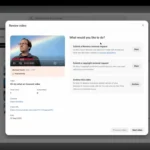
When the system detects a match, flagged videos appear on a user’s Likeness tab with details like view counts and uploaders, offering three options: submit a likeness removal for unauthorized AI manipulations, file a copyright takedown for reused clips, or archive the notice for fair-use cases such as parody. All requests undergo a manual privacy review, and any verified biometric data is stored securely for up to three years or deleted immediately if you leave the program.
Related Reading
More contextual TechBooky stories selected from tags, categories and article context.
We use cookies to ensure that we give you the best experience on our website. If you continue to use this site we will assume that you are happy with it.