Imagine you having 45 tabs open or you can only download an app on your PC if you delete another one to retain space.
The hassles and worries of having to look for an important file and its taking you time to find it.
Digital clutter?
What then is digital clutter?
Before we talk about how to minimize it, we must first understand the term digital clutter.
Digital Clutter is basically the disorganization of one’s data, files and digital devices. It is a situation where files, folders, documents, music, photos, videos, even downloaded movies and series, desktop icons are all cluttered up beyond recognition, making navigating through it a herculean task.
It can come on form of a crowded inbox, full memory storage, scores of files on ones PC, it can even come in form of followers and pages on the SM, many undeleted emails, online subscriptions, cookies, internet bookmarks et al.
Enough of the ‘definition semantics’, lets guide you on how to clear or minimize clutters on your personal computer.
There are two major ways we would discuss in this article, they are (1) clearing the clutter and (2) the practice of digital minimalism.
Clear the Clutter
We understand its one hell of stress to sort digital clutters but this has to still be done, as a day will come when you won’t be able to use your system if you do not do the needful.
You have to be patient to do this as sorting digital clusters requires a meticulous, purposeful process that will be on the long term.
We will advice that to prevent being overwhelmed by the stress of sorting digital clutter, you can dedicate yourself to the completion of one task per day. For instance, day 1, you can adopt the use of a free password manger to check your passwords. Day 2 you commit yourself to organizing your photos, Day 3, you arrange downloaded music and movies and so on. Just make sure you organize them in a way that would allow you find them easily again and after few weeks you have painstakingly sorted out these files, you should be able to locate anything you need to find on your PC at a short notice.
Practice Digital Minimalism
If you cannot totally remove digital clutters due to varying reasons, you should be able to minimize them. Minimizing digital clutters should then form part of your habit and lifestyle. Avoid having it piled up to the extent it would overwhelm you when you want to clear them. This is more of a preventive method and it requires self-control and discipline. For instance, knowing how to sort your clothes and putting them in the right boxes after each use would reduce laundry pileup. Scattered piles of laundry do not just happen in a day, they grow slowly into a pile, shirt by shirt, trouser by trouser, when you are lazy enough to arrange them neatly after each use. This is the same way you pile up files haphazardly on your PC, learn how to arrange files correctly, when you download them or receive them from another system.
You should know how to effectively practice digital minimalism and make it an habit everyday you use your PC.
Here are some tips and practical steps to declutter your digital life below:
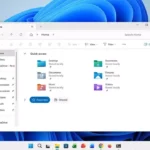
Folder and Files organization: You should have a good folder structure that aligns with intentional purposes. It should look more like a hierarchy pyramid, with major fills containing sub-files containing lesser files within them and so on.
Inbox Daily Clean-up: Your email inbox or other messages inbox will receive messages every day, some s of spam nature, some simply irrelevant, you should purge your inbox of the things you know you will never need and do that every day for the next few weeks.
Photos Categorization: You should categorize your photos by first placing them in one folder, which in turn will have sub-folders within it with specific categories like Hangout time, Work, Ayoola’s birthday, Abuja Trip, and Other.
Purge your social media: You should constantly look at those you follow and those who follow you to remove irrelevant people or users who have no value to your craft of personae. You will take your time to unfollow, unlike, unfriend or unsubscribe from pages do not consider useful.
Use the cloud servers: You can store your most valuable data and backup most of your essentials in a cloud server if you are unsure of the present and future importance of the file.
Detox yourself digitally: You can decide to take a break from social media or that site you are addicted to, either read a book, or go for a walk just to detach yourself for a while. There are a many ways to spend your time than browsing aimlessly on Instagram, devoid of purpose.
Turn off notifications: You can turn off notifications from messages, mails, apps, or web pages to effectively detach as analysed in number 6. You can leave out important notification messages like that of your spouse or child though.
Begin to manage your passwords: You should begin to sort passwords, especially the ones that are less identical and you are prone to forget. Change the passwords to something you can remember. This may appear tedious but it’s worth it.
With the 21st century having you being availed one of different innovations coming to the fore; there is a tendency of you having different files lined up on your PC, different social media accounts, so it is up to each of us to develop a content filter out only that which will enrich us.
Sort your digital clutter today!
Related Reading
More contextual TechBooky stories selected from tags, categories and article context.
Ayoola Faseyi, an Abuja based Journalist with interest in Technology and Politics. He is a versatile writer with articles in many renowned News Journals.
He is the Co-Founder of media brand, The Vent Republic.
We use cookies to ensure that we give you the best experience on our website. If you continue to use this site we will assume that you are happy with it.